

Why Modular Workflows Are the Real Game‑Changer for SaaS Teams
When I first started building SaaS products, the toolbox was a handful of monolithic platforms—JIRA for tickets, Confluence for docs, a clunky CRM, and a separate analytics suite. We cobbled them together with Zapier, prayed to the gods of API keys, and hoped the data wouldn’t explode somewhere in the ether. Fast forward a few releases, and the friction became obvious: every new feature request sparked a chain reaction of integration headaches, version mismatches, and endless “who owns this data?” meetings.
Enter the era of modular workflow tools. These aren’t just “nice‑to‑have” add‑ons; they’re purpose‑built components that slot into a larger ecosystem like Lego bricks, each one handling a single responsibility with laser focus. The result? A living, breathing workflow that can be re‑shaped on the fly, letting product, engineering, sales, and support teams move at the speed of a sprint without the usual overhead.
The Core Philosophy: One Function, One Tool
Think of each tool as a specialist rather than a generalist. In the old world, you’d buy an all‑in‑one platform and spend weeks customizing it to fit your exact process. That sounds efficient—until the platform decides to deprecate a feature you rely on. With modular tools, you accept the trade‑off: you’ll have a handful of moving parts, but each part is guaranteed to do one thing exceptionally well. It’s the same principle that made micro‑services revolutionize backend architecture, now applied to the front‑line productivity stack.
For example, instead of using a monolithic project management suite that also houses time‑tracking, resource planning, and customer feedback, you could combine:
- A lightweight kanban board that focuses on visual task flow.
- A dedicated time‑capture extension that auto‑logs work based on activity.
- A feedback hub that aggregates user voice from Intercom, email, and in‑app surveys.
Each piece talks to the others via clean, well‑documented APIs, meaning you can replace the kanban board tomorrow with a more visual tool without pulling the entire stack apart.
Building a Modular Stack: The Five Pillars
From my experience, a robust modular stack rests on five essential pillars:
- API‑First Design – Every tool must expose a stable, versioned API. This is the lingua franca that lets your pieces converse without a middleman.
- Event‑Driven Architecture – Rather than polling for changes, tools emit events (e.g., “ticket‑created”, “feedback‑received”). Listeners can react in real‑time, creating a seamless flow of information.
- Composable UI – Dashboards that allow you to embed widgets from different providers, giving a single pane of glass while preserving tool independence.
- Data Ownership – Choose tools that let you export raw data at any time. Avoid vendor lock‑in, especially for analytics and compliance.
- Security‑by‑Design – Each component should support modern auth protocols (OAuth 2.0, SAML) and granular permission models.
When you line up these pillars, you’ll find that adding a new capability—say, AI‑driven ticket triage—doesn’t require a massive overhaul. You simply slot in an AI service that listens for “ticket‑created” events, scores them, and pushes the result back into your kanban board.
Tool Spotlight: AI‑Powered Automation Without the Hallucination Risk
One of the hottest trends in modular tooling is the rise of AI assistants that automate routine tasks. But there’s a catch: AI hallucination mitigation strategies have become a must‑have component of any trustworthy workflow. In practice, this means you wrap your AI layer in a verification micro‑service that cross‑checks outputs against a knowledge base before they reach the end user.
Here’s a quick pattern you can adopt:
- Trigger: An event like “new support ticket”.
- AI Processor: Generates a draft response.
- Verifier: Uses rule‑based logic or a secondary LLM to confirm factual accuracy.
- Human Override: If confidence falls below a threshold, the ticket is routed to a live agent.
This approach keeps the speed gains of AI while safeguarding against the trust erosion that hallucinations can cause. It also illustrates why modularity shines: the verification layer can be swapped out or upgraded without touching the rest of the stack.
Performance Matters: Leveraging Near‑Native Speed in the Browser
Another area where modular tools shine is in performance. Traditional SaaS dashboards can feel sluggish, especially when they’re pulling data from multiple sources. By incorporating WebAssembly performance tricks, you can offload heavy calculations to the client side, delivering near‑native speed without compromising security.
Imagine a real‑time forecasting widget that crunches millions of rows of usage data directly in the browser. With WebAssembly, the widget can execute the same algorithms that would normally require a backend server, slashing latency from seconds to milliseconds. This is a perfect example of the “compute close to the data” principle—keep the heavy lifting where the user is looking, not halfway across the network.
Hardware Foundations: The Unsung Hero of Modular Tooling
Even the most elegant software stack can be hamstrung by under‑powered hardware. When I first rolled out a new AI‑enhanced workflow, I learned that my team’s laptops were the bottleneck. The solution? Upgrade to machines designed for ML workloads. Check out this AI‑ready laptops guide for a quick rundown of specs that keep your modular tools humming.
Key hardware considerations include:
- Dedicated GPU or AI accelerator for on‑device inference.
- Fast NVMe storage to reduce I/O latency for local data caches.
- Ample RAM (32 GB+ recommended) to handle multiple concurrent tool processes.
When your hardware can keep up, you unlock the true potential of modularity: you can run local analytics, AI inference, and even sandboxed test environments without dragging the network into the equation.
Case Study: A SaaS Startup Cuts Release Cycle by 40%
Let me share a real‑world example. A mid‑stage SaaS startup was struggling with a 6‑week release cadence because every feature touched multiple systems—issue tracker, CI/CD pipeline, feature flag service, and analytics. They adopted a modular workflow stack:
- Feature flags managed by a dedicated, API‑first service.
- CI/CD orchestrated by a lightweight, event‑driven pipeline that listens for “merge‑to‑main” events.
- Analytics captured via a separate data ingestion tool that emitted “event‑recorded” events.
Because each component was isolated, they could parallelize work. Developers pushed code, the CI pipeline spun up tests, the feature flag service instantly exposed toggles, and the analytics team began ingesting usage data—all without waiting for a monolithic system to catch up. The result? A 40 % reduction in time‑to‑market, with zero increase in post‑release incidents.
Getting Started: A 3‑Step Playbook
If you’re ready to transition from monolithic to modular, follow this quick playbook:
- Audit Your Current Stack – List every tool, its primary function, and the integrations it relies on. Identify “single points of failure” where a tool does too much.
- Choose a Core API‑First Platform – Pick a lightweight integration hub (e.g., n8n, Zapier’s advanced plan, or a custom event bus) that will act as the glue.
- Replace Incrementally – Start with a low‑risk area, such as internal notifications. Swap the existing solution for a specialized tool, connect it via the hub, and monitor for improvements before moving on.
Remember, modularity is a journey, not a one‑off migration. Treat each swap as an experiment; measure latency, adoption, and team satisfaction. Over time, the stack will evolve into a resilient, high‑performance workflow that adapts as your product grows.
Future‑Proofing: The Rise of “Tool‑as‑Code”
Looking ahead, I see a convergence between DevOps “infrastructure as code” and productivity tooling. Imagine defining your entire workflow in a YAML manifest, version‑controlled alongside your application code. Deploy a new notification channel, spin up a fresh analytics micro‑service, or toggle a feature flag—all with a single git commit.
This Tool‑as‑Code paradigm will democratize workflow engineering, letting product managers, not just engineers, shape the processes that deliver value. The modular stack is the foundation for this shift; with clean APIs and event‑driven pipelines, you’ll be ready when the tooling ecosystem catches up.
Wrapping Up: The Competitive Edge of Modularity
In a landscape where speed and adaptability are the currencies of success, modular workflow tools give SaaS teams a decisive edge. They reduce technical debt, improve resilience, and empower cross‑functional collaboration without the shackles of monolithic platforms. By embracing API‑first design, event‑driven architecture, and the right hardware, you can build a workflow that not only scales with your product but also evolves with your team’s ambitions.
So, the next time you find yourself wrestling with a clunky integration, ask yourself: “What’s the single‑purpose tool that can do this better?” The answer will likely lead you to a more agile, happier, and ultimately more profitable organization.

Paul Flynn is a versatile freelance writer equipped with a diverse skillset and a portfolio that reflects his wide-ranging interests and expertise. From crafting compelling website copy and engaging blog posts to delivering in-depth articles and meticulously researched reports, Flynn demonstrates a remarkable ability to adapt his writing style to suit various audiences and purposes.
Related Posts
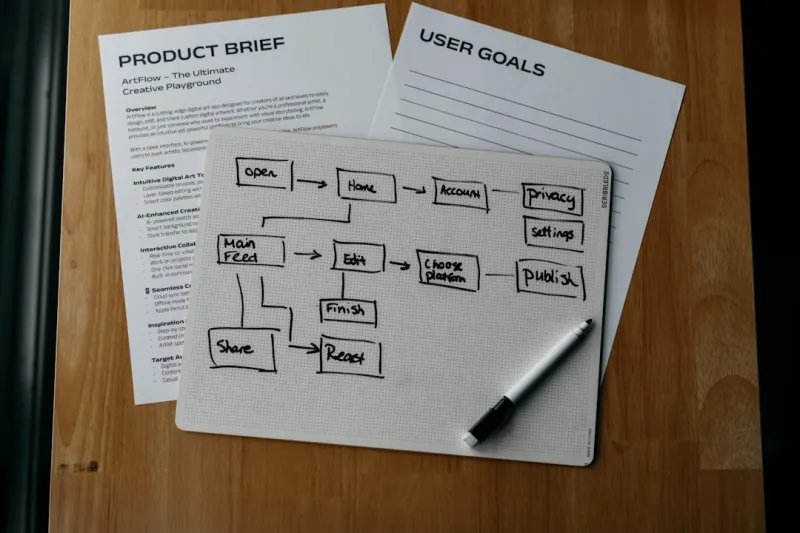
Trending Tools That Are Redefining Sustainable Workflows in 2026
Explore the latest sustainable tools reshaping digital workflows in 2026, from eco‑optimized plugi... Read More

The Rise of Sustainable Tools: Revolutionizing the Way We Live and Work
The rise of sustainable tools is revolutionizing the way we live and work. Learn about the benefits ... Read More
Turning Your SaaS Toolbox into an Agile Experiment Lab
A step‑by‑step guide to re‑imagining your SaaS stack as a living lab, with practical tactics f... Read More
Top Posts

Data Breach Class Actions: The New Legal Battlefield
A deep dive into the rise of data breach class actions, the legal tactics on both sides, and practical steps companies can take to protect themselves and consum...Read More

The Dark Side of the Digital Age: How Online Safety and Sustainability Intersect
The digital age has brought many benefits, but it also poses significant risks to our online safety and the environment. By exploring the intersection of online...Read More

The Hidden Power of Plugins: Building Adaptive SaaS Ecosystems
Plugins aren’t just add‑ons; they’re the engine of adaptability for modern SaaS. This post explores how a plugin‑first architecture reduces technical de...Read More

Turning WordPress Into a Growth Engine for B2B SaaS
WordPress isn’t just for blogs—learn how to transform it into a secure, headless content hub that fuels acquisition, onboarding, and community for B2B SaaS,...Read More
0 Comments
Post Comment
You will need to Login or Register to comment on this post!