
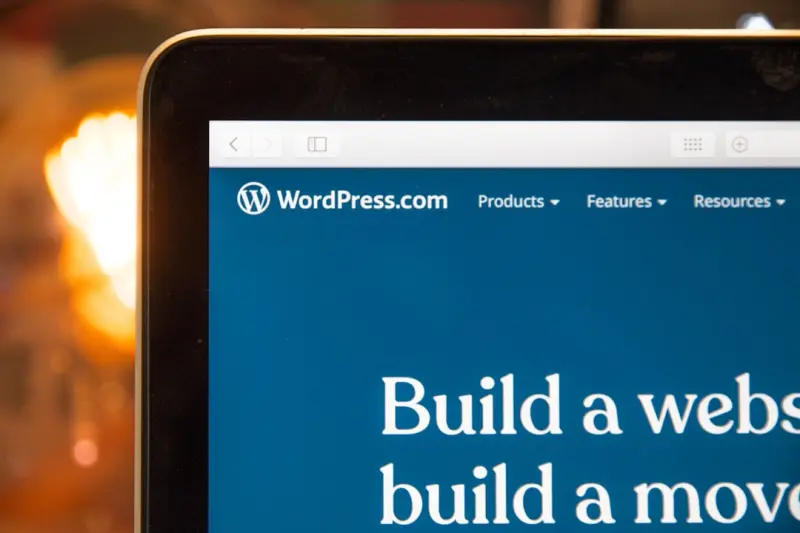
Why WordPress Needs a Pulse, Not Just a Platform
WordPress has been the go‑to content management system for decades, but the expectation for static pages is evaporating as audiences crave experiences that feel organic, responsive, and ever‑changing. Transforming a site from a collection of posts into a living, breathing entity means rethinking every layer—from the database to the front‑end UI—so that the platform can adapt in real time to user behavior, seasonal trends, and emerging technologies. When a visitor lands on a page that subtly shifts its layout based on their previous interactions, the site instantly earns trust and relevance, turning casual clicks into loyal engagements that echo long after the session ends.
Embracing Headless WordPress for True Decoupling
Going headless liberates WordPress from the constraints of its traditional theme system, allowing developers to serve content through a REST or GraphQL API while a modern JavaScript framework renders the front end. This separation creates a sandbox where performance optimizations, interactive animations, and progressive web app features coexist without the baggage of legacy PHP rendering cycles. By treating the CMS purely as a content hub, you gain the flexibility to push updates, experiment with new UI paradigms, and integrate third‑party services without risking site downtime, all while preserving the familiar editorial workflow that makes WordPress beloved by creators.
Micro‑Interactions: The Tiny Details That Keep Users Hooked
Micro‑interactions are the subtle, moment‑to‑moment responses—like button hover effects, loading spinners, or real‑time form validation—that give a site personality and guide users intuitively through tasks. Implementing these details within a headless architecture is surprisingly straightforward: a small JSON payload can trigger a CSS animation or a JavaScript event, creating a feedback loop that feels personal and responsive. When users sense that a site acknowledges their actions, even in the most trivial ways, they develop an emotional connection that translates into higher dwell time, lower bounce rates, and a measurable boost in conversion metrics.
AI‑Powered Content Creation that Learns from Your Audience
Artificial intelligence is no longer a novelty; it’s a productivity engine that can draft, optimize, and even localize copy at scale. By integrating an AI model directly into the WordPress editor, you enable writers to generate first drafts, suggest keyword‑rich headings, and adapt tone on the fly, freeing up creative energy for strategy rather than syntax. This synergy mirrors the insights from AI-powered content creation, where the partnership between human intuition and machine precision yields articles that resonate with both readers and search engines. The result is a content pipeline that not only keeps up with demand but also evolves based on real‑time audience metrics, ensuring every post feels timely and targeted.
Serverless Functions: Scaling Performance Without the Headache
Traditional WordPress hosting often struggles under traffic spikes, forcing site owners to over‑provision servers or endure slow load times. Serverless architectures—such as AWS Lambda or Cloudflare Workers—allow you to offload heavy computations, image processing, and API calls to on‑demand functions that scale automatically. When a visitor requests a high‑resolution image, a serverless function can resize and cache it in milliseconds, delivering a crisp visual without bogging down the core site. This approach not only slashes latency but also reduces operational costs, letting you allocate resources to creative initiatives rather than server maintenance.
Crafting a Personal Knowledge Hub Inside WordPress
Beyond blogs and e‑commerce, WordPress can serve as a centralized knowledge base where notes, research, and project artifacts coexist in a searchable, tag‑driven ecosystem. By leveraging custom post types, taxonomy hierarchies, and a lightweight front‑end built with a framework like Svelte or Alpine.js, you create a personal wiki that grows organically with each new entry. The flexibility of headless delivery means you can embed rich media, code snippets, and interactive diagrams without compromising performance, turning your site into a living repository that fuels both personal growth and collaborative discovery.
Modular Themes: Building for the Future, Not Just the Present
Modular theme architecture treats each visual component—header, footer, carousel, card—as an interchangeable block that can be swapped, upgraded, or removed without rewriting core files. This philosophy aligns with the broader trend of component‑based development seen in React or Vue, where reusability and isolation drive faster iteration cycles. By adopting a modular theme, you future‑proof your site against design trends and technology shifts, ensuring that a simple style tweak or a new UI pattern can be deployed with a single click. Pair this with data‑driven SEO insights and you have a site that not only looks fresh but also climbs the rankings as search algorithms evolve.
Actionable Checklist for a Living WordPress Site
Start by decoupling the front end: set up a headless API and choose a modern framework for rendering. Next, audit your UI for micro‑interactions, adding CSS transitions or JavaScript listeners where user feedback is missing. Integrate an AI assistant into the editor to streamline content creation, and configure serverless functions for heavy tasks like image optimization. Build a personal knowledge hub using custom post types and a clean, searchable UI. Finally, switch to a modular theme, test performance with Lighthouse, and monitor SEO trends through search engine advancements. Follow these steps, and you’ll watch your WordPress site evolve from a static archive into an engaging, adaptive experience that grows alongside your audience.

Seth Samual is a name that's quickly becoming synonymous with compelling and insightful writing. As a freelance writer, Seth has carved a niche for himself by delivering high-quality content across a diverse range of subjects.
Related Posts
The Power of Sustainable Web Development: How WordPress Can Help You Make a Difference
As a web developer, you have the power to make a positive impact on the environment. Learn how to cr... Read More
Unlocking WordPress as a Scalable Knowledge Hub for B2B Teams
Learn how to repurpose WordPress beyond blogging, creating a living, searchable knowledge hub that b... Read More

Headless WordPress: Enterprise‑Grade Content Flexibility
Discover why decoupling WordPress from the front‑end gives SaaS companies enterprise‑grade speed... Read More
Top Posts

Beyond Keywords: Crafting an SEO Strategy for AI‑Generated Content
AI is reshaping content creation, but SEO still relies on intent, E‑E‑A‑T, and human oversight. This guide shows how to blend prompt engineering, editoria...Read More

Mining Customer Conversations: A Fresh Engine for Content Marketing
Discover a practical, conversation‑driven approach to content marketing that leverages real customer dialogues, turning support tickets and reviews into authe...Read More

Legal Design: Reimagining Contracts for the Digital Age
Legal design transforms dense contracts into clear, actionable tools. Learn the six pillars, real‑world examples, and a step‑by‑step roadmap to modernize ...Read More

Layered Textiles: Turning Everyday Rooms into Tactile Masterpieces
Explore the art of layering fabrics—rugs, throws, cushions—to create warm, dynamic interiors that reflect your style and invite touch....Read More
0 Comments
Post Comment
You will need to Login or Register to comment on this post!