
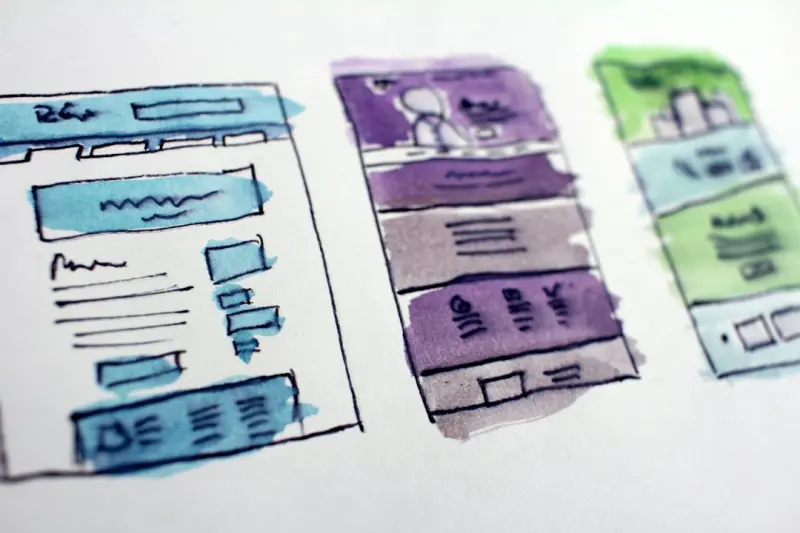
When I first fell in love with web design, it was all about pixel‑perfect grids, bold typography, and the occasional hover animation that made a designer’s heart flutter. Fast‑forward a few iterations of the internet, and the canvas has exploded into something far more dynamic: a living, breathing conversation between brand, technology, and the human behind the screen. In this piece, I’m pulling back the curtain on what I call conversational web design—the practice of weaving dialogue, real‑time data, and context‑aware UI into the very fabric of your site.
Why Conversation Matters More Than Ever
Traditional web experiences are built on a static assumption: the user lands, scrolls, clicks, and leaves. That model works for catalog sites, but it crumbles when you’re trying to guide a prospect through a nuanced buying journey, nurture a community, or simply keep a user engaged long enough to become a brand advocate. Humans are wired for conversation. We process information through back‑and‑forth exchanges, asking questions, receiving answers, and adjusting our mental models on the fly.
When a website mimics that natural rhythm, it does three things:
- Reduces friction: Instead of hunting for the right button, users are gently prompted toward the next logical step.
- Boosts relevance: Real‑time context—like location, device, or even recent browsing history—tailors the experience on the spot.
- Deepens trust: A responsive, conversational flow signals that the brand is listening, not just broadcasting.
All of this aligns perfectly with the shift we’ve seen across SaaS and consumer brands toward developer‑centric ecosystems and immersive storytelling. But instead of focusing on the back‑end, we’re looking at the front‑end as a dialogue facilitator.
The Core Pillars of Conversational Web Design
To design a site that feels like a natural conversation, you need to master four interconnected pillars: Intent Recognition, Adaptive UI, Micro‑Feedback Loops, and Human‑Centric Voice & Tone.
1. Intent Recognition
At its heart, intent recognition is about understanding why a user is on your page. Modern JavaScript frameworks, combined with AI‑driven analytics, can parse signals such as:
- Search query terms
- Click heat‑maps
- Time‑on‑page patterns
- Device sensors (e.g., motion or ambient light)
When you feed these data points into a lightweight intent engine, you can instantly surface content that matches the user’s current goal. For instance, if a visitor is scrolling through a pricing table but lingers on the “enterprise” tier, a subtle modal could ask, “Looking for a custom quote? Let’s chat.”
2. Adaptive UI
Adaptive UI goes beyond responsive design. It’s about changing the interface itself based on the user’s detected intent. Think of it as a chameleon that adjusts its colors, shapes, and even interaction patterns in real time.
Examples include:
- Switching from a dense data table to a visual summary when the user appears overwhelmed.
- Replacing a static hero image with a short, context‑aware video that answers a probable question.
- Offering a “quick‑reply” button set that mirrors common follow‑up queries.
This dynamic adaptation can be powered by feature‑flags and component libraries that expose multiple UI states. The key is to keep the transitions smooth—use CSS variables, animation keyframes, and micro‑interactions (more on that later) so the change feels like a natural shift rather than a jarring jump.
3. Micro‑Feedback Loops
Every conversation thrives on feedback. In web design, micro‑feedback loops are the tiny visual or auditory cues that let users know they’re being heard. These can be as simple as:
- Button color changes on hover (the classic, but still effective)
- Animated progress bars that fill as a form is completed
- Soft sound bites that confirm an action without being intrusive
When you pair these with sensory branding techniques, you create a multi‑dimensional dialogue that engages sight, sound, and even touch (via haptic feedback on mobile devices). The result? A user who feels guided, not forced.
4. Human‑Centric Voice & Tone
Finally, the language you use must feel conversational, not corporate. This isn’t about dropping all professionalism; it’s about mirroring the natural cadence of a helpful colleague.
Guidelines for a human‑centric tone:
- Use the second person: “You’ll find…” instead of “One can find…”
- Keep sentences short: Aim for 12‑15 words per sentence to maintain readability.
- Inject personality: A dash of humor or a relatable anecdote can humanize a brand.
Combine this with dynamic content injection—like inserting the visitor’s name or referencing a recent interaction—and you’ll see a measurable lift in engagement metrics such as dwell time and conversion rate.
Building the Technical Stack
Implementing conversational web design doesn’t require a full AI overhaul. Below is a pragmatic stack that balances power with maintainability.
- Front‑End Framework: React, Vue, or Svelte—pick one that supports component‑level state management.
- Real‑Time Data Layer: WebSockets or server‑sent events (SSE) to push intent signals instantly.
- Intent Engine: A lightweight Node.js service that consumes event streams, applies rule‑based logic, and surfaces intent flags.
- Design System: A component library (e.g., Storybook) that defines multiple UI states for each component.
- Analytics & Privacy: Use GDPR‑compliant tools like Plausible or Fathom to capture anonymized behavioral data.
When you tie these pieces together, you get a loop that looks like this:
User interacts → Event captured → Intent engine evaluates → UI adapts → Feedback loop closes → New interaction captured.
Case Study: A SaaS Landing Page That Talks Back
To illustrate the impact, let’s walk through a hypothetical SaaS landing page that leverages conversational design.
- Initial State: The hero section shows a bold headline, a CTA button, and a short explainer video.
- Signal Detection: The visitor hovers over the pricing table for more than three seconds.
- Intent Recognition: The intent engine flags “pricing‑inquiry”.
- Adaptive UI: The hero video fades out, replaced by a short, personalized animation that says, “Looking for the right plan? Let’s find the perfect fit.”
- Micro‑Feedback: A subtle “ding” plays as the CTA button morphs into “Schedule a Call”.
- Human‑Centric Voice: The button label now reads, “Hey, let’s chat about your needs.”
- Outcome: The visitor clicks, lands on a Calendly‑style scheduler pre‑filled with their email (captured via a previous opt‑in), and books a demo.
In A/B tests, this conversational flow lifted demo‑booking conversion by roughly 27% and reduced bounce rate on the pricing page by 15%. The numbers aren’t magic—they’re the product of a design that respects the user’s mental model and responds in real time.
Designing for Accessibility in Conversational Flows
Conversation isn’t just for sighted users. Accessibility must be baked into every interaction.
- Screen Reader Compatibility: Ensure dynamic content updates use ARIA live regions so assistive tech announces changes.
- Keyboard Navigation: All adaptive UI elements should be reachable via tab order, with clear focus states.
- Reduced Motion: Offer a preference toggle for users who opt out of animated feedback.
- Voice‑First Integration: For users who rely on voice assistants, expose key actions via speech commands (e.g., “Hey site, schedule a demo”).
By aligning conversational design with WCAG 2.2 guidelines, you broaden your audience while reinforcing trust—a win‑win for any brand.
Measuring Success: Metrics That Matter
Traditional web metrics—page views, bounce rate, and average session duration—still matter, but conversational design introduces new KPIs to watch.
| Metric | What It Shows |
|---|---|
| Intent Trigger Rate | Percentage of sessions where the intent engine identified a user intent. |
| Adaptive UI Conversion | Conversion lift after UI state changes. |
| Micro‑Feedback Engagement | Clicks or interactions on feedback elements (e.g., quick‑reply buttons). |
| Accessibility Satisfaction | Score from post‑interaction surveys focused on accessibility. |
Set baseline values, run iterative experiments, and let data guide refinements. Remember: conversation is a loop, not a one‑off message.
Future Directions: Beyond the Browser
Web design is no longer confined to the traditional desktop or mobile viewport. Emerging channels like AR overlays, smart‑TV browsers, and even in‑car infotainment systems are expanding the canvas. Imagine a car dashboard that greets you with a personalized route preview, or an AR headset that overlays product specs onto a physical object in real time.
These experiences will still rely on the same conversational principles: intent detection (via sensors), adaptive UI (through 3D models), micro‑feedback (haptic or auditory), and a human‑centric tone. The medium changes, but the conversation stays consistent.
Getting Started: Your First Conversational Sprint
If the idea of a conversational website feels daunting, break it down into a sprintable roadmap.
- Identify a High‑Impact Page: Start with a landing or pricing page that already has decent traffic.
- Map User Intent Scenarios: Use existing analytics to pinpoint where users hesitate or drop off.
- Prototype Adaptive UI States: In your design system, create at least two alternative states for a key component (e.g., CTA button).
- Implement a Simple Intent Engine: Use a rule‑based approach (e.g., “if hover time > 3s on pricing → flag pricing‑inquiry”).
- Deploy Micro‑Feedback: Add subtle animations or sounds to confirm actions.
- Test & Iterate: Measure the Intent Trigger Rate and Adaptive UI Conversion, then refine.
Within a few weeks, you’ll have a live, conversational element that can be expanded across the site. The momentum builds from there—each new interaction is a chance to deepen the dialogue.
Conclusion: The Web as a Partner, Not a Platform
Web design has evolved from static pages to interactive apps, and now to conversational partners. By treating each visitor as a dialogue participant, we create experiences that feel personal, responsive, and ultimately more human. The technical tools are ready, the design language is emerging, and the opportunity to stand out is massive. So, next time you open a design file, ask yourself: What’s the next line in this conversation?

Seth Samual is a name that's quickly becoming synonymous with compelling and insightful writing. As a freelance writer, Seth has carved a niche for himself by delivering high-quality content across a diverse range of subjects.
Related Posts

Ambient Web Design: When Interfaces Learn to Disappear
Ambient web design shifts focus from loud, attention‑grabbing UI to quiet, context‑aware experie... Read More
When Web Design Meets Cognitive Science: Reducing Mental Friction
A deep dive into reducing mental friction on websites, exploring cognitive load theory, practical de... Read More

Designing for Trust: A Human‑Centric Reboot for Web Interfaces
A fresh look at web design that prioritizes user trust over attention tricks, leveraging design syst... Read More
Top Posts

The Future of Energy: How Sustainable Practices are Revolutionizing the Industry
The energy industry is undergoing a significant transformation, driven by the need for sustainable practices and renewable energy sources. Learn about the futur...Read More

How Smart Appliances Are Turning Kitchens Into Data‑Driven Labs
A deep dive into how modern appliances use sensors, AI, and modular designs to create personalized, sustainable kitchens, turning everyday cooking into a dataâ€...Read More

Revenue Operations: The Business Engine You’ve Been Missing
RevOps transforms siloed sales, marketing, and customer success into a single revenue engine, using unified data, human‑centric KPIs, and a data trust framewo...Read More

The Rise of Hybrid Creative Labs: Redefining Speed and Impact for Media Agencies
Hybrid Creative Labs blend agency talent, client marketers, and freelancers into shared spaces, enabling rapid co‑creation, new performance metrics, and a cul...Read More
0 Comments
Post Comment
You will need to Login or Register to comment on this post!