
Introduction: The Tool Overload Epidemic
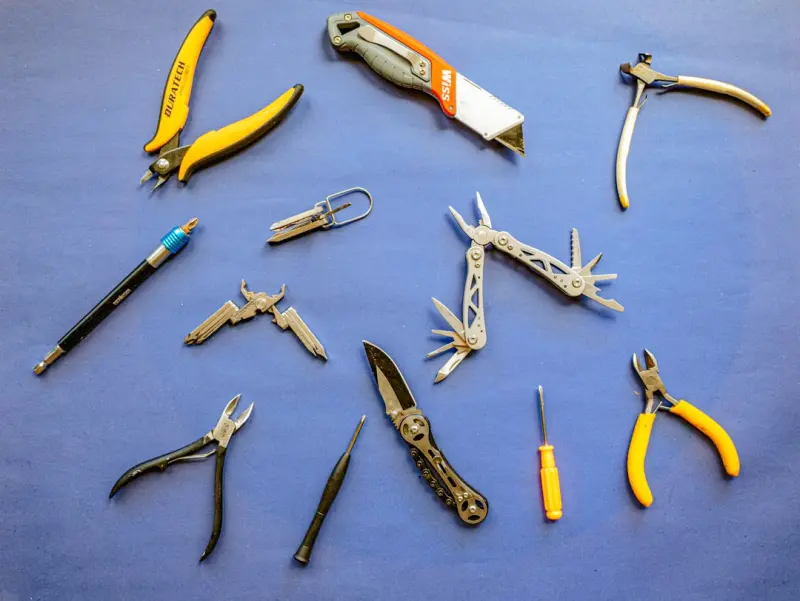
Every morning I stare at my desktop like a kid in a candy store, surrounded by a dizzying array of apps, browser extensions, cloud services, and subscription‑based platforms, each flashing a promise that it will shave precious minutes off my workflow and free me from the tyranny of manual tasks, that claim to automate everything from email triage to project tracking, while quietly nudging me toward another costly upgrade. The reality, however, is that most of those shiny promises sit idle on my hard drive, gathering digital dust while I toggle between three separate note‑taking apps, a clunky task manager, and a spreadsheet that doubles as a makeshift CRM, leaving me more fragmented than focused; each switch costs cognitive bandwidth, and the mental friction of remembering which tool houses which piece of information quickly outweighs any marginal time‑saving the tool claimed to deliver. What I’ve learned after years of trial, error, and a few costly subscriptions is that the real productivity breakthrough lies not in accumulating more tools, but in curating a lean, interoperable stack that lets data flow seamlessly from capture to execution, a philosophy I call tool stacking with purpose.
The Philosophy of Tool Stacking
Tool stacking is not about slashing every app you own; it’s about building a cohesive ecosystem where each component has a clearly defined role, and more importantly, a reliable hand‑off to the next component, thereby eliminating the need for mental gymnastics each time a task changes state. In practice, this means asking hard questions: Does this app integrate natively with my calendar? Can it push updates to my preferred task board without a manual export? Does it respect my privacy and data ownership, or does it lock me into a walled garden that will later demand a pricey upgrade? By applying a ruthless fit‑first filter, you turn a chaotic toolbox into a disciplined workflow engine that accelerates output without adding friction.
AI‑Driven Note‑Taking: The New Brain Extension
Artificial intelligence has finally caught up to the promise of “smart notes,” delivering tools that can not only capture text but also summarize, tag, and interlink ideas automatically, turning a flat document into a living knowledge graph. I recently migrated my sprawling collection of research PDFs into a single AI‑enhanced platform that whispers relevant connections as I type, allowing me to retrieve a citation from a 2018 conference while drafting a proposal for a client meeting later that week, all without opening a second window. This level of contextual awareness mirrors the seamless hardware upgrades championed by the modular laptop approach, where each component is designed to slot into a larger, upgradeable system rather than forcing a complete replacement.
Automation Platforms: The Unsung Heroes
When I first heard the term “low‑code automation,” I imagined a half‑baked solution that would replace a developer’s job; instead, I discovered a class of platforms that let anyone assemble robust workflows with drag‑and‑drop logic, bridging gaps between otherwise siloed tools. Services like Make.com and Zapier act as the connective tissue of a minimalist stack, translating a new email from a lead into a row in a CRM, a task in a project board, and a Slack notification for the sales team, all in under a minute of processing time. The beauty lies in their extensibility: you can start with a simple “email‑to‑task” rule and, as your needs evolve, layer conditional branches, data transformations, and even AI‑generated insights without writing a single line of code, embodying the spirit of the low‑code revolution that democratizes complex automation.
Browser Extensions: Tiny Power‑Ups That Pack a Punch
Most professionals overlook the hidden potential of browser extensions, treating them as mere conveniences rather than core components of a streamlined stack; yet the right extensions can turn a chaotic tab jungle into a focused research cockpit. Extensions that highlight key sentences, generate quick summaries, or clip articles directly into your note‑taking system cut the time spent switching between browser and desktop apps, effectively extending the reach of your primary tools. When paired with a robust password manager and a privacy‑focused script blocker, they also safeguard the data you move across the web, ensuring that the speed gains don’t come at the expense of security.
Cross‑Device Clipboard Managers: The Silent Sync Heroes
In an age where work spills over from laptop to tablet to phone, the humble clipboard often becomes a bottleneck, forcing you to email yourself snippets or rely on cloud notes that introduce latency. Modern clipboard managers synchronize your copy‑paste history across all devices in real time, allowing you to copy a paragraph on your phone during a commute and paste it into a draft on your desktop without missing a beat. Some even support rich media, so you can transfer screenshots, code snippets, or formatted tables with a single keystroke, effectively eliminating the “I wish I had saved that” moment that derails focus.
Email Superpowers: Turning Inbox Chaos into Action
Email remains the backbone of professional communication, yet most inboxes are riddled with missed follow‑ups, forgotten threads, and endless scrolling; the solution is to treat email as a task manager rather than a mailbox. Features like snoozing, templates, and AI‑generated reply suggestions let you clear the clutter while ensuring no critical message falls through the cracks. By integrating your email client with your primary task board through automation, a flagged message can instantly spawn a ticket, assign a due date, and even attach relevant files, turning a passive reading experience into an active project‑driving engine.
Choosing Your Arsenal: A Simple Decision Framework
To avoid falling back into the trap of tool hoarding, I use a three‑step framework: relevance, integration, and sustainability. First, assess whether the tool directly addresses a pain point you experience daily; if the answer is “maybe,” move on. Second, test the integration pathways—does it sync with your calendar, notes, and automation platform out of the box, or does it require a custom Zap that adds complexity? Finally, evaluate sustainability: will the tool still serve you in six months, or is it a novelty that will lose its shine as your workflow evolves? By applying this filter rigorously, you can build a minimalist, high‑impact stack that feels like an extension of your own brain rather than a collection of strangers.

Brad Hays is a freelance writer known for his versatile skill set and ability to craft compelling content across a wide range of industries.
Related Posts

Tool Hygiene: Auditing, Pruning, and Supercharging Your SaaS Stack
A practical guide to tool hygiene that walks you through auditing every SaaS product, pruning redund... Read More
Why Contextual Collaboration Plugins Are the Unsung Heroes of Modern Toolchains
A deep dive into how contextual collaboration plugins reduce app fatigue, enhance cross‑functional... Read More

Unearthing the Quiet Superpowers of Everyday SaaS Tools
Explore the hidden strengths of modest, often‑overlooked SaaS tools—from knowledge bases to micr... Read More
Top Posts
AI‑First Development: Why No‑Code Isn’t the Endgame for Modern Builders
Discover why AI‑first development platforms outshine traditional no‑code tools, offering speed, security, and true flexibility for today’s software creato...Read More

Why Software Observability Is the New Competitive Edge
Observability goes beyond monitoring, offering a holistic view of metrics, logs, and traces that drives faster issue resolution, accelerates feature delivery, a...Read More

Deepfake Threats: The Next Wave of Online Safety Risks
Deepfakes are reshaping online safety by forging realistic video and audio, targeting businesses with sophisticated social engineering. This article explores de...Read More

Designing for Purpose: The New Wave of Sustainable Web Experiences
Discover why today’s web design blends sustainability, AI, and purposeful storytelling to create engaging, responsible digital experiences that resonate with ...Read More
0 Comments
Post Comment
You will need to Login or Register to comment on this post!