
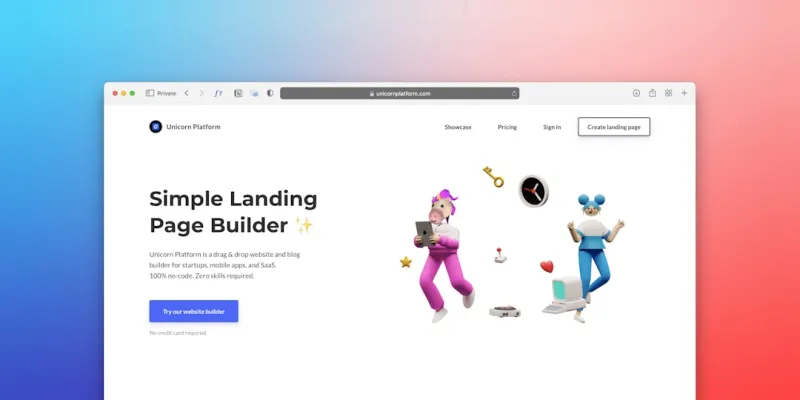
Rethinking WordPress Themes for a Greener Web
WordPress powers more than a third of all websites, making it a digital leviathan that can’t ignore its environmental footprint. Every line of PHP, every CSS rule, and every database query contributes to the energy demand of data centers worldwide. When we choose a theme, we’re not just picking colors and fonts; we’re deciding how much carbon our site will emit each day. A bloated theme with excessive scripts forces browsers to work harder, servers to process more requests, and ultimately, power plants to burn more fuel. As a longtime WordPress enthusiast, I’ve watched the ecosystem evolve from simple blogs to complex e‑commerce giants, and I’ve realized that sustainability must become a core design principle, not an afterthought. By embracing lean code, thoughtful asset management, and a mindset that values efficiency, we can turn our favorite platform into a force for good without sacrificing the creativity we love.
Trim the Fat: Choosing Lightweight Themes
The first step toward a sustainable site is selecting a theme that respects both user experience and the planet. Many premium themes promise endless features, but each added module adds weight—often in the form of unused CSS, JavaScript, or large image files. Look for themes that offer modular architecture, allowing you to enable only the components you truly need. A well‑coded theme will load the critical CSS inline, defer non‑essential scripts, and leverage modern web standards like CSS Grid and Flexbox to reduce reliance on bulky frameworks. When you strip away the excess, page load times shrink, bounce rates fall, and server energy consumption drops. Remember, a fast site not only delights visitors but also cuts down on the amount of time a browser’s processor stays active, translating directly into lower carbon emissions. In my own projects, swapping a heavyweight theme for a minimalist alternative shaved off 30 % of the total page weight and delivered a noticeable performance boost.
Design Discipline: Minimalism Meets Functionality
Design isn’t just about aesthetics; it’s an opportunity to embed sustainability into the visual language of the web. Minimalist layouts that prioritize whitespace and clear typography naturally reduce the need for heavy decorative assets. Opt for SVG icons instead of raster images—they scale without pixelation and often have smaller file sizes. Implement a dark mode toggle; darker backgrounds can reduce power usage on OLED and AMOLED screens, giving users a subtle energy‑saving option. Additionally, consider using CSS variables for theming; they enable rapid style changes without loading new stylesheet files. By thoughtfully curating color palettes and limiting the number of custom fonts, you avoid the performance penalties associated with multiple font file downloads. The result is a cleaner, faster site that feels modern while quietly conserving resources behind the scenes.
Green Hosting: Powering WordPress with Renewable Energy
Even the leanest theme can’t offset the carbon impact of a data center that relies on fossil fuels. Choosing a green web host is a decisive move toward a sustainable WordPress presence. Look for providers that source electricity from renewable energy, offer carbon‑offset programs, or operate in regions where the grid is already low‑carbon. Some hosts even place servers in naturally cooler climates, reducing the need for energy‑intensive cooling systems. When paired with a lightweight theme, green hosting multiplies the environmental benefits, turning a modest site into a truly eco‑friendly digital asset. I’ve migrated several client sites to a renewable‑energy‑backed host and observed a measurable reduction in their carbon reports, proving that the right hosting partner is as vital as the code you write.
Plugin Pruning: Less Is More
Plugins are the lifeblood of WordPress flexibility, but each additional plugin introduces new code paths, database queries, and potential security vulnerabilities. Conduct regular audits of your plugin inventory; deactivate and delete any that aren’t essential. When you need functionality, search for plugins that prioritize performance and have a reputation for clean coding practices. For example, a lightweight caching plugin can dramatically decrease server load, while a well‑optimized SEO tool can replace several smaller plugins with one efficient solution. By consolidating functionality, you not only simplify maintenance but also cut down on the CPU cycles required to render each page. In practice, I’ve seen sites drop from 150 MB of total plugin payload to under 60 MB after a thorough cleanup, resulting in faster response times and lower energy consumption.
Optimizing Media: Images, Videos, and Beyond
Media assets are often the biggest culprits behind slow page loads and excess energy use. Start by compressing images using modern formats like WebP, which offer superior compression without sacrificing visual fidelity. Implement lazy loading so that images and videos only load when they enter the viewport, preventing unnecessary data transfer on initial page visits. Use responsive image techniques (srcset and sizes) to serve the appropriate resolution based on the user’s device, further trimming bandwidth. For video content, consider embedding from platforms that use adaptive streaming, which adjusts quality in real time. By treating media as a performance priority, you reduce the time browsers spend processing large files, which in turn cuts down on the electricity required for rendering—an often‑overlooked sustainability win.
Community Collaboration and Sustainable Development
The WordPress ecosystem thrives on collaboration, and that spirit can drive greener practices across the board. Contribute to core improvements that focus on performance, such as building sustainable web apps initiatives that prioritize low‑impact code. Share your findings on theme optimization in forums, write tutorials, or sponsor a sprint dedicated to reducing bloat in popular plugins. When developers collectively adopt a sustainability mindset, the ripple effect benefits every site built on the platform. Moreover, open‑source projects can incorporate carbon‑aware metrics into their development pipelines, encouraging contributors to think about energy use from the outset. My own involvement in a theme‑refactoring sprint highlighted how even small code tweaks—like eliminating a redundant JavaScript call—can shave milliseconds off load time, translating to tangible energy savings at scale.
Measuring Impact: Tools and Metrics
To truly champion sustainable WordPress practices, you need data. Tools like website carbon calculators estimate the emissions generated per page view, giving you a baseline to improve upon. Integrate performance monitoring plugins that track metrics such as Time to First Byte (TTFB), First Contentful Paint (FCP), and total page weight. Combine these insights with your hosting provider’s energy reports to form a comprehensive sustainability dashboard. Regularly review this data, set reduction targets, and celebrate milestones—whether it’s a 10 % drop in carbon per visit or a new record low for page load time. Transparency not only builds trust with your audience but also motivates ongoing optimization efforts, turning sustainability from a buzzword into a measurable goal.
Call to Action: Make Your WordPress Site a Green Champion
WordPress offers the tools; it’s up to us to wield them responsibly. By selecting lightweight themes, pruning plugins, optimizing media, and partnering with renewable‑energy hosts, you can dramatically reduce your site’s carbon footprint without compromising on functionality or style. Dive deeper into the intersection of technology and ecology by exploring related reads like Tech with a Conscience and Leveling Up Green. Take the first step today: audit your current WordPress setup, identify quick wins, and commit to a sustainable roadmap. The web is a shared resource—let’s make every click count for the planet.

Miranda Murphy: Experienced freelance writer with a decade of storytelling expertise. Let's create something amazing together!
Related Posts

The Headless WordPress Playbook: Scaling Content for Every Touchpoint
Learn why decoupling WordPress from the front‑end unlocks faster, more flexible experiences across... Read More

Reimagining WordPress: The Headless Future for Modern SaaS Teams
WordPress is evolving from a traditional blog platform to a headless content hub for SaaS, offering ... Read More
WordPress in 2026: Sustainable Strategies Every Site Owner Must Adopt
Learn essential 2026 WordPress tactics—green hosting, lean plugins, AI integration, and securityâ€... Read More
Top Posts

Green SEO: How Sustainability is Shaping Search Strategies in 2024
Margaret Thomson explores the rise of green SEO, revealing how eco‑conscious practices, sustainable content, and ethical linking can boost rankings while supp...Read More

Beyond the Cloud: Why Edge Networks Are the Next Internet Frontier
Edge computing is transforming the internet from a centralized cloud to a distributed mesh of micro‑data centers. This article examines the performance, secur...Read More

The Future of Technology: How Sustainable Practices are Revolutionizing the Industry
The tech industry is undergoing a significant transformation as sustainable practices become increasingly important. Learn how sustainable technology is driving...Read More
The Sustainable Superhero Playbook: How Kids & Teens Can Turn Everyday Choices into Planet‑Saving Power
A guide for young eco‑warriors: turn everyday choices into superpowers, explore playful sustainability, and inspire a greener future....Read More
0 Comments
Post Comment
You will need to Login or Register to comment on this post!