
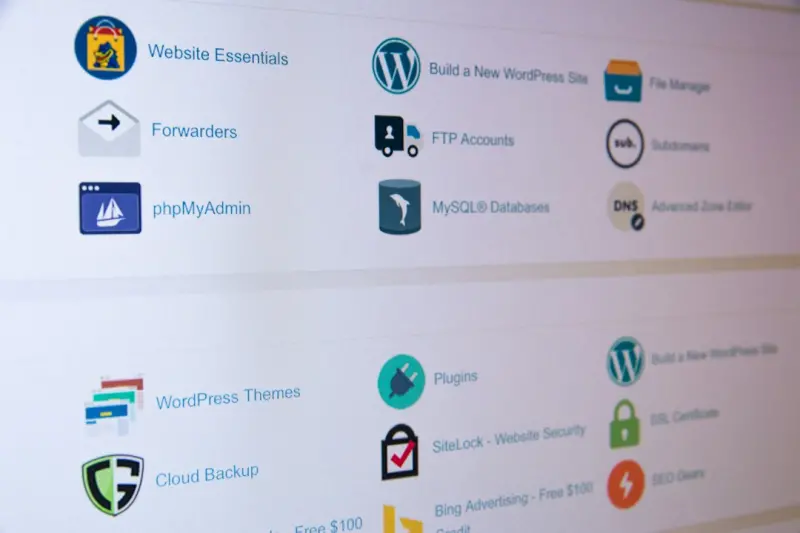
Why WordPress Is Quietly Becoming the Backbone of Modern B2B SaaS Experiences
When I first cut my teeth on a static HTML site for a boutique consultancy, I never imagined that the same platform would someday sit at the heart of multi‑million‑dollar SaaS products. Over the past few years, WordPress has shed its “blog‑only” reputation and evolved into a flexible, API‑first engine that can power anything from a simple landing page to a complex, data‑rich portal. In this post I’ll walk you through the practical reasons why more enterprise product teams are treating WordPress as a content‑centric integration layer, and how you can harness its ecosystem without compromising on security, performance, or brand consistency.
Decoupling the Front‑End: The Rise of Headless WordPress
Traditional WordPress couples the presentation layer with the content layer, which is great for rapid publishing but can become a bottleneck when you need a React, Vue, or Svelte front‑end that talks to multiple micro‑services. The headless approach—using WordPress purely as a JSON API—gives you the best of both worlds: the familiar editorial experience for marketers and a lightning‑fast, framework‑agnostic UI for engineers. By exposing content via the REST API or the newer GraphQL endpoint, you can pull in blog posts, product documentation, or even dynamic pricing tables into a single‑page application that lives on a CDN edge node.
What’s particularly compelling for SaaS teams is the ability to centralize content governance while still delivering bespoke experiences for different customer segments. Imagine a single WordPress instance that feeds both a public marketing site and a private customer portal, each with its own theming and access controls. The result is a drastic reduction in duplicate content management effort and a more consistent brand voice across the board.
Plug‑and‑Play Integrations: Leveraging the Plugin Ecosystem for B2B Needs
One of the hidden strengths of WordPress is its massive plugin marketplace. While many plugins cater to e‑commerce or SEO, there’s a growing subset designed for B2B workflows: membership managers, role‑based access controls, CRM connectors, and even low‑code workflow automators. By stitching together a handful of well‑vetted extensions, you can build a “content hub” that talks to your billing system, your support ticketing platform, and your analytics stack—all without writing a line of custom back‑end code.
- Membership & Permissions: Plugins like MemberPress or Restrict Content Pro let you gate premium documentation behind subscription tiers, mirroring the paywall logic of your SaaS product.
- CRM Sync: Connectors for HubSpot, Salesforce, or HubSpot enable you to automatically tag authors, capture lead forms, and push content engagement metrics into your CRM pipeline.
- Automation: With tools such as Uncanny Automator or WP Fusion, you can trigger actions (e.g., send a Slack notification when a new case study is published) that keep your internal teams in sync.
Because these plugins are built on WordPress’s core hook system, you retain the ability to write custom snippets that intervene at just the right moment—whether it’s augmenting API responses with additional metadata or enforcing granular compliance checks before content goes live.
Performance at Scale: Edge Caching and Serverless Functions
Scalability worries often keep decision‑makers from adopting WordPress for enterprise workloads. The good news is that modern hosting solutions—such as Vercel, Netlify, and Cloudflare Workers—offer native support for static site generation and serverless functions that can sit in front of a headless WordPress backend. By pre‑rendering pages at build time and serving them from edge locations, you achieve sub‑second load times even under heavy traffic spikes.
Couple this with intelligent cache invalidation (e.g., purge only the affected API endpoint when a post is updated) and you have a system that feels as responsive as a native app. For teams concerned about security, the separation of the API layer from the public UI also means you can lock down the WordPress admin behind a VPN or zero‑trust gateway, dramatically reducing the attack surface.
Data‑Driven Personalization without a Full‑Blown CDP
Personalization is often the domain of dedicated Customer Data Platforms (CDPs), but you can achieve a surprising degree of relevance using WordPress’s taxonomy and meta fields. By tagging content with industry, company size, or user persona, you can expose a filtered feed through the API that your front‑end consumes based on the logged‑in user’s profile.
Even more powerful is the ability to augment WordPress data with external signals. For instance, a serverless function can query a machine‑learning service for product recommendations and then inject those suggestions into the API payload on the fly. The result is a seamless, context‑aware experience that feels custom‑built, yet runs on a platform many already know how to manage.
Future‑Proofing with Standards: Why WordPress Plays Nicely with the Internet as Business OS Paradigm
In an era where the internet is increasingly becoming the operating system of business, you need a content layer that speaks the same language as the rest of your tech stack. WordPress’s adherence to open standards—REST, GraphQL, OAuth2—means it can slot into any orchestrated workflow without becoming a proprietary choke point. Whether you’re building a headless commerce experience, a knowledge base that feeds a generative AI assistant, or an internal wiki that syncs with your HR system, WordPress can act as the “content OS” that other services consume.
This alignment also positions you to take advantage of emerging trends like Generative Workspace solutions, where AI models ingest structured content to answer employee questions or draft proposals. By keeping your source of truth in a well‑structured WordPress repository, you ensure the AI has clean, up‑to‑date data to work with.
Governance, Compliance, and Auditing Made Simple
Enterprises often balk at open‑source platforms because of perceived compliance risks. WordPress, however, offers built-in revision histories, user role hierarchies, and the ability to lock down content types with granular capabilities. When paired with an audit‑log plugin, every edit, publish, or deletion event is recorded with timestamps, user IDs, and IP addresses—exactly the kind of traceability required for GDPR, SOC 2, or ISO 27001 audits.
Moreover, because the content lives in a relational database you control, you can apply encryption at rest, enforce strict backup policies, and even replicate the database across multiple regions for disaster recovery. All of this can be managed through familiar DevOps tools, allowing your ops team to treat WordPress like any other service in their infrastructure-as-code pipeline.
Getting Started: A Pragmatic Roadmap for SaaS Teams
If you’re convinced that WordPress could solve a piece of your product puzzle, here’s a high‑level rollout plan:
- Define the content scope: List the types of assets you need (blog, docs, case studies, gated resources).
- Choose a hosting model: Managed WordPress (e.g., Kinsta, WP Engine) for ease, or a headless setup on a cloud provider for maximum control.
- Set up the API layer: Enable the REST API, consider GraphQL for complex queries, and secure it with OAuth2.
- Select core plugins: Membership, CRM sync, and automation tools that align with your workflow.
- Implement edge caching: Deploy a CDN with cache‑busting on content updates.
- Integrate personalization: Use taxonomy, meta fields, and serverless functions to tailor content.
- Establish governance: Configure roles, enable audit logs, and set up backup/DR procedures.
- Iterate and measure: Track performance, engagement, and conversion metrics to refine the experience.
By treating WordPress as a strategic integration point rather than a mere blog engine, you unlock a powerful, cost‑effective way to deliver rich, personalized experiences at scale. The platform’s maturity, community support, and extensibility make it a compelling choice for SaaS companies looking to accelerate time‑to‑market while maintaining rigorous standards.

David Moore is a freelance writer specializing in two dynamic and ever-evolving fields: gambling and the tech industry. With a keen eye for detail and a knack for unraveling complex topics, David delivers insightful and engaging content that keeps readers informed and entertained.
Related Posts

Reimagining WordPress: The Headless Future for Modern SaaS Teams
WordPress is evolving from a traditional blog platform to a headless content hub for SaaS, offering ... Read More
Turning WordPress into a Learning Hub for Modern Teams
Explore a step‑by‑step guide to repurpose WordPress from a static blog into a dynamic, personali... Read More
WordPress Goes Headless: The Untapped Power for B2B SaaS Marketing
WordPress is evolving into a strategic headless CMS for B2B SaaS marketers, offering speed, flexibil... Read More
Top Posts

The Intersection of Sustainable Travel and Eco-Friendly Technology
As travelers, we have a profound impact on the environment. Learn how sustainable travel and eco-friendly technology can help minimize our footprint and promote...Read More

Creating a Kid‑Friendly Adventure Zone: Physical Safety Tips for Play Spaces
Learn how to transform any outdoor area into a secure adventure zone for children, using simple checks, games, and community resources to keep play both fun and...Read More

The Quiet Revolution of Decentralized Social Platforms
Discover the rise of decentralized social platforms, their benefits, challenges, and practical steps to join the movement, all while maintaining privacy and com...Read More

Microadventures: Turning Weekends into Wild Escapes
Microadventures are short, intentional outdoor trips that fit into busy schedules, offering mental reset, physical activity, and a boost in creativity without t...Read More
0 Comments
Post Comment
You will need to Login or Register to comment on this post!