
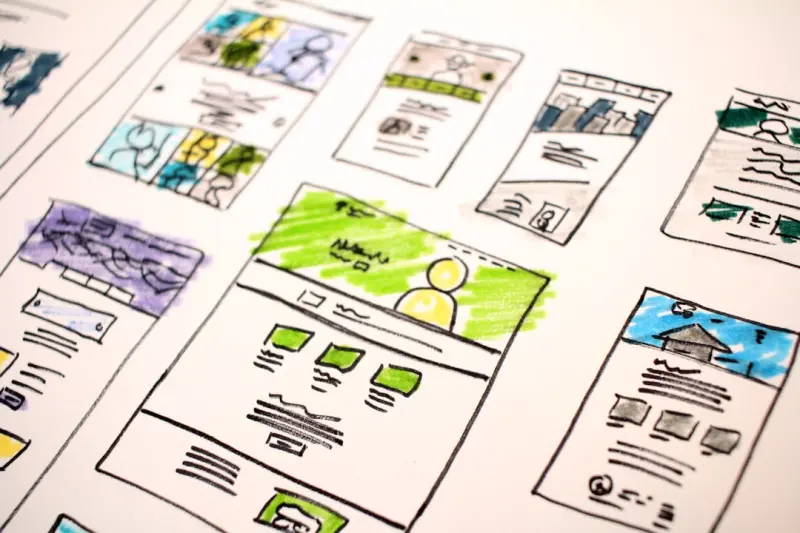
When I first started sketching wireframes on a battered notebook, the idea of “sustainable design” was something I associated with architecture, not the flickering pixels on a browser. Over the years, the line between digital aesthetics and environmental stewardship has blurred, and today the web is a massive energy consumer—one that can’t be ignored without compromising the user experience we all cherish. This post is a deep dive into how we, as designers and product teams, can embed sustainability into every layer of web design without sacrificing the visual delight that draws users in.
The Hidden Carbon Footprint of a Single Page
Before we talk tactics, let’s acknowledge the scale of the problem. A typical homepage, loaded with high‑resolution images, custom fonts, third‑party scripts, and animations, can emit anywhere from 0.5 to 1.5 kg of CO₂ per view. Multiply that by the billions of visits global sites receive daily, and we’re looking at a substantial portion of the internet’s overall carbon budget.
The culprit isn’t the design itself; it’s the cumulative weight of assets, data transfers, and server processing time. Each extra kilobyte traveled across the network translates to energy burned at data centers, ISP infrastructure, and even the end‑user’s device. The good news? Almost every inefficiency can be mitigated with thoughtful choices made early in the design process.
Design Principles That Lead to Lower Emissions
- Design for Delight, Not Excess – Instead of loading a carousel of ten images, curate three that truly convey the message. Use whitespace strategically; it’s both aesthetically pleasing and data‑light.
- Embrace Adaptive Imagery – Serve images sized for the user’s device and connection speed. Modern formats like AVIF and WebP can reduce file sizes by 30‑50 % without compromising quality.
- Prioritize Performance‑First Layouts – Grid systems that avoid unnecessary nesting and excessive DOM depth render faster and consume less processing power.
- Leverage System Fonts – Custom font families add download weight. Where branding permits, default system fonts cut megabytes off each page load.
- Mindful Motion – Subtle micro‑interactions enrich UX, but over‑animating can spike CPU usage. Use CSS transitions over JavaScript where possible, and keep animation durations short.
Building a Sustainable Design System
A design system is more than a style guide; it’s a living toolkit that enforces consistency, speeds up development, and—crucially—reduces waste. By codifying components that are already optimized for performance, teams avoid reinventing the wheel for each new feature. Here’s how to embed sustainability into your system:
- Component Audits – Regularly review UI components for size, load impact, and reusability. Retire or refactor those that cause redundant network requests.
- Token‑Driven Design – Store colors, spacing, and typography as design tokens that map directly to CSS variables. This eliminates duplicated CSS and streamlines theme updates.
- Asset Libraries – Host a curated library of SVG icons and illustrations. SVGs are resolution‑independent and typically smaller than raster images.
- Performance Benchmarks – Include Lighthouse scores as a gate in your CI/CD pipeline. If a component falls below a set threshold, it triggers a review before merging.
Case Study: Reducing Load by 40 % Without Losing Brand Identity
One of our SaaS clients approached us with a brand‑centric redesign that risked ballooning their page weight. By applying a sustainability lens, we:
- Replaced background videos with cinematic stills that used a subtle parallax effect.
- Consolidated three separate icon sets into a single, optimized SVG sprite.
- Implemented copyright considerations for digital assets that encouraged the use of royalty‑free, lightweight graphics.
- Introduced lazy loading for below‑the‑fold sections, cutting initial payload by nearly half.
The result? A visual refresh that maintained the brand’s bold personality while shaving off 40 % of the page’s total download size. Page load time dropped from 4.3 seconds to just 2.5 seconds on average, translating to a measurable reduction in carbon emissions per visit.
Tooling for Sustainable Web Design
Designers now have a growing toolbox that surfaces performance data early in the creative workflow:
- Design-to‑Code Plugins – Plugins for Figma and Sketch can export assets directly in WebP or AVIF, automatically stripping unused layers.
- Real‑Time Auditors – Extensions like PageSpeed Insights embed into the browser, giving instant feedback on image sizes, render‑blocking resources, and more.
- Carbon Calculators – Tools such as Website Carbon Calculator estimate the CO₂ impact of a page, helping teams set quantitative targets.
- Automation Scripts – Integrate image compression (e.g.,
imagemin) and CSS minification into build pipelines to guarantee every release is as lean as possible.
Balancing Personalization and Sustainability
Personalized experiences drive engagement, but they can also increase data payloads. To keep personalization lightweight, consider:
- Server‑side rendering (SSR) of personalized content, reducing client‑side processing.
- Conditional loading: serve only the modules relevant to the user segment, deferring others.
- Utilizing leveraging AI tools responsibly to generate on‑the‑fly content that’s already optimized for web delivery.
The Business Case: Why Sustainability Wins
Beyond the ethical imperative, there are concrete ROI benefits:
- Improved SEO – Faster sites rank higher in search results, attracting organic traffic without extra ad spend.
- Higher Conversion Rates – Users are 5 times more likely to abandon a page that takes longer than 3 seconds to load.
- Brand Loyalty – Modern consumers, especially B2B decision‑makers, value eco‑responsibility and view sustainable practices as a sign of corporate maturity.
- Cost Savings – Reduced bandwidth usage lowers hosting costs, and efficient code reduces the need for expensive scaling during traffic spikes.
Embedding Sustainability Into Your Team Culture
Design decisions don’t happen in a vacuum. To make sustainability a habit, integrate it into the team’s rhythm:
- Kickoff Workshops – Start every project with a brief on performance goals and carbon targets.
- Design Review Checklists – Add “Is this asset optimized?” as a standard question.
- Celebrate Wins – Highlight case studies where a design tweak led to measurable emissions reductions.
- Continuous Learning – Encourage designers to attend webinars on green web design and share findings with the broader team.
Looking Ahead: The Future of Eco‑Centric Web Design
The web is evolving toward a more sustainable paradigm, driven by both regulation and user expectation. Emerging standards like Web Vitals already prioritize performance metrics that align with lower energy consumption. In the near future, we may see browsers natively block heavyweight assets unless the user explicitly opts in, making sustainable design not just a choice but a requirement.
As designers, we have the creative power to shape that future. By championing lightweight aesthetics, performance‑first thinking, and responsible asset management, we can craft digital experiences that delight users while honoring the planet.
Ready to start your own sustainability journey? Begin with a quick audit of your current site, set measurable targets, and let your design system be the catalyst for change.

Miranda Murphy: Experienced freelance writer with a decade of storytelling expertise. Let's create something amazing together!
Related Posts
Designing for Cognitive Economy: A Fresh Take on Web Experience
A new discipline—Design for Cognitive Economy—prioritizes user attention, minimalism, and adapti... Read More

Micro‑Interactions: The Secret Sauce Behind Delightful Web Experiences
Explore why tiny, purposeful animations—micro‑interactions—are essential for modern web design... Read More

Designing for Cognitive Ease: A New Playbook for SaaS Interfaces
Discover a fresh, brain‑based approach to web design that reduces mental effort, improves user sat... Read More
Top Posts

Structured Decision‑Making Beats Gut Instinct
A practical three‑step Decision‑Playbook shows SaaS leaders how to blend intuition with structure, turning rapid experimentation into sustainable, revenueâ€...Read More

Hyper‑Intelligent Scams: Outsmarting AI‑Driven Fraud in SaaS
Scammers are now leveraging AI, deepfake audio, and fake vendor schemes to target SaaS companies. This post uncovers the newest fraud tactics and offers a pract...Read More

Why Modular Laptops Are the Secret Weapon of Modern Professionals
Modular laptops let you upgrade CPU, GPU, battery, and display independently, turning a single chassis into a future‑proof, eco‑friendly workstation. This a...Read More

Building a Digital Fortress: Practical Online Safety for Remote Teams
A comprehensive guide that blends human‑centric habits, smart tools, and cultural practices to keep remote teams safe online, turning security into a competit...Read More
0 Comments
Post Comment
You will need to Login or Register to comment on this post!