
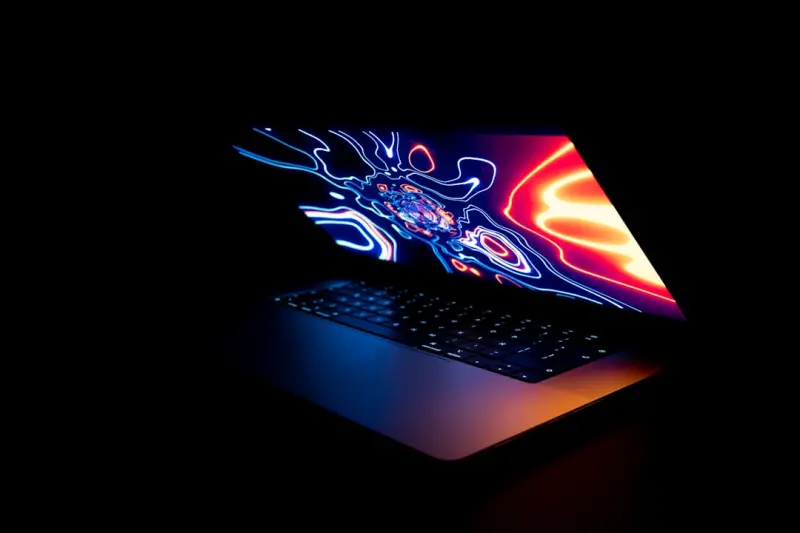
Future‑Proofing Your Laptop for an AI‑Heavy Workflow
When I first unpacked my new ultrabook last spring, I felt the familiar thrill of fresh silicon—a sleek chassis, a whisper‑quiet fan, and a keyboard that practically sang under my fingertips. Yet, as a long‑time SaaS professional who spends the bulk of each day juggling data‑intensive dashboards, AI‑driven analytics, and real‑time collaboration tools, the excitement quickly gave way to a practical question: Will this machine keep up as AI becomes the backbone of every workflow?
That question is more than a curiosity; it’s a strategic imperative. The next wave of productivity hinges on how well our PCs and laptops can handle machine‑learning models, large language model (LLM) integrations, and edge‑computing tasks without choking on heat or draining the battery in minutes. Below, I’ll walk you through a comprehensive, future‑focused approach to selecting, configuring, and maintaining a laptop that can thrive in an AI‑centric environment.
1. Prioritize Core Hardware That Scales With AI Workloads
AI workloads are notorious for being hungry—especially when you’re running inference locally or fine‑tuning models on the edge. Here’s what to look for:
- CPU Architecture: Aim for the latest generation of multi‑core processors, preferably with high single‑core performance (important for UI responsiveness) and strong multi‑core scalability for parallel tasks. AMD’s Ryzen 7/9 series and Intel’s 13th‑gen Core i7/i9 chips both offer excellent AI‑optimized instruction sets (e.g., AVX‑512, Intel DL Boost).
- GPU Acceleration: Integrated graphics are fine for everyday tasks, but a dedicated GPU—NVIDIA’s RTX 30/40 series or AMD’s Radeon 6000 series—provides the CUDA cores or RDNA acceleration needed for tensor operations. Even a modest 6 GB VRAM can dramatically cut inference time for on‑device models.
- RAM Capacity: 16 GB is the new baseline for AI‑heavy users; 32 GB offers a safety net for multitasking across large datasets, multiple containers, and heavy IDEs. Look for LPDDR5 for higher bandwidth and lower power draw.
- Storage Speed: NVMe SSDs (PCIe 4.0 or higher) deliver sub‑millisecond read/write latency, crucial when loading model weights or streaming large data streams. A 1 TB drive balances capacity with performance, but ensure the drive is user‑replaceable for future upgrades.
While these specs may sound like a checklist for a high‑end workstation, many modern ultrabooks now integrate these components without sacrificing portability. The key is to balance raw power with thermal design—a laptop that throttles under sustained load will quickly become a liability.
2. Master Thermal Management Before It Becomes a Bottleneck
Heat is the silent performance killer. AI inference can push CPU and GPU usage beyond 90 % for extended periods, and without adequate cooling, you’ll see throttling, reduced battery life, and even premature hardware wear.
Here’s how to keep the temperature in check:
- Active Cooling Solutions: Look for laptops with dual fans and vapor‑chamber cooling. Some premium models also incorporate liquid metal on the CPU die, which significantly improves heat transfer.
- External Accessories: A slim, USB‑C powered cooling pad can provide supplemental airflow without adding bulk to your desk setup.
- Power Profiles: Use the manufacturer’s performance software (e.g., Dell Power Manager or Lenovo Vantage) to create a custom profile that balances performance and thermals during AI‑intensive sessions.
- Firmware Updates: Keep BIOS and firmware current; manufacturers regularly release updates that fine‑tune fan curves and improve power efficiency.
By proactively managing heat, you preserve both performance and the longevity of your device—an essential consideration when your laptop is a primary tool for AI development.
3. Leverage Edge‑First Strategies for Distributed AI
When I first explored the concept of moving computation to the edge, I was skeptical. However, the edge‑first internet approach is increasingly relevant for laptop users who need low‑latency AI inference without relying on a constant cloud connection.
Here’s how you can adopt an edge‑first mindset on your laptop:
- Local Model Caching: Store frequently used model checkpoints on your SSD. Tools like
torchserveorONNX Runtimecan serve these models directly from your device, reducing round‑trip latency. - Hybrid Cloud‑Edge Pipelines: Offload heavy training tasks to the cloud, but keep inference on the laptop for real‑time decisions. This reduces data transfer costs and improves privacy.
- Containerization: Use Docker or Podman to encapsulate your AI environment. Containers ensure consistency across devices and simplify the deployment of edge‑optimized runtimes.
By treating your laptop as a capable edge node, you unlock faster response times for AI‑driven applications like real‑time transcription, image classification, or anomaly detection—all without overburdening your network.
4. Safeguard Against AI‑Powered Threats
Ironically, the very AI capabilities that empower us can also be weaponized. The rise of AI-powered fraud has made phishing and deepfake attacks more convincing than ever. A compromised laptop can become a launchpad for data exfiltration or a victim of malicious model poisoning.
To protect your device and data:
- Zero‑Trust Authentication: Enable multi‑factor authentication for all critical accounts and use hardware security keys where possible.
- Secure Enclaves: Modern CPUs include Trusted Execution Environments (TEE) that isolate sensitive operations. Enable these features through BIOS settings.
- AI‑Based Threat Detection: Deploy endpoint security solutions that leverage machine learning to identify anomalous behavior in real time.
- Regular Audits: Periodically scan your local models and data pipelines for unexpected changes, especially if you’re pulling community‑generated models.
Staying ahead of AI‑driven threats ensures that the productivity gains from your high‑performance laptop aren’t undone by a security breach.
5. Optimize Software Stacks for AI Efficiency
Hardware is only half the equation. The software you run can dramatically affect how much of that horsepower you actually use.
- Lightweight IDEs: While full‑featured environments like Visual Studio are powerful, they can consume valuable RAM. Consider using VS Code with AI‑assisted extensions (e.g., GitHub Copilot) for a balanced experience.
- Framework Choices: PyTorch and TensorFlow both support GPU acceleration, but for edge deployment, ONNX Runtime often yields better performance on a variety of hardware.
- Dependency Management: Use tools like
condaorpipenvto create isolated environments. This prevents version conflicts that can degrade performance or cause crashes. - Background Process Hygiene: Disable unnecessary startup services and background sync apps that can compete for CPU cycles during intensive model inference.
By fine‑tuning your software stack, you ensure that your laptop’s resources are allocated to the tasks that matter most—running AI models and delivering insights.
6. Battery Life: Balancing Power and Portability
One of the biggest trade‑offs with high‑performance laptops is battery endurance. Running a GPU at full throttle can drain a 70 Wh battery in under an hour. Here are strategies to stretch that number:
- Dynamic Power Modes: Switch to a “balanced” profile when you’re not actively training models. Many laptops let you set GPU power limits manually.
- Use Integrated Graphics When Possible: For tasks that don’t require heavy acceleration (e.g., document editing), force the system to use the integrated GPU to conserve energy.
- External Battery Packs: Invest in a high‑capacity USB‑C power bank that can supply 100 W or more. This essentially turns your laptop into a desktop workstation while you’re on the move.
- Screen Brightness and Refresh Rate: Reduce brightness and, if your display supports it, lower the refresh rate from 144 Hz to 60 Hz when high frame rates aren’t needed.
These tweaks can add several hours to your unplugged productivity window—a crucial advantage for remote workers and digital nomads.
7. Future‑Ready Connectivity
AI collaboration is increasingly collaborative, involving large datasets, remote model serving, and real‑time co‑editing. Your laptop’s connectivity suite should be ready for these demands.
- Wi‑Fi 6E/7: Supports higher throughput and lower latency—vital for streaming large model files or syncing cloud datasets.
- Thunderbolt 4: Enables fast external GPU (eGPU) connections, high‑speed storage, and multi‑monitor setups—all essential for scaling up when you need a temporary performance boost.
- 5G Modems: For on‑the‑go professionals, an integrated 5G module ensures you stay connected even in bandwidth‑limited environments.
Investing in a laptop with robust, future‑proofed ports and wireless standards means you won’t need to replace it when new standards become mainstream.
8. Embrace a “Learning‑By‑Doing” Mindset
Finally, the best way to future‑proof your laptop is to treat it as a learning platform. The AI landscape evolves at breakneck speed, and staying current is a habit, not a one‑off task.
Dedicate time each month to explore emerging tools—whether it’s a new model quantization library, a cutting‑edge data visualization framework, or an innovative AI‑driven productivity assistant. When you experiment, you’ll uncover hidden bottlenecks and develop custom solutions that keep your machine humming smoothly.
And remember, community knowledge is a goldmine. Engaging in forums, attending virtual meetups, and contributing to open‑source projects not only sharpens your skills but also alerts you to potential security risks, such as the rise of conversational email bots that could be leveraged for phishing. Staying informed helps you preemptively adapt your laptop’s configuration.
Conclusion: Your Laptop as an AI Enabler, Not a Limiting Factor
Future‑proofing isn’t about buying the most expensive machine on the market; it’s about making strategic choices that align hardware, software, and security with the demands of AI‑heavy workflows. By focusing on scalable components, proactive thermal management, edge‑first thinking, and robust security practices, you transform your PC or laptop into a reliable AI partner—ready to power everything from data‑driven presentations to on‑device inference at the speed of thought.
When you next power on that sleek chassis, remember: you’re not just turning on a computer—you’re activating a portable AI engine that, with the right care, will serve you for years to come.

Freelance writer with a flare for everything. I am passionate about topics I write crafting stories and compelling content that connect with audiences. Journeying through the realms of creativity as a freelance creator. #WriterLife #ContentCreator
Related Posts

AI‑Ready Laptops: Building a Machine‑Learning‑Fit Workspace
An in‑depth look at why professionals need AI‑optimized laptops, the hardware and software featu... Read More

Inside the Laptop: Mastering Heat, Power, and Longevity
A deep dive into laptop thermals, battery health, modular upgrades, and security, offering actionabl... Read More

Modular Laptops: The Power Move for Professionals
Modular laptops let professionals upgrade components on demand, extending device lifespan, boosting ... Read More
Top Posts

The Blogger’s Blueprint: Turning Chaos into a Content Engine with SaaS
Discover a four‑stage content engine that harvests ideas, curates them into an editorial calendar, constructs posts with AI assistance, and cascades assets ac...Read More

Branding in the Age of Hyper‑Tech: How to Humanize Your SaaS Narrative
Discover a fresh approach to SaaS branding that weaves brand values into product workflows, mobile touchpoints, and real‑time analytics, turning brand into a ...Read More
Why Cybersecurity Must Go Green: My Take on Sustainable Defense
Discover how integrating sustainability into cybersecurity creates a greener, safer digital world, with practical tips for developers, businesses, and home user...Read More

Creating a Pet‑Friendly Home Office: Boost Productivity and Keep Your Furry Friend Happy
Discover how to design a home office that welcomes your pet, improves productivity, and creates a harmonious work‑life balance....Read More
0 Comments
Post Comment
You will need to Login or Register to comment on this post!