
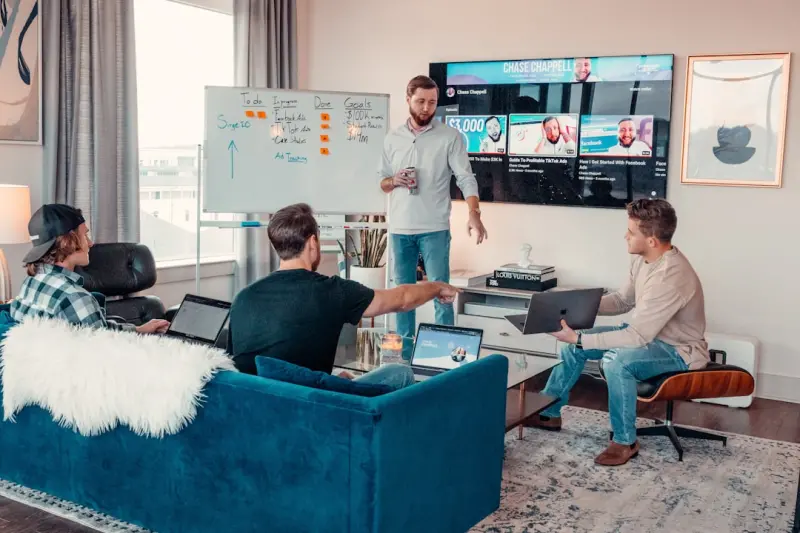
Why Safety Must Evolve for Remote‑First SaaS Teams
When I first transitioned from a bustling office to a home‑based workspace, I thought “safety” was a problem I’d left behind in the conference room. Turns out, the shift opened a whole new landscape of risks—physical, digital, and even environmental—that most SaaS leaders still overlook. In this post I’ll walk you through a practical, forward‑thinking safety framework that aligns with the realities of hybrid and remote work, and I’ll show how it can protect your people, your data, and your brand.
The Three Pillars of Modern Remote Safety
Traditional safety programs focus on one domain: fire drills, ergonomic chairs, or password policies. For remote‑first organizations, we need a broader lens that balances three interdependent pillars:
- Physical Workspace Resilience – ensuring that every employee’s home office can withstand everyday hazards.
- Digital Trust Assurance – safeguarding data, communications, and identity in a distributed environment.
- Environmental & Well‑Being Continuity – recognizing how air quality, lighting, and mental fatigue affect safety outcomes.
When these pillars are treated as a cohesive system, safety moves from a checklist to a strategic advantage.
1. Physical Workspace Resilience: The Unseen Foundations
Most companies provide a stipend for a desk and a chair, but they rarely verify whether those items meet safety standards. Here’s what I’ve learned from talking to ergonomics experts and conducting informal “safety audits” with my own team:
- Ergonomic Alignment – The monitor should sit at eye level, elbows at a 90‑degree angle, and feet flat on the floor. Simple adjustments can prevent repetitive strain injuries that silently reduce productivity.
- Power & Cable Management – Overloaded power strips and tangled cords are a fire hazard. Encourage the use of surge protectors with built‑in circuit breakers and provide cable organizers as part of the onboarding kit.
- Secure Mounting for Devices – Laptops and webcams should be placed on stable surfaces. A wobbling webcam can cause accidental falls, especially when employees move around during video calls.
- Emergency Preparedness – Even when working from home, employees need clear guidance on what to do in case of a power outage, severe weather, or medical emergency. A one‑page “home office safety plan” should be part of every onboarding packet.
To make these guidelines actionable, consider a short video walkthrough that shows the correct setup. Visual instruction often sticks better than a PDF checklist.
2. Digital Trust Assurance: Beyond Passwords
When I first heard about human‑centric online safety, I thought it was just another buzzword. In practice, it means designing security that works with people’s habits—not against them. Remote teams face unique digital threats:
- Untrusted Networks – Employees may hop between coffee shops, hotel Wi‑Fi, or a neighbor’s router. A zero‑trust model that continuously validates device health is essential.
- Video‑Call Spoofing – deepfake threats to video communication have moved from novelty to real‑world risk. Implementing real‑time liveness detection and multi‑factor authentication for high‑value calls can mitigate impersonation attacks.
- Shadow IT – Remote workers often adopt SaaS tools without IT oversight, creating data silos and exposure. Regular discovery scans and a clear “approved tools” policy reduce this risk.
- Phishing Fatigue – With inboxes flooded, traditional phishing training loses impact. Micro‑learning modules delivered weekly keep awareness fresh without overwhelming the learner.
The goal is to embed security into the flow of work, so safety feels natural rather than a hurdle.
3. Environmental & Well‑Being Continuity
Physical safety and digital trust are only half the story. The environment in which people work can amplify or dampen risk. Here are three subtle yet powerful levers:
- Air Quality – Poor ventilation can cause headaches, fatigue, and reduced alertness—conditions that increase the likelihood of accidents. Encourage the use of HEPA filters or simple window ventilation routines.
- Lighting – Glare on screens not only strains eyes but also leads to posture problems. Recommend adjustable desk lamps with warm‑white LEDs to reduce eye strain.
- Digital Fatigue Management – Continuous video meetings can lead to cognitive overload. Adopt “camera‑off” moments and set clear meeting agendas to keep sessions purposeful.
Integrating these considerations into your safety program signals that you care about the whole person, not just the output.
Bridging the Gaps: A Practical Implementation Roadmap
Now that we’ve explored the three pillars, let’s translate them into a concrete plan that any SaaS leader can roll out in 90 days.
Week 1‑2: Assessment & Baseline
Distribute a brief survey covering ergonomic setup, internet security habits, and environmental factors. Pair the survey with optional photo submissions (blurred for privacy) to let safety officers spot glaring issues.
Week 3‑4: Education & Tooling
Launch a series of micro‑learning videos:
- “Ergonomic Essentials” – 3‑minute demo on monitor height and chair adjustments.
- “Secure Wi‑Fi in 5 Steps” – Quick guide to VPN usage and device health checks.
- “Fresh Air, Fresh Mind” – Tips for improving indoor air quality.
Provide a starter kit that includes a cable organizer, a surge protector, and a clip‑on webcam mount.
Week 5‑6: Policy Refresh
Update your remote‑work policy to include:
- Mandatory use of a corporate VPN for any business‑related traffic.
- A “home office safety checklist” that employees sign off on quarterly.
- Guidelines for approved communication tools with built‑in deep‑fake detection.
Week 7‑8: Continuous Monitoring
Deploy a lightweight endpoint detection solution that reports on:
- Device encryption status.
- Patch levels for OS and critical apps.
- Unusual network activity that could indicate a compromised device.
Set up a dashboard that alerts the security team only when thresholds are breached, keeping the signal‑to‑noise ratio high.
Week 9‑12: Review & Iterate
Conduct a post‑implementation audit. Compare the baseline data with current metrics:
- Reduction in reported ergonomic injuries.
- Decrease in phishing click‑through rates.
- Improvement in self‑reported focus and energy levels.
Use the findings to fine‑tune your program. Remember, safety is a living process, not a one‑off project.
Integrating Psychological Safety Without Overlap
While this article focuses on physical and digital safety, it’s impossible to ignore the role of psychological safety practices for distributed teams. A team that feels safe to speak up is more likely to report a loose cable or a suspicious email. The key is to weave those conversations into regular stand‑ups or retrospectives, making safety a shared responsibility.
Metrics That Matter
What gets measured gets managed. Below are four KPIs you can start tracking immediately:
- Ergonomic Incident Rate – Number of self‑reported musculoskeletal complaints per 1,000 employees.
- Security Alert Resolution Time – Average time from detection to remediation for endpoint alerts.
- Air Quality Index (AQI) Score – If you provide sensors, track average indoor AQI across workspaces.
- Employee Safety Sentiment – Quarterly pulse survey rating confidence in the organization’s safety measures.
When these numbers trend positively, you have concrete proof that safety investments are paying off.
Future‑Proofing Safety: What’s Next?
Looking ahead, several emerging technologies will reshape how we think about safety in a remote‑first world:
- IoT‑Enabled Workstations – Sensors that detect posture drift or ambient noise levels and provide real‑time corrective feedback.
- AI‑Driven Anomaly Detection – Machine learning models that spot subtle changes in network behavior indicative of credential misuse.
- Virtual Safety Simulations – Immersive VR drills that teach employees how to respond to fire, power loss, or data breaches without leaving their homes.
Adopting these tools early can give your organization a competitive edge while reinforcing a culture where safety is woven into the fabric of everyday work.
Closing Thought
Safety isn’t a static checklist; it’s a dynamic ecosystem that must evolve as our work environments do. By treating physical, digital, and environmental health as interconnected pillars, SaaS leaders can protect their people, secure their data, and foster a culture of vigilance that fuels long‑term growth. The next time you think about safety, imagine a web of safeguards that starts at a well‑aligned monitor, travels through encrypted packets, and ends with fresh air flowing through a home office. That’s the future we should all be building—together.

Mei Chen is a dynamic professional who brings a unique blend of skills to Blogging Fusion. As a key contributor to the Blogging Fusion platform, she leverages her writing expertise to create engaging content that resonates with our audience.
Related Posts

Psychological Safety: The Hidden Engine of SaaS Success
Psychological safety is the untapped catalyst for SaaS growth. This article explains why safe cultur... Read More

Redefining Safety: Building Resilient Remote Workspaces
A comprehensive guide on how to embed physical, digital, and emotional safety into remote work envir... Read More

Designing a Safety‑First Culture for SaaS Products
A safety‑first mindset transforms risk management into a competitive edge. This post outlines a pr... Read More
Top Posts

Why Community Street Leagues Are the Next Big Play
Community-driven street leagues are transforming urban neighborhoods by providing affordable, inclusive sports experiences that boost local economies, nurture l...Read More
The Silent Revolution: How Mobile Health Apps Are Redefining Personal Wellness
Explore the rise of AI‑driven health apps, their seamless wearable integration, community features, and ethical design—changing how we manage personal welln...Read More

Zero‑Waste Cleaning: A Scientist’s Playbook for Sustainable Home Care
A scientist‑turned‑eco‑advocate shares a step‑by‑step, zero‑waste cleaning system, from DIY formulas to workplace scalability, showing how to clean ...Read More

Hidden Gems: Uncovering Niche WordPress Plugins That Supercharge Creativity
Explore hidden WordPress plugins that transform your site with dynamic visuals, semantic search, and streamlined performance, all while keeping your creative ed...Read More
0 Comments
Post Comment
You will need to Login or Register to comment on this post!