

Why Your PC Needs a Refresh, Even When It Still Boots
Most people cling to a laptop or desktop until it outright dies, but the subtle signs of performance decay often creep in long before a catastrophic failure, and that is exactly where a strategic refresh can make the difference between a frustrating workflow and a seamless creative sprint. Over time, operating system updates, background services, and even the inevitable dust that settles on heat sinks conspire to sap processing power, inflate load times, and cause that annoying stutter when you switch tabs or launch a demanding application. By treating your machine as a living ecosystem—regularly pruning unnecessary startup programs, swapping out aging storage, and fine‑tuning thermal paste—you can reclaim a level of responsiveness that feels like a brand‑new device without the hefty price tag that usually accompanies a full replacement.
Maximizing Core Performance Without Breaking the Bank
When it comes to raw horsepower, the CPU is still king, but you don’t need the latest flagship to stay ahead of most professional workloads; instead, focus on unlocking the potential of what you already own by overclocking safely, updating firmware, and pairing the chip with a high‑quality cooler that maintains stable temperatures under sustained load. Modern budget‑friendly coolers—often overlooked in favor of flashy aesthetics—provide the thermal headroom needed for modest overclocking, which can push a mid‑range processor up by 10‑15 % in multi‑threaded tasks such as video rendering or code compilation. Coupled with a tidy BIOS configuration that disables unused cores or features, you can extract every ounce of performance without the need for a $500 processor upgrade, keeping your system both fast and financially sane.
Storage Strategies: From HDD Drag to SSD Lightning
One of the most perceptible upgrades you can make is swapping a sluggish hard disk drive for a solid‑state drive, and the impact is instantly measurable—a boot that once took a minute now snaps up in under ten seconds, and large files open with the speed of a well‑trained cheetah. If you’re still hesitant about committing fully to an NVMe drive, consider a hybrid approach: keep a traditional 2‑TB HDD for archival media and install a modest 500 GB SATA SSD for the operating system and your most frequently used applications. This tiered storage model gives you the best of both worlds—mass capacity for bulk data and blistering read/write speeds where they matter most. Additionally, enable the Windows “Storage Sense” feature or its macOS counterpart to automatically clear temporary files, ensuring your SSD remains uncluttered and operates at optimal efficiency.
Cooling and Noise: The Quiet Power Play
Heat is the silent enemy of every PC, and unchecked temperatures not only throttle performance but also shorten the lifespan of critical components, yet many users ignore the simple fact that a quieter case can be a more reliable one. Investing in a case with good airflow—mesh front panels, well‑placed venting, and the ability to mount additional fans—allows you to run your components at lower temperatures, which translates to higher sustained boost clocks and less fan noise during intensive tasks like gaming or 3D modeling. For laptops, a cooling pad with adjustable fan speeds can shave several degrees off the CPU’s operating temperature, effectively extending battery life and preventing thermal throttling when you’re on the move. Remember, a cool system is a happy system, and the marginal cost of better airflow pays dividends in both performance and longevity.
Peripheral Selection: The Unsung Heroes of Productivity
Even the most finely tuned machine can feel sluggish if you’re wrestling with subpar peripherals; a high‑precision mouse, an ergonomic keyboard with programmable keys, and a calibrated monitor calibrated for color accuracy can collectively shave minutes off daily tasks, especially for creators, developers, and remote workers. Look for a monitor that supports a refresh rate of at least 75 Hz and features an IPS panel for wide viewing angles—this combination reduces eye strain and provides smoother scrolling, which is critical when reviewing large spreadsheets or scrolling through code. Pair that visual upgrade with a mechanical keyboard that offers tactile feedback; the muscle memory you develop will boost typing speed and reduce errors, while programmable macro keys can automate repetitive commands, turning a mundane workflow into a streamlined operation.
Software Tweaks: Getting More Out of What You Already Have
Software optimization is often the cheapest, yet most overlooked, method to extract performance; disabling unnecessary visual effects, defragmenting drives (for HDDs), and fine‑tuning power settings can free up precious cycles for the tasks that truly matter. On Windows, the “Performance Options” dialog lets you prioritize background services over visual flair, while macOS users can reduce transparency and motion effects in System Preferences. Additionally, employing a lightweight antivirus solution—one that offers real‑time protection without hogging CPU—keeps you safe without sacrificing speed. For those who dabble in content creation, integrating creative AI tools can offload rendering or upscaling workloads to the cloud, ensuring your local hardware remains focused on the core editing process.
Future‑Proofing: Planning the Next Upgrade Cycle
Strategic future‑proofing means choosing components that will remain relevant for the next three to five years, and the key is modularity: a motherboard with additional M.2 slots, a power supply that exceeds your current wattage needs, and a case that can accommodate larger GPUs down the line. By investing a little more now—perhaps opting for a PSU with 80 Plus Gold certification rather than a basic 80 Plus Bronze—you create a buffer that lets you swap in a more powerful graphics card or add extra storage without a full system overhaul. This approach not only saves money in the long run but also aligns with sustainable computing practices, reducing electronic waste by extending the useful life of each component.
Sustainability Meets Performance: Green Upgrades That Pay Off
Eco‑conscious upgrades don’t have to sacrifice speed; many manufacturers now offer energy‑efficient CPUs and GPUs that deliver high performance per watt, meaning you get a faster system while drawing less power from the grid. Pair this with a refurbished or certified‑pre‑owned component—such as a second‑hand SSD or a gently used laptop chassis—and you reduce both your carbon footprint and your expenses. Moreover, proper recycling of old hardware, whether through manufacturer take‑back programs or local e‑waste facilities, ensures hazardous materials don’t end up in landfills. For those who want to stay ahead of the curve, keeping an eye on emerging standards like USB 4.0 and PCIe 5.0 can guide you toward upgrades that not only boost current performance but also align with future connectivity demands, as detailed in our analysis of AI-driven search trends.
Conclusion: Turning a Modest Investment into a Powerful Workstation
In the end, the secret to a high‑performing PC or laptop isn’t always a massive cash injection; it’s a thoughtful combination of hardware swaps, thermal management, smart peripheral choices, and diligent software tweaks that together breathe new life into an existing machine. By approaching upgrades with a strategic mindset—prioritizing the components that deliver the biggest performance gains, embracing sustainable practices, and leveraging modern tools that offload heavy tasks—you can craft a workstation that feels fresh, stays reliable, and continues to serve your creative and professional ambitions for years to come. The result is a system that not only meets today’s demands but also adapts gracefully to tomorrow’s challenges, all while keeping your budget comfortably in check.

Paul Flynn is a versatile freelance writer equipped with a diverse skillset and a portfolio that reflects his wide-ranging interests and expertise. From crafting compelling website copy and engaging blog posts to delivering in-depth articles and meticulously researched reports, Flynn demonstrates a remarkable ability to adapt his writing style to suit various audiences and purposes.
Related Posts

Building a Laptop That Grows With You: The Case for Upgradeable, Sustainable PCs
Explore the benefits of modular, upgradeable laptops—extended lifespan, performance flexibility, a... Read More

The Evolution of Eco-Friendly PCs and Laptops: A Sustainable Future
The PC and laptop industry is undergoing a significant shift towards sustainable practices. Learn ab... Read More
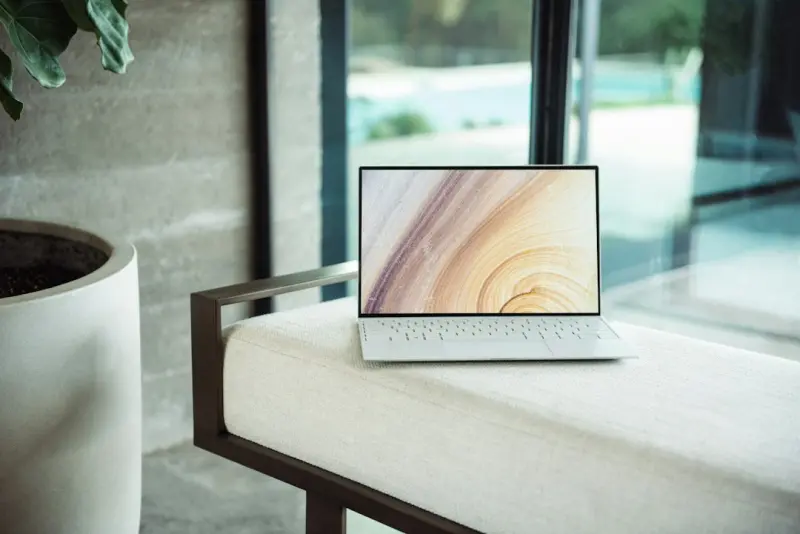
Why Your Next Laptop Should Be a Portable AI Hub
Explore the emerging trend of AI‑first laptops, modular hardware, and eco‑friendly design, and l... Read More
Top Posts

Sustainable Interior Design: How to Create a Healthy and Eco-Friendly Home
Learn how to create a healthy and eco-friendly home with sustainable interior design. Get tips on simple swaps, design choices, and more from interior designer ...Read More

Designing a Portfolio Career That Thrives in the Modern Economy
Learn how to build a resilient portfolio career, blend diverse projects, and measure success beyond salary—empowering you to thrive in today’s ever‑changi...Read More

Hidden Gems: Uncovering Niche WordPress Plugins That Supercharge Creativity
Explore hidden WordPress plugins that transform your site with dynamic visuals, semantic search, and streamlined performance, all while keeping your creative ed...Read More

Unplugging the Noise: Curating a Lean Software Stack for Modern Teams
A practical guide to decluttering your software ecosystem, featuring data‑driven audits, a value‑fit scorecard, and a retirement playbook to keep teams agil...Read More
0 Comments
Post Comment
You will need to Login or Register to comment on this post!