
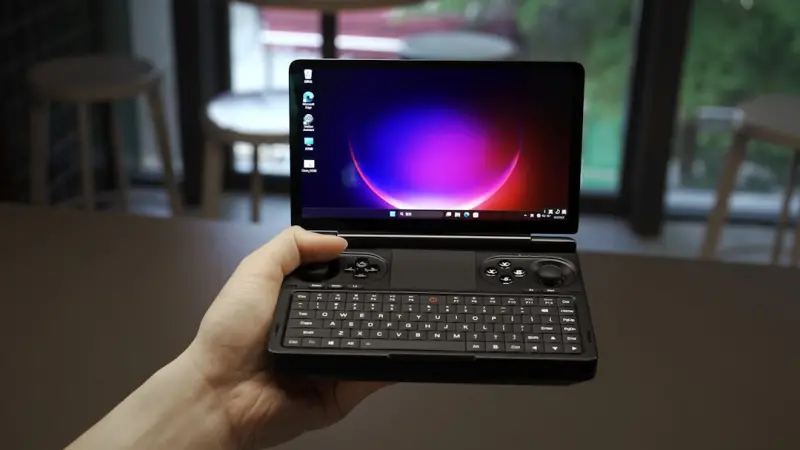
Why the Modern Laptop Needs a Modular Mindset
When I first unboxed my latest ultrabook, the sleek chassis and feather‑light feel promised a future where hardware feels disposable, yet my mind kept drifting back to the idea that a laptop should evolve alongside its owner rather than be retired after a couple of operating system updates or a minor performance dip. That realization sparked a deeper investigation into modular design principles traditionally reserved for desktop rigs, revealing a growing ecosystem of interchangeable components—magnetic SSD bays that slide in without screws, tool‑free RAM sticks secured by spring clamps, and even external GPU enclosures that connect via Thunderbolt 4, allowing users to boost graphics horsepower without sacrificing mobility. By embracing this modular mindset, we not only slash electronic waste and extend the lifespan of an expensive device, but we also nurture a personal sense of craftsmanship, transforming a mass‑produced laptop into a long‑term partner that can adapt to demanding creative projects, high‑frame‑rate gaming, or emerging AI workloads well beyond the typical three‑year refresh cycle.
The Power of Upgradable Components Without the Desktop
Upgrading a laptop used to feel like a gamble—most manufacturers lock memory and storage behind adhesive, making the whole machine a sealed box; today, however, a new wave of user‑friendly upgrade kits offers tool‑free access to RAM slots and M.2 SSD slots, turning a simple swap into a performance boost comparable to buying a new device. When you pair these internal upgrades with external solutions such as a Thunderbolt‑connected eGPU, you can achieve graphics performance that rivals mid‑range desktops while keeping the laptop’s inherent portability for coffee‑shop brainstorming sessions. The financial math becomes compelling too: a $200 RAM upgrade or a $300 SSD can deliver a 30‑40% speed increase, whereas a brand‑new laptop with similar specs often costs twice as much, meaning you can stretch your budget while staying ahead of software demands.
Thermal Architecture: Keeping Cool While Working Hard
One of the most overlooked aspects of laptop longevity is heat management; an overheated CPU not only throttles performance but also accelerates component wear, turning a powerful machine into a sluggish workhorse within a few years. Modern manufacturers are experimenting with vapor‑chamber cooling, dual‑fan designs, and even graphene‑infused heat spreaders that dissipate heat more efficiently than traditional copper pipes, allowing sustained workloads like video rendering or AI inference without the dreaded thermal throttling. Complementing these built‑in solutions with a simple external laptop cooler—an adjustable stand with built‑in fans—can drop core temperatures by up to 15 °C, extending the lifespan of both the processor and the battery while improving overall system stability during marathon editing sessions.
Ergonomics Beyond the Desk: Portable Comfort Hacks
Even the most powerful laptop can become a source of discomfort if ergonomics are ignored; hunching over a 13‑inch screen for hours leads to neck strain, wrist pain, and reduced productivity. A lightweight, adjustable laptop stand that raises the screen to eye level, combined with an external Bluetooth keyboard and a compact mouse, creates a workstation that mimics a desktop setup without sacrificing the ability to relocate to a couch or a co‑working space. Pair this with a pair of memory‑foam wrist rests and a set of cable organizers, and you transform a mobile device into an ergonomic hub, reducing the risk of repetitive‑strain injuries while maintaining the flexibility that defines modern work life.
AI‑Assisted Performance Tweaks You Can Do At Home
Artificial intelligence is no longer confined to cloud services; today’s laptops can run local AI models that analyze system performance, recommend power‑plan adjustments, and even automate driver updates for optimal hardware utilization. Tools like AI‑driven fan curve optimizers learn your typical workload patterns and dynamically adjust cooling speeds to keep temperatures low without unnecessary noise, while AI‑based memory managers predict which applications will need RAM next and pre‑allocate resources accordingly. By leveraging these intelligent assistants, users can extract up to 15 % more performance from existing hardware, extending the period before a hardware upgrade becomes necessary.
Secure Yet Seamless: Bringing Zero‑Trust Principles to Your Personal Device
While enterprises have embraced zero‑trust architectures to protect remote workforces, the same philosophy can fortify a personal laptop against the barrage of phishing attempts, malicious extensions, and insecure Wi‑Fi networks we encounter daily. Implementing a zero‑trust model starts with continuous verification—using multi‑factor authentication for every login, encrypting local drives, and employing application‑level firewalls that only allow vetted software to communicate externally. For a deeper dive into zero‑trust strategies, check out Zero Trust Strategies for Protecting the Modern Remote Workforce, which outlines practical steps that translate directly to a home environment, ensuring that security doesn’t become a hindrance to productivity.
Why Offline‑First Apps Are the Secret Weapon for Laptop Productivity
Reliance on constant internet connectivity can cripple workflow when network hiccups occur, yet many modern applications still assume a perpetually online state. Offline‑first design flips this assumption, caching data locally and synchronizing changes only when a stable connection is available, resulting in smoother performance, faster load times, and reduced data usage—particularly valuable for creatives traveling between cafés or remote locations. To explore how this paradigm can boost reliability, see Why Offline‑First Mobile Apps Are the Secret Weapon for User Trust, which highlights techniques easily transferable to desktop environments, ensuring your laptop remains productive regardless of network conditions.
Choosing the Right OS for Your Workflow: A Pragmatic Guide
The operating system you run fundamentally shapes how you interact with hardware, manage updates, and secure data, making the choice between Windows, macOS, and Linux far more than a matter of brand loyalty. Windows offers broad driver support and a familiar ecosystem for gaming and enterprise software, while macOS excels in creative suites and seamless hardware integration; Linux, meanwhile, provides unparalleled customizability, lightweight footprints, and strong community‑driven security patches. By assessing your primary tasks—whether they involve GPU‑intensive rendering, open‑source development, or cross‑platform collaboration—you can select an OS that maximizes efficiency, reduces friction, and aligns with the modular upgrades you’ve invested in.
Future‑Proofing: Anticipating Tech Trends in the Next Few Years
Predicting the exact trajectory of laptop technology is impossible, but several emerging trends are clear signals for future‑proof purchases: wider adoption of DDR5 memory, the rise of PCIe 5.0 storage for lightning‑fast file transfers, and the integration of AI accelerators that handle on‑device machine‑learning tasks without taxing the CPU. Selecting a chassis that supports these standards—such as a laptop with an upgradeable SSD slot compatible with PCIe 5.0 or a motherboard that can accommodate DDR5—ensures that you won’t be forced into an early replacement when the next generation of software demands more bandwidth. Coupled with a modular approach, these forward‑looking choices keep your device relevant and performant for years to come.
Conclusion: Your Laptop, Your Canvas
Viewing a laptop through the lens of modularity, ergonomics, and intelligent security transforms it from a static consumer product into a dynamic tool that grows with you, adapts to new challenges, and respects both your budget and the planet. By embracing upgradeable components, optimizing thermal performance, leveraging AI‑driven tweaks, and adopting zero‑trust principles, you create a resilient workstation that can handle anything from creative bursts to demanding AI workloads while staying comfortable and secure. The future belongs to users who treat their laptops as evolving canvases—ready to be painted with the latest technologies, personalized workflows, and sustainable practices.

Jim Pearse, a seasoned freelance writer, brings a wealth of knowledge and passion to the world of home and garden. From the intricacies of landscaping to the nuances of interior design, Jim delves into every aspect of creating comfortable, beautiful, and functional living spaces.
Related Posts
Why Modular Laptops Are the Next Evolution in Business Computing
Modular laptops transform the traditional notebook into a flexible platform, letting businesses upgr... Read More

AI‑Ready Laptops: Building a Machine‑Learning‑Fit Workspace
An in‑depth look at why professionals need AI‑optimized laptops, the hardware and software featu... Read More
Modular Laptops: Reinventing PCs for a Sustainable Future
Modular laptops break the cycle of disposable tech by allowing users to upgrade components individua... Read More
Top Posts

Data-Driven Playbooks: A New Edge for Amateur Athletes
This article dives into how everyday athletes can leverage wearables, AI-powered playbooks, and community data sharing to enhance performance, prevent injuries,...Read More

Why Offline‑First Mobile Apps Are the Secret Weapon for User Trust
Explore why designing mobile apps to work offline first can dramatically improve user trust, lower costs, and increase engagement across all markets....Read More

How Google’s AI Search Is Quietly Redefining B2B SaaS Visibility
Google’s new AI-driven search algorithm demands intent‑first storytelling, structured data, and a coordinated tech stack, offering B2B SaaS companies a quie...Read More

Mastering Search Intent Clusters for Scalable SEO Success
Learn why grouping queries by intent, not just keywords, is the key to scalable SEO and how AI and plugins can automate the process for lasting results....Read More
0 Comments
Post Comment
You will need to Login or Register to comment on this post!