
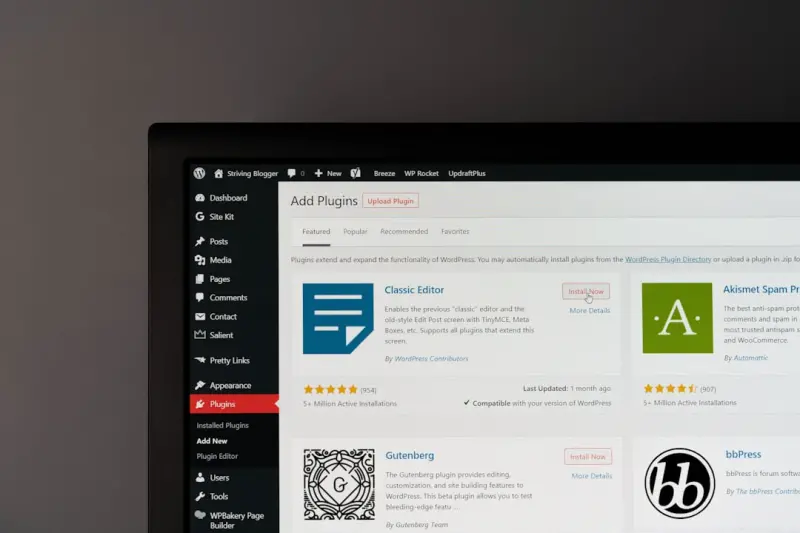
Why WordPress Is the Unexpected Engine for a Scalable Business Knowledge Hub
When most people think of WordPress, they picture blogs, glossy portfolios, or the occasional e‑commerce storefront. That perception is understandable—WordPress has been the go‑to platform for content publishing for over a decade. Yet beneath that familiar surface lies a set of capabilities that can power a robust, searchable, and collaborative knowledge hub for any B2B organization.
From Static Blog to Living Knowledge Repository
Traditional knowledge bases often feel static: pages are uploaded, indexed, and left to gather dust. Over time, information becomes outdated, silos emerge, and employees revert to asking each other for answers instead of consulting the system. By treating WordPress as a dynamic data layer, you can break those silos and create a continuously evolving knowledge ecosystem.
Key shifts include:
- Component‑driven content. Instead of monolithic pages, break articles into reusable blocks (FAQs, code snippets, video embeds). These blocks can be repurposed across multiple contexts.
- Live taxonomy updates. Categories and tags become living hierarchies that adapt as your business expands.
- Real‑time collaboration. With the right plugins, multiple contributors can edit, comment, and approve content without leaving the editor.
Headless WordPress: Decoupling the Front‑End for Maximum Flexibility
One of the most powerful ways to modernize WordPress is to adopt a headless architecture. In a headless setup, WordPress serves purely as a content management back‑end, exposing data through a REST or GraphQL API. The front‑end—whether it’s a custom React dashboard, a mobile app, or an internal portal—consumes that data and renders it however you need.
This separation offers several advantages for a knowledge hub:
- Performance. API‑driven delivery allows you to cache content at the edge, delivering sub‑second load times for global teams.
- Security. The public website can be hosted on a separate domain or CDN, while the API remains locked behind corporate authentication.
- Multi‑channel publishing. The same article can appear as a web page, a PDF, a chatbot response, or an in‑app tooltip without duplication.
Getting started is simpler than you might think. Install the WPGraphQL plugin, enable authentication via OAuth, and you’ll have a flexible content service ready within minutes.
Low‑Code Integrations: Turning WordPress Into a Data‑Driven Dashboard
WordPress isn’t just for text. With the right low‑code tools, you can pull in data from CRMs, ticketing systems, or analytics platforms and surface it alongside your documentation. Imagine a page that automatically displays the latest support ticket trends, key performance indicators, or even a live feed of product release notes.
Here’s a practical workflow:
- Use a platform like development platforms that boost productivity to set up an integration pipeline without writing custom code.
- Map incoming data to custom post types (e.g.,
kpi_report,support_ticket). - Leverage Gutenberg’s dynamic blocks to render the data in a visually appealing way.
Because the pipeline is low‑code, non‑technical team members can tweak field mappings, add new data sources, or adjust presentation logic without involving developers.
Search That Actually Works
Most WordPress installations ship with a basic search that struggles to surface relevant results in a large knowledge base. To turn search into a true discovery engine, consider these upgrades:
- Elasticsearch integration. Index every piece of content—including custom fields, block metadata, and attached files—for lightning‑fast, fuzzy matching.
- Faceted navigation. Allow users to filter results by department, product line, or content type.
- Semantic enrichment. Use natural‑language processing to tag articles automatically, improving relevance for ambiguous queries.
When users can find exactly what they need on the first try, the knowledge hub becomes a self‑service powerhouse, reducing support tickets and freeing up expert time.
Gamifying Contributions to Keep Content Fresh
One of the biggest challenges for any knowledge base is maintaining freshness. A clever way to incentivize contributions is to introduce a gamified layer:
- Points for publishing. Authors earn points for each approved article, comment, or update.
- Badges for expertise. Recognize subject‑matter experts with visible badges on their profiles.
- Leaderboards. Publicly display top contributors each month, encouraging friendly competition.
WordPress’s user management system makes it easy to track activity, and plugins are available to surface leaderboards on the dashboard. The result? A community of engaged contributors who treat the knowledge hub as a living project rather than a one‑off documentation dump.
Embedding Interactive Learning Experiences
Static articles are useful, but interactive modules boost retention. With WordPress you can embed:
- Live code sandboxes for developer documentation.
- Scenario‑based quizzes that adapt based on user responses.
- Embedded video walkthroughs that sync with timestamps in the article.
These elements can be built with block‑based tools or integrated third‑party services via shortcodes. The key is to keep the learning journey fluid, allowing users to move seamlessly from reading to doing.
Ensuring Governance and Compliance
In a B2B environment, knowledge assets often contain sensitive data, intellectual property, or compliance‑related information. WordPress offers several mechanisms to enforce governance:
- Role‑based permissions. Define granular capabilities for editors, reviewers, and auditors.
- Content expiration. Schedule articles to retire automatically after a certain date, prompting a review.
- Audit trails. Log every change with timestamps, user IDs, and change summaries for regulatory audits.
By embedding these controls directly into the platform, you avoid the need for a separate compliance overlay.
Case Study: Turning a Fragmented FAQ Landscape Into a Unified Hub
Consider a mid‑size SaaS provider that struggled with scattered FAQs across support tickets, marketing pages, and internal wikis. The team migrated all existing content into WordPress, mapped each question to a faq_item custom post type, and enabled Elasticsearch for search.
Within three months, they observed:
- A 40% drop in inbound support requests, as customers found answers faster.
- 30% higher engagement on self‑service pages, measured by time‑on‑page.
- Improved cross‑team alignment, because marketing, sales, and support now edited a single source of truth.
This transformation demonstrates how a familiar platform can become a strategic asset when approached with a data‑centric mindset.
Future‑Proofing Your Knowledge Hub
Technology evolves, but the need for reliable knowledge remains constant. To keep your WordPress‑based hub relevant:
- Adopt a modular architecture: treat each feature (search, analytics, authentication) as a replaceable component.
- Stay on top of plugin updates and security patches—regular maintenance prevents vulnerabilities.
- Gather user feedback continuously, using built‑in forms or third‑party analytics to prioritize enhancements.
When you view WordPress as a flexible foundation rather than a fixed CMS, you unlock the ability to iterate quickly, integrate emerging technologies, and scale alongside your business.
Final Thoughts: Embrace the Unexpected
WordPress has earned a reputation for being the “simple blog engine.” That reputation is a double‑edged sword—it attracts users who need a straightforward publishing tool, but it also masks the platform’s hidden depth. By leveraging headless architecture, low‑code integrations, and advanced search, you can transform WordPress into a living knowledge hub that drives efficiency, collaboration, and continuous learning across your organization.
If you’re curious about how to begin, start small: set up a headless endpoint, migrate a single department’s documentation, and watch the impact on productivity. From there, expand the ecosystem, integrate data sources, and let the platform grow with you.
Ready to explore the possibilities? Dive deeper into the world of understanding digital trust challenges and see how a secure API layer can keep your knowledge hub both powerful and protected.

Karen Edwards is a seasoned freelance writer with a passion for all things furry, feathered, and scaled. With a dedicated focus on pets, she brings a wealth of knowledge and a keen eye for detail to her writing.
Related Posts

WordPress Unlocked: From Content Hub to Enterprise Engine
WordPress has grown beyond blogging to become a robust enterprise engine. Learn how to harness headl... Read More

Turning WordPress into a Live Data Narrative Hub
Learn to turn WordPress into a dynamic data hub, blending live visuals, accessibility, and revenue m... Read More
Why WordPress Site Speed Is the Secret Weapon for Modern Creators
Learn why WordPress speed matters, how to optimize Core Web Vitals, and turn performance into a comp... Read More
Top Posts

Traveling With Your Pet: A Practical Guide for Stress‑Free Adventures
Discover a step‑by‑step guide to traveling with your pet, from planning logistics and essential gear to health tips and post‑trip routines for a smooth, e...Read More

Sip, Savor, Sustain: The Zero‑Waste Cocktail Movement Redefining Nightlife
Discover the rise of zero‑waste cocktails, learn practical techniques for sustainable mixology, and see how eco‑forward bars are reshaping nightlife with fl...Read More

When Your Phone Becomes a Stress Hormone: Reclaiming Calm in a Hyperconnected Age
This article explores the hidden health toll of constant notifications and offers science‑backed micro‑unplugging strategies, community‑driven routines, a...Read More

Adaptive Liquidity Radar: How Finance Teams Can Turn Cash Flow Into a Strategic Compass
Finance leaders can move from reactive cash monitoring to proactive cash strategy by building an adaptive liquidity radar that integrates real‑time transactio...Read More
0 Comments
Post Comment
You will need to Login or Register to comment on this post!