

From Tap to Insight: Turning Mobile Apps into Adaptive Experience Platforms
When I first picked up a smartphone as a teenager, apps were simple tools—games to kill time, a calendar to remember appointments, a weather widget to plan my day. Fast‑forward a decade, and the same devices now cradle our finances, our health, our identities. As a product strategist who’s spent years watching the mobile landscape morph, I’ve come to realize that the next frontier isn’t just about adding more features. It’s about turning every micro‑moment—that split‑second decision to open, swipe, or linger—into a data‑driven insight that reshapes the app in real time.
In this post, I’ll walk you through why the old “one‑size‑fits‑all” app model is crumbling, how adaptive experience platforms can keep users engaged without constant redesigns, and three practical tactics you can deploy today—whether you’re a solo founder, a mid‑size B2B SaaS team, or a Fortune‑500 product group.
The Myth of the Static App
Most product roadmaps still treat an app like a ship: you design the hull, load the cargo (features), and set sail. The ship then drifts for months—sometimes years—before you dock for a major overhaul. In practice, this means:
- Feature releases that feel like add‑ons rather than evolutions.
- UX decisions based on quarterly surveys instead of real‑time behavior.
- Heavy reliance on A/B tests that take weeks to surface actionable data.
But mobile users live in a world of micro‑moments. A commuter checks a transit app for a single train update; a shopper opens a retail app just to scan a barcode; a remote worker opens a project‑management app to approve a single task. Each of these interactions is a flashpoint of intent, context, and emotion. If we treat those moments as isolated data points—rather than as the core of a continuous feedback loop—we lose the chance to evolve the app organically.
Adaptive Experience Platforms: The New Operating System for Mobile
Think of an adaptive experience platform (AEP) as the “operating system” for your app’s UI/UX. It does three things:
- Continuously ingest micro‑moment data. Every tap, scroll, dwell time, and exit is logged in a low‑latency pipeline.
- Apply real‑time decision logic. Using lightweight machine‑learning models (or rule‑based engines for smaller teams), the platform decides which UI element, content block, or workflow should surface next.
- Push updates instantly. Rather than waiting for a full app store release, the platform serves component‑level changes over the air, similar to a web‑based feature flag system.
In practice, this means the moment a user opens your finance app to check a balance, the platform might automatically surface a contextual tip about optimizing cash flow based on that balance, a personalized investment suggestion, or a quick‑pay button if the user often transfers money at that hour. The experience morphs with the user, not the other way around.
Why It Works: The Science Behind Micro‑Moment Personalization
Research in behavioral economics shows that present bias—the tendency to overvalue immediate rewards—drives a large chunk of mobile engagement. When an app surfaces an immediate, relevant benefit, the user’s dopamine pathways fire, reinforcing the habit loop. However, the reward must be highly contextual. A generic “Check out our new feature!” banner feels intrusive and is often ignored.
By feeding real‑time context (location, time of day, recent actions) into a micro‑moment engine, you create an anticipatory experience that feels less like a sales pitch and more like a helpful companion. The result? Higher retention, deeper session depth, and a measurable lift in key conversion metrics.
Three Tactics to Jump‑Start Your Adaptive Mobile Strategy
1. Build a “Micro‑Moment Map” Before You Code
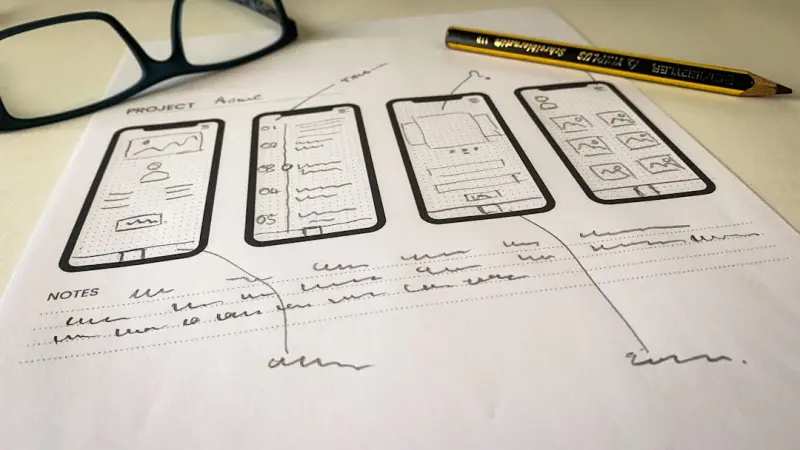
Instead of starting with a feature list, start with a map of user intents. Sketch out the top 10–15 moments that drive value for your core personas. For each moment, ask:
- What is the user trying to achieve?
- What contextual signals can we capture in the seconds before they act?
- What single, frictionless next step would add the most value?
Document this in a living spreadsheet or a visual canvas. When you later prioritize development, each item will be tied to a concrete micro‑moment, ensuring that every line of code is purpose‑driven.
2. Leverage Low‑Code/No‑Code Component Libraries
If your team isn’t equipped to rebuild the entire front‑end every sprint, start small. Platforms like Why Invisible Micro‑Tools Are the Next Big Productivity Hack showcase how modular UI blocks can be swapped in and out without touching the core codebase. By decoupling UI components from business logic, you empower product managers to experiment with new micro‑moment interventions directly from a dashboard.
Key benefits:
- Speed. Deploy a new onboarding tip in minutes, not weeks.
- Safety. Roll back changes instantly if a new flow hurts conversion.
- Collaboration. Designers, data scientists, and marketers can iterate together without waiting for engineering cycles.
3. Embed Real‑Time Decision Engines, Not Just Post‑hoc Analytics
Many teams collect mountains of data only to discover weeks later that a pattern existed that could have driven a better experience. To avoid this lag, integrate a lightweight decision engine that evaluates micro‑moment signals on the fly. For smaller teams, rule‑based engines (if‑then statements) are surprisingly effective. For larger enterprises, consider a AI as a Co‑Pilot for SaaS Product Roadmaps‑style model that continuously retrains on fresh interaction data.
Start with a single high‑impact use case—perhaps a “re‑engagement nudge” when a user opens the app after a 7‑day lull. Measure lift, then expand the engine’s scope.
Case Study: A B2B SaaS Tool That Turned Micro‑Moments into a Revenue Engine
One of my recent consulting engagements involved a project‑management SaaS that traditionally pushed new feature announcements via email. Engagement was low, churn was creeping, and the product team was stuck in a release‑centric mindset.
We implemented a three‑step micro‑moment strategy:
- Micro‑Moment Identification: Users who opened the app on a Friday afternoon and lingered on the “Reports” screen were flagged as “deadline‑driven”.
- Dynamic UI Injection: For these users, a lightweight component appeared offering a one‑click “Export to PDF” button—previously hidden behind a multi‑step flow.
- Real‑Time Feedback Loop: The button’s click rate fed back into a rule engine that adjusted the prominence of the feature for similar users.
The result? A 22% lift in feature adoption within the first month, a 15% reduction in churn among power users, and a measurable increase in upsell conversations—because the product itself was surfacing value at the exact moment users needed it.
Overcoming Common Roadblocks
Adopting an adaptive approach isn’t without challenges. Here are the hurdles you’ll likely meet and how to sidestep them:
- Data Privacy Concerns: Always adopt a privacy‑by‑design framework. Store only the signals you need, anonymize where possible, and be transparent with users about personalization.
- Team Resistance: Engineers may fear “feature sprawl”. Counter this by championing modular components and clear governance policies for what can be changed live versus what needs a full release.
- Performance Overhead: Real‑time decisioning can add latency. Mitigate by pre‑computing likely outcomes at the edge (CDN) and only fetching the final UI component when needed.
The Future: From Adaptive Apps to Adaptive Ecosystems
Imagine a world where not just one app, but an entire suite of apps talks to each other, sharing micro‑moment insights in a secure, consent‑driven mesh. Your health app knows you just logged a workout, and your calendar app suggests a “post‑run recovery” slot. Your CRM app sees a sales call scheduled and surfaces a “quick‑note” template in the notes app.
This vision aligns with the emerging concept of digital experience fabrics—interconnected layers that blend data, UI components, and decision logic across platforms. While still nascent, the building blocks—micro‑moment mapping, low‑code components, real‑time decision engines—are already in our toolkits.
Getting Started Today
Ready to transform your mobile app from a static product into an evolving experience? Follow this simple launch checklist:
- Audit Your Current Analytics: Identify the top 5 user pathways and the drop‑off points.
- Define 3 Core Micro‑Moments: Choose moments that directly impact revenue or retention.
- Prototype a Dynamic Component: Use a no‑code UI builder to create a contextual prompt or shortcut.
- Deploy with a Feature Flag: Release to a small user segment, measure lift, iterate.
- Scale the Decision Engine: Gradually add more signals and more complex logic.
Remember, the goal isn’t to overhaul everything overnight. It’s to embed a mindset of continuous, data‑driven adaptation into every product decision. When you start treating each tap as a conversation, you’ll find that your app becomes not just a tool, but a trusted partner in your users’ daily lives.
So, the next time you open your favorite mobile app, ask yourself: Is this app reacting to my moment, or am I just reacting to it? The answer will tell you whether you’re ahead of the curve or still stuck in the release‑cycle past.

Karen Edwards is a seasoned freelance writer with a passion for all things furry, feathered, and scaled. With a dedicated focus on pets, she brings a wealth of knowledge and a keen eye for detail to her writing.
Related Posts

Why Mobile App Privacy Is the New Competitive Advantage
A deep dive into making privacy a core product advantage for mobile apps—covering transparent onbo... Read More
Designing Context‑Aware Mobile Experiences That Anticipate User Needs
Learn practical techniques for creating mobile apps that sense location, activity, and device condit... Read More

The Unseen Levers Driving Mobile App Adoption in Enterprise SaaS
A deep dive into the quiet, often overlooked tactics that make mobile apps essential for B2B SaaS, c... Read More
Top Posts

Context‑Aware Software: Turning Real‑Time Signals Into Smarter Enterprise Experiences
Context‑aware software transforms static applications into intelligent assistants that adapt to user intent, environment, and business state, delivering perso...Read More

Why Modern Observability Stacks Are the Secret Weapon for Scalable SaaS
Observability has evolved from isolated monitoring tools to a unified, AI‑infused platform that predicts issues before they arise. This post outlines the core...Read More

Parenting Outside the Playbook: Harnessing Curiosity and Tech Without Losing the Magic
A fresh parenting approach blends creative, hands‑on play with intentional tech use, offering real‑world strategies and stories that help families stay bala...Read More

Decoding Google’s AI Playbook for SaaS Leaders
A deep dive into practical ways SaaS teams can harness Google’s AI suite—from generative Docs to Vertex AI churn models—turning complex workflows into gro...Read More
0 Comments
Post Comment
You will need to Login or Register to comment on this post!