
Introduction: The Unlikely Co‑Worker Who Never Takes a Coffee Break
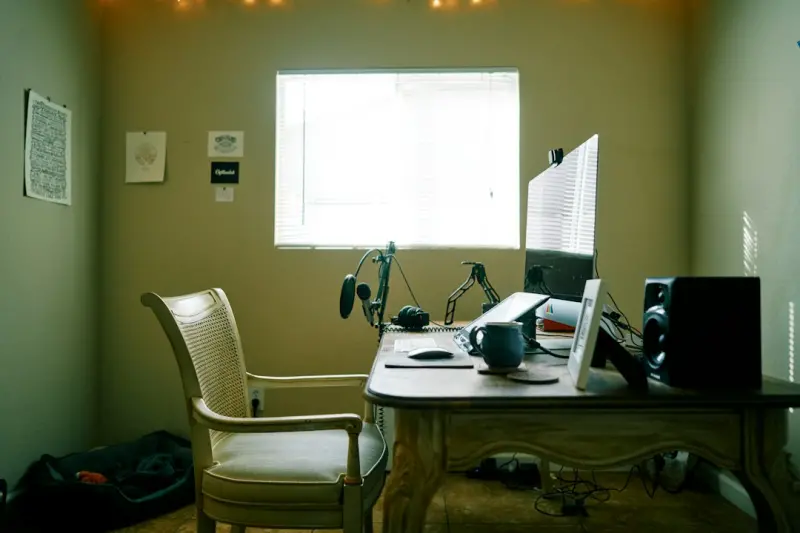
When most people think about boosting productivity, they picture sleek software, ergonomic chairs, or a perfectly calibrated lighting system. I’m going to argue that the most effective, low‑cost productivity hack lives on four legs, wags its tail, and occasionally decides that your keyboard is a perfect chew toy. In other words, your pet—especially a dog—can become a silent catalyst for a healthier, more focused home office.
The Science Behind Furry Focus Boosters
Numerous studies have shown that interacting with animals triggers the release of oxytocin, a hormone associated with bonding and stress reduction. This biochemical response can lower cortisol levels, the primary stress hormone, creating a calmer mental state that is primed for deep work. While the research is often framed around therapy animals in hospitals, the same mechanisms apply when a dog rests his head on your lap during a Zoom call.
But stress reduction is only half the story. Dogs also encourage regular movement: a quick walk to the park, a short play session in the backyard, or a simple stretch while you throw a ball. These micro‑breaks are scientifically proven to prevent decision fatigue and keep the prefrontal cortex sharp. The result? Longer periods of sustained concentration when you return to the screen.
Emotional Support Meets Real‑World Results
Beyond the hormonal benefits, having a pet nearby offers an emotional anchor. In a home office, the line between “work mode” and “home mode” often blurs, leading to feelings of isolation. A pet provides non‑judgmental companionship, reminding you that you’re not alone in the room—even if the only other human is a virtual avatar on a conference call.
Imagine this scenario: you’re stuck on a tricky piece of code, your mind is looping, and suddenly your dog nudges a ball into your lap. You stand up, toss the ball, and laugh. That burst of joy resets your mental circuitry, allowing you to approach the problem with fresh eyes. It’s not a magical solution, but a simple, repeatable habit that re‑engages the brain’s reward pathways.
Pet‑Centric Home Office Design: Practical Tips
Designing a workspace that accommodates a pet doesn’t have to compromise aesthetics or functionality. Here are some actionable ideas:
- Dedicated Pet Zone: Allocate a corner with a comfortable rug, a water bowl, and a few toys. This signals to your pet that this space is theirs, reducing the chance they’ll hop onto your desk during a call.
- Pet‑Proof Cables: Use cable organizers or protective sleeves. Not only does this keep your equipment safe from curious chews, but it also reduces trip hazards for you and your four‑legged friend.
- Adjustable Lighting: Position a lamp with a warm hue near the pet zone. Soft lighting can soothe both you and your animal, creating a calmer environment during late‑night brainstorming sessions.
- Sound Management: A white‑noise machine can mask sudden barks or meows while also providing a soothing backdrop for focused work.
Integrating Smart Pet Tech Without Turning Your Home Into a Data Mine
Pet tech has exploded in the last few years, from automatic feeders to AI‑driven activity trackers. While these gadgets can add convenience, it’s essential to approach them with a privacy‑first mindset—especially if you’re already wary of data‑intensive platforms.
One clever way to blend technology and simplicity is to adopt tools that enhance, rather than replace, natural interaction. For instance, a smart collar that monitors activity levels can inform you when your dog needs a walk, prompting a built‑in movement break that boosts your own circulation and mental clarity. This is similar to how ambient web design strives for interfaces that recede into the background, letting the user focus on the task at hand.
Another useful gadget is a pet‑friendly camera that streams a live feed to your phone. If you need to step away for a quick errand, you can check in without interrupting your flow. The key is to treat these devices as silent assistants—not as data‑hungry overseers. Set clear boundaries: disable unnecessary recordings, use local storage when possible, and regularly audit what information is being collected.
Data‑Driven Playbooks for Pet‑Integrated Productivity
Just as athletes use performance metrics to fine‑tune their training, you can apply a similar data‑driven playbook approach to your pet‑centric routine. Track a few simple metrics for a week:
- Break Frequency: How many times you pause to engage with your pet.
- Task Completion Time: The average length of uninterrupted work blocks.
- Stress Rating: A quick self‑assessment before and after pet interactions (scale of 1‑10).
After collecting data, look for patterns. Perhaps you notice that a 5‑minute fetch session after two hours of coding correlates with a 20% reduction in perceived stress. Armed with that insight, you can deliberately schedule “pet power‑breaks” into your calendar, turning intuition into a repeatable system.
Creating a Home Sanctuary: The Overlap Between Pet Comfort and Human Focus
When you design a space that feels safe and inviting for your pet, you inadvertently craft a more tranquil environment for yourself. This principle aligns with the ideas presented in creating a home sanctuary. A calm pet zone reduces anxiety for both parties, making it easier to slip into a flow state when you sit down at your desk.
Consider adding natural elements—like a small indoor plant (out of reach of curious paws) or a calming essential oil diffuser (ensure it’s pet‑safe). These touches can lower ambient noise levels and improve air quality, fostering a space where concentration thrives.
Handling Common Challenges
Distractions: It’s true that pets can be noisy or demand attention at inopportune moments. The solution isn’t to banish them from the office but to set clear expectations. Use a visual cue—like a “Do Not Disturb” sign—when you’re on a deadline, and reward calm behavior with treats afterward.
Allergies and Hygiene: Regular grooming and a dedicated pet mat can keep dander at bay. If you’re prone to allergies, consider an air purifier with a HEPA filter in your work area.
Space Constraints: Even in a tiny apartment, a vertical pet perch or a compact cat tree can provide a personal space for your animal, freeing up floor space for your workstation.
The Long‑Term Payoff: A Healthier You and a Happier Pet
Integrating a pet into your daily workflow isn’t a quick fix; it’s an ongoing partnership. Over months, you’ll likely notice reduced burnout, improved mood, and a stronger bond with your companion. In return, your pet benefits from consistent interaction, mental stimulation, and a predictable routine—key ingredients for a well‑adjusted animal.
In the broader context of work‑life balance, pets serve as a living reminder that productivity isn’t just about output; it’s about sustainability. By weaving pet‑centric habits into your professional life, you create a rhythm that honors both your career ambitions and your personal well‑being.
Conclusion: Embrace the Tail‑Wagging Advantage
If you’ve ever felt the weight of an endless to‑do list, consider looking down at the wagging tail perched at your feet. That simple, instinctual connection can be the catalyst for a more mindful, energized, and productive workday. Treat your pet not as a background nuisance, but as an intentional component of your home office ecosystem. When you do, you’ll find that the secret to sustainable productivity was waiting on the floor all along.

Ryan Stuart is a seasoned freelance features writer, editor, and professional photographer with a passion for exploring the world and capturing its beauty through words and images.
Related Posts

The Impact of Sustainable Living on Pet Care
As the world becomes increasingly aware of the importance of sustainable living, pet owners are look... Read More
How a Pet‑Centric Morning Routine Supercharges Your Day
A pet‑centric morning routine blends gentle wake‑up cues, night‑time prep, and playful product... Read More
Decoding Your Pet’s Inner Language: A Guide to Better Communication
Discover practical strategies to understand your pet’s signals, design supportive environments, an... Read More
Top Posts
Mesh Networks: The Quiet Engine Powering Hybrid Workspaces
Mesh networking replaces static, centralized infrastructure with a dynamic, self‑healing fabric that adapts to hybrid work demands, delivering lower latency, ...Read More
Transform Your Home into a Productivity Sanctuary Without Breaking the Bank
Learn how to convert any space in your home into a productivity sanctuary with practical lighting, acoustic, airflow, ergonomic, and organization tips that boos...Read More

From the Sidelines to the Cloud: How Amateur Teams Can Leverage Data Without Losing the Game
A practical guide for community coaches on building a lean data stack, turning metrics into actionable insights, and enhancing fan experiences—all while prese...Read More

Scam‑Proofing Your Business: The Hidden Playbook of Modern Deception
Scammers now use AI‑generated deepfakes, synthetic identities, and timing tricks to bypass traditional defenses. This guide reveals warning signs, real‑worl...Read More
0 Comments
Post Comment
You will need to Login or Register to comment on this post!