

Why a Home Productivity Sanctuary Matters
When the kitchen table doubles as a laptop desk, the couch becomes an office, and the bedroom is a conference room, the line between work and rest blurs. Over time, that blur erodes focus, spikes stress, and sabotages the creative spark you rely on every day. Building a dedicated sanctuary doesn’t mean you need a spare room or a designer’s budget—it’s about intentional tweaks that coax your space into supporting the brain’s natural rhythms.
Lighting: From Harsh Fluorescents to Mood‑Aligned Radiance
Natural light is the gold standard, but most homes have zones that sit in perpetual shade. Start by mapping your daylight exposure: note where the sun hits at different times and place task‑oriented areas—your desk, reading nook, or craft table—near those windows. Where daylight is scarce, swap out the usual overhead fluorescents for a layered lighting system:
- Ambient base: A warm‑white LED panel that mimics the sun’s color temperature (around 3000‑3500K).
- Task accent: A directional desk lamp with adjustable color temperature; cooler tones (5000‑6500K) boost alertness during morning work, while warmer tones (2700‑3000K) ease evening wind‑down.
- Ambient mood: A dimmable floor lamp or smart strip that can shift hue for relaxation or focus.
For those who love a low-tech comfort trick approach, a simple paper lantern with a dim bulb can soften glare without the need for pricey smart bulbs. The key is balance—avoid flickering or overly bright sources that strain the eyes, and you’ll notice a measurable lift in productivity after just a few days.
Sound Management: Crafting a Quiet (or Controlled) Acoustic Envelope
Open‑plan homes often suffer from echoey rooms or intrusive street noise. Sound is the invisible backdrop that can either amplify concentration or become a constant distraction. Start with a quick sound audit: stand in your work zone and notice the dominant frequencies—traffic rumble, neighbor chatter, or the hum of appliances.
From there, apply a three‑layer approach:
- Absorption: Hang thick curtains, add a plush rug, or place acoustic panels (even DIY ones made from recycled denim) on walls that reflect sound.
- Diffusion: Bookshelves filled with unevenly sized books or decorative objects scatter sound waves, breaking up echoes.
- Masking: A subtle white‑noise fan or a playlist of low‑volume nature sounds can drown out sudden spikes, creating a steady auditory cushion.
If you’re on a budget, repurpose old fabric panels or even a folded blanket on the wall. The goal isn’t to create a library‑silence temple unless that’s your style; it’s to shape an acoustic envelope that supports the type of work you do—whether deep focus or collaborative brainstorming.
Airflow & Freshness: The Overlooked Productivity Booster
Stale indoor air can sap mental energy faster than a heavy workload. A simple air refresh strategy can rejuvenate both mind and body:
- Cross‑ventilation: Open windows on opposite walls for a few minutes each morning to create a gentle breeze that swaps stale air for fresh.
- Plants as natural filters: Spider plants, snake plants, and peace lilies absorb pollutants while releasing oxygen. Position them near your workspace for a subtle boost.
- DIY air purifier: Place a bowl of baking soda and a few drops of essential oil (like eucalyptus) in the corner of the room; it absorbs odors and adds a faint, energizing scent.
For a tech‑savvy spin, you can integrate a tiny daily health boost by timing a 5‑minute window‑opening ritual into your morning schedule—think of it as a “reset” for the room, paralleling personal micro‑reset habits.
Ergonomic Furniture Hacks Without a Full‑Room Overhaul
Most people assume ergonomic upgrades require a pricey standing desk. In reality, a few strategic moves can dramatically improve posture and reduce fatigue:
- Desk height adjustment: Use sturdy books or a low‑profile platform to raise a standard table so your elbows sit at a 90‑degree angle when typing.
- Chair support: Add a lumbar pillow or a rolled‑up towel behind the lower back. Even a small cushion can align the spine.
- Foot rest: A simple wooden crate or stack of magazines elevates feet, encouraging better circulation.
- Keyboard angle: Place a thin wedge (a folded towel works) under the keyboard to keep wrists neutral.
Combine these with a movement micro‑break every 45 minutes: stand, stretch, or walk to the kitchen. The cumulative effect is a noticeable drop in neck tension and a steadier focus throughout the day.
Personalized Zones: Making Each Corner Work for You
Even in a studio apartment, you can carve out distinct zones that cue your brain into different modes. Use visual markers—different rugs, color palettes, or lighting levels—to signal “work mode” versus “relax mode.” For instance, a navy‑blue rug under your desk can become a visual cue for concentration, while a soft pastel blanket in the living area signals unwind time. This contextual anchoring reduces decision fatigue: you don’t have to constantly tell yourself whether you’re “on the clock” or “off the clock.”
Smart Storage Solutions That Declutter Mind Space
Clutter is the silent productivity killer. Instead of buying more cabinets, think vertical and multifunctional:
- Floating shelves: Install them above the desk to keep books, notebooks, and décor within arm’s reach but off the surface.
- Magnetic strips: Attach them to the wall for metal tools, keys, or even a small set of magnetic clips for papers.
- Convertible furniture: An ottoman with hidden storage can house cables, chargers, or even a small notebook.
When every item has a designated home, mental bandwidth frees up for creative thinking instead of rummaging for that missing pen.
Digital Minimalism Meets Physical Space
Our homes increasingly house digital hubs—routers, smart speakers, and charging stations. A tidy digital ecosystem mirrors a tidy physical one:
- Cable management: Use Velcro ties or cable sleeves to bundle power cords, keeping them out of sight.
- Device zoning: Designate a “charging dock” spot for phones, tablets, and wearables. This prevents nightly scrambling and ensures devices start the day fully powered.
- Screen declutter: Limit the number of open browser tabs and desktop icons. A clean digital workspace reduces visual noise that can spill over into the physical environment.
These small actions align with the broader goal of a productivity sanctuary: a space where both physical and digital elements cooperate rather than compete.
Seasonal Adjustments: Keeping the Sanctuary Effective Year‑Round
What works in summer may feel oppressive in winter. Adjust your sanctuary with the seasons:
- Winter warmth: Swap cool‑tone bulbs for warmer ones, add a fleece throw, and use a portable humidifier to combat dry air.
- Summer coolness: Introduce a small desk fan, use sheer curtains to diffuse harsh sunlight, and place a bowl of ice water near the workspace for a subtle cooling effect.
- Spring refresh: Rotate plants, open windows for fresh breezes, and replace heavy textiles with lighter fabrics.
Seasonal tweaks prevent your sanctuary from becoming stagnant and keep it responsive to both your comfort and productivity needs.
Mindful Maintenance: Keeping the Sanctuary Fresh
Finally, schedule a monthly “sanctuary audit.” Set aside 15 minutes to:
- Dust surfaces and clean any air‑filtering plants.
- Re‑evaluate lighting and sound setups—have your needs changed?
- Declutter the desk and storage zones.
- Refresh any scents or visual cues.
Consistent upkeep ensures the space remains an ally rather than a forgotten afterthought. Over time, you’ll notice that entering the sanctuary triggers a mental “ready‑set‑go” cue, streamlining the transition into focused work.
Conclusion: Small Shifts, Big Returns
Creating a home productivity sanctuary is less about a massive renovation and more about a series of intentional, low‑cost adjustments. By mastering lighting, sound, airflow, ergonomics, and organization, you construct a backdrop that supports deep work, creative bursts, and genuine relaxation. The result? A home that fuels your ambitions instead of draining them—one thoughtful tweak at a time.

Jimmy Stewart is a content creator that gets inspired by many aspects of life, internet or whatever inspires him at that moment. When he's not online he's gaming and when he is not gaming he is online trolling discussion boards.
Related Posts

10 Unexpected Home Hacks to Boost Comfort and Calm
From a repurposed shoe rack to scent‑smart lighting, I share practical tricks that instantly eleva... Read More
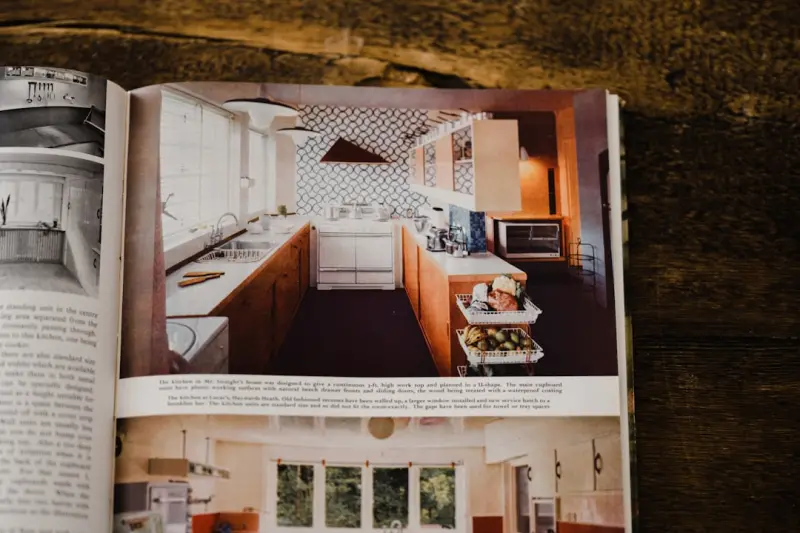
The Home Upgrade Playbook: Small Changes, Big Comfort Gains
Micro‑tweaks can transform a modest living space into a comfortable, organized haven. This guide o... Read More
The Secret to a Calm, Clutter-Free Home That Actually Works
Learn how to transform your home into a tranquil, organized sanctuary using simple habits like the o... Read More
Top Posts

The Intersection of Gaming and Sustainability: A New Era for Environmental Stewardship
The gaming industry is shifting towards a more sustainable future, with eco-friendly gaming consoles, sustainable game development, and environmentally consciou...Read More

The Sustainable Food Revolution: How Technology is Changing the Way We Eat
The way we produce, process, and consume food has a profound impact on our planet. Learn how technology is changing the way we eat and helping us create a more ...Read More

Designing for Cognitive Economy: A Fresh Take on Web Experience
A new discipline—Design for Cognitive Economy—prioritizes user attention, minimalism, and adaptive content, offering practical steps to reduce overload and ...Read More

Semantic SEO: Turning Structured Data into a B2B Growth Engine
A deep dive into using schema.org markup to make SaaS products more discoverable, with actionable steps, case study results, and a 30‑day implementation plan....Read More
0 Comments
Post Comment
You will need to Login or Register to comment on this post!