

Why Your Laptop Should Be a Reflection of Your Lifestyle, Not Just a Tool
When I first swapped my aging notebook for a sleek ultrabook, I realized that a computer is more than a box of silicon; it’s an extension of my daily rhythm. Choosing a device that mirrors the cadence of your work, hobbies, and downtime can transform frustration into flow, turning coffee‑filled mornings into moments of creative clarity. Over the past few years I’ve learned that the most satisfying rigs aren’t the loudest or the flashiest—they’re the ones that anticipate my needs before I even articulate them, from adaptive brightness that respects my night‑owl tendencies to keyboards that feel like a natural extension of my fingertips.
Understanding the Processor Landscape: Beyond Core Counts
The processor market has become a labyrinth of branding, and it’s easy to get lost in the hype of “12‑core monsters” or “Turbo Boost maxed out at 5 GHz.” In my experience, the sweet spot for most creators lies in balanced architecture: a mid‑range CPU that delivers consistent single‑thread performance without draining the battery in a flash. Look for chips that boast efficient power envelopes and strong integrated graphics if you’re not planning a dedicated GPU; this often means opting for the latest generation of Ryzen 5 or Intel i5 models, which provide a harmonious blend of speed, thermals, and longevity.
Memory Matters: How Much RAM Is Really Necessary?
There’s a common myth that “more RAM is always better,” yet the truth is a bit more nuanced. I once upgraded to 64 GB on a machine that I used mainly for writing, research, and occasional photo editing, only to find the extra memory gathering dust while the laptop’s weight increased noticeably. For most power users—those who run multiple browsers, a handful of design apps, and perhaps a virtual machine—a sweet spot of 16 GB to 32 GB offers ample headroom. Pair this with fast DDR5 modules, and you’ll notice snappier multitasking without the unnecessary bulk that comes from over‑specifying your system.
Storage Strategies: SSDs, NVMe, and the Art of Future‑Proofing
Solid‑state storage has shifted from a luxury to a baseline expectation, but not all SSDs are created equal. In my own workflow, I keep the operating system and primary applications on a high‑speed NVMe drive, while relegating larger media libraries to a secondary SATA SSD. This tiered approach maximizes both speed and capacity, ensuring that boot times remain lightning‑fast without sacrificing storage space for video footage or 3D assets. When evaluating capacity, think ahead: a 1 TB NVMe drive often feels generous now, but with 4K footage becoming the norm, planning for at least 2 TB of total storage across tiers can stave off the need for a premature upgrade.
Display Decisions: Color Accuracy, Refresh Rates, and Ergonomics
The screen you stare at for eight hours a day deserves careful consideration. For designers and content creators, a panel covering 100 % of the sRGB gamut with factory‑calibrated color accuracy is non‑negotiable; I still remember the first time a mis‑aligned hue slipped into a client presentation—embarrassment that could have been avoided with a proper display. Gamers and video editors, however, may prioritize a higher refresh rate, such as 144 Hz, to enjoy buttery‑smooth motion. Regardless of your primary use, an ergonomic stand or a detachable keyboard can dramatically improve posture, reducing neck strain that often goes unnoticed until it becomes chronic.
Battery Life Myths: How to Get Real‑World Longevity
Manufacturers love to tout “up to 15 hours” on paper, but real‑world usage paints a different picture. I’ve found that the key to extending battery life lies in a combination of hardware and habits: selecting a laptop with a power‑efficient processor, using a display with adaptive refresh technology, and dialing down background services that silently siphon power. Simple tweaks—like dimming the screen to 70 % brightness, turning off Bluetooth when not needed, and leveraging built‑in power‑saving modes—can stretch a typical workday well beyond the advertised figures, allowing you to stay productive on coffee shop rooftops without hunting for an outlet.
Thermal Management: Quiet Cooling Solutions for Silent Workspaces
Heat is the silent enemy of performance, especially in thin laptops where airflow is limited. I once endured a month of throttling on a machine that boasted a “gaming‑grade GPU” but lacked a proper vapor‑chamber; the result was a noisy fan that made concentration impossible. Modern laptops now offer hybrid cooling systems that combine low‑profile fans with liquid metal thermal interfaces, delivering quieter operation while maintaining peak performance. If you’re sensitive to noise, look for devices that advertise a “quiet mode” or consider an external cooling pad that distributes heat evenly without adding significant bulk.
Security Essentials: From BIOS to Cloud Backups
Even the most beautifully engineered laptop is vulnerable if you overlook basic security hygiene. I always start with a hardware‑based TPM chip, which encrypts the drive at the firmware level, making data theft far more difficult. Coupled with a reputable password manager and multi‑factor authentication on every cloud service, you create a layered defense that deters both opportunistic thieves and sophisticated attackers. For a deeper dive into safeguarding your digital life, check out practical strategies for everyday online safety, which outlines actionable steps you can implement today.
Building a Sustainable PC Ecosystem: Recycling, Upgrading, and Longevity
The environmental impact of our tech habits often goes unexamined, yet it’s an area where conscious choices can make a real difference. Rather than discarding a perfectly functional chassis, I prioritize modular upgrades—swapping out RAM, SSDs, or even the battery to extend the device’s life. When the time finally comes to part ways, I rely on certified e‑recycling programs that responsibly extract precious metals and minimize landfill waste. By treating your laptop as a long‑term investment rather than a disposable gadget, you not only save money but also contribute to a greener tech ecosystem, ensuring that future creators inherit a healthier planet.

Margaret Thomson is a seasoned freelance writer specializing in the dynamic worlds of marketing and advertising. With a career deeply rooted in the marketing field, Margaret brings a wealth of practical experience and insightful knowledge to her writing.
Related Posts

Unlocking Your Laptop’s True Potential: Performance Tweaks, Battery Mastery, and Future‑Proof Upgrades
Discover how to transform a sluggish laptop into a high‑performing, long‑lasting machine with ea... Read More

Why Sustainable PCs and Laptops Are the Hottest Trend in 2024
Explore the rise of sustainable PCs and laptops in 2024, with insights on green specs, gaming, and s... Read More
Modular Laptops: Building a Portable Powerhouse You Can Actually Upgrade
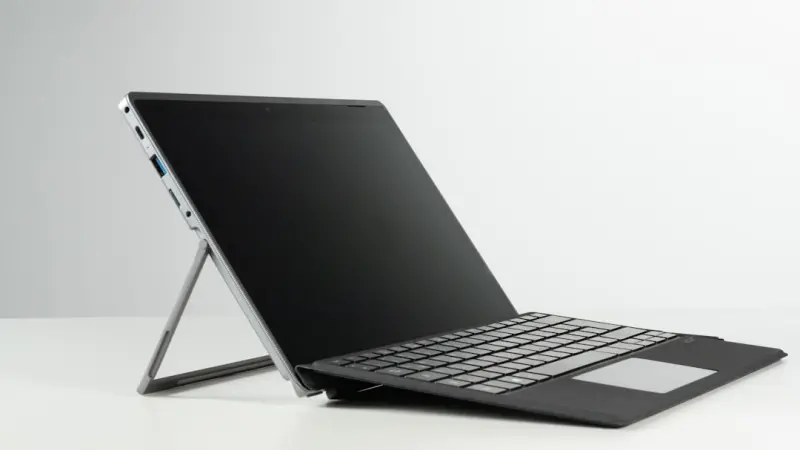
Modular laptops let users upgrade CPUs, GPUs, and other components without replacing the entire devi... Read More
Top Posts

When Wellness Meets Deceit: The Rise of Health‑Focused Scams and How to Guard Your Team
Scammers are leveraging the booming corporate wellness movement, disguising fraud as functional beverages, AI chatbots, and smart‑home safety kits. This post ...Read More
AI‑Ready Laptops: Building a Machine‑Learning‑Fit Workspace
An in‑depth look at why professionals need AI‑optimized laptops, the hardware and software features to prioritize, and a step‑by‑step plan to future‑p...Read More

Plugging Into the Green Future: How Sustainable Plugins Are Reshaping the Web
Explore the rise of sustainable plugins, their impact on SEO and performance, and actionable steps to adopt greener extensions in your digital strategy....Read More

The Power of Family Storytelling: Raising Confident, Connected Kids
Storytelling isn’t just bedtime fun; it’s a brain‑training, empathy‑building tool that shapes confident, resilient kids. Learn practical ways to weave n...Read More
0 Comments
Post Comment
You will need to Login or Register to comment on this post!