
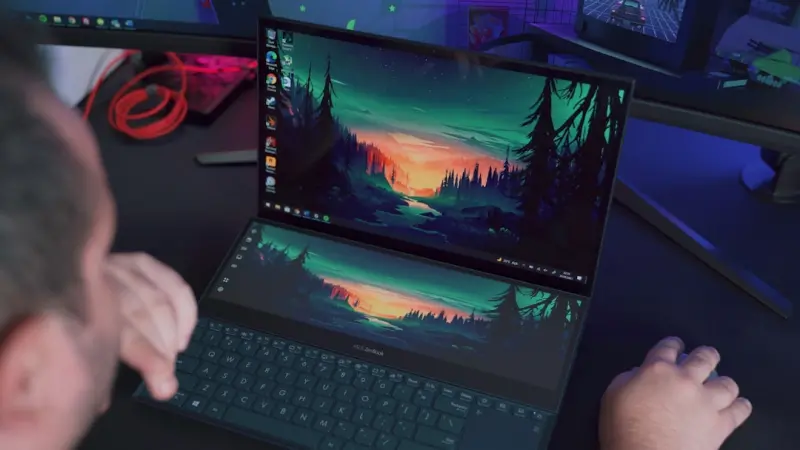
When I first unboxed a laptop that promised “AI‑ready” performance, I felt the familiar rush of excitement mixed with a twinge of doubt. The hype around AI accelerators, ultra‑thin chassis, and 5G‑enabled connectivity is undeniable, yet most professionals I talk to—whether they’re developers, marketers, or finance analysts—are still wrestling with a practical question: how do I choose a machine that can keep up with today’s workloads without becoming a relic in six months? In this post, I’ll walk you through a fresh, business‑focused lens on future‑proofing PCs and laptops, anchored in real‑world constraints and the evolving tech landscape.
1. Start with the Workload Matrix, Not the Spec Sheet
Most buying guides begin with a laundry list of CPU cores, GPU teraflops, and RAM gigabytes. While those numbers matter, they don’t tell the whole story. I prefer to map out the workload matrix first:
- Core Tasks: Document editing, video conferencing, code compilation, data analysis, AI model inference.
- Peak Bursts: Rendering a 4K video, training a small neural net, running a local Kubernetes cluster.
- Peripheral Demands: Multiple external monitors, high‑resolution webcam, USB‑C docking, ergonomic accessories.
By categorizing your daily needs, you can match them to the right hardware tier. For instance, a data analyst who runs daily Python notebooks with modest datasets will benefit more from additional RAM and fast SSD storage than from a high‑end GPU. Conversely, a machine‑learning engineer who frequently fine‑tunes transformer models will need a laptop with a dedicated AI accelerator (e.g., NVIDIA Tensor Core) and robust thermals.
2. The Thermals Battle: Why Cooling Architecture Trumps Thinness
In the race for the thinnest chassis, manufacturers often sacrifice cooling efficiency. A laptop that runs cool under load preserves performance, extends component lifespan, and, crucially for B2B environments, reduces downtime. Look for:
- Dual‑Fan or Vapor‑Chamber Systems: These distribute heat more evenly and keep boost clocks sustainable.
- Customizable Fan Curves: Some OEMs provide software to tune fan profiles based on workload intensity.
- Thermal‑Grade Materials: Magnesium alloy or carbon‑fiber frames dissipate heat better than plain aluminum.
Remember, a cooler laptop can maintain its performance envelope for longer periods, which directly translates to higher employee productivity.
3. Modular Upgradability – The New “Future‑Proof”
Modular laptops have started to emerge as a practical answer to the rapid obsolescence cycle. Unlike traditional ultra‑thin notebooks, modular designs let you swap out key components—RAM, storage, even the GPU—in a matter of minutes. Here’s why that matters for enterprises:
- Cost Efficiency: Instead of replacing an entire machine, you upgrade the bottleneck component.
- Sustainability: Extending the lifecycle reduces e‑waste, aligning with corporate ESG goals.
- Security Consistency: Maintaining a consistent chassis means fewer firmware variations, simplifying patch management.
If you’re evaluating a modular platform, verify the availability of certified upgrade parts and the vendor’s support policy. A robust upgrade ecosystem can turn a three‑year laptop into a five‑year workhorse.
4. Connectivity That Grows With Your Business
Remote work, hybrid offices, and edge deployments demand reliable, high‑speed connections. Modern laptops now ship with a blend of:
- Wi‑Fi 6E/7: Offers lower latency and higher throughput, essential for cloud‑based IDEs and large file syncs.
- 5G Modems: Provide on‑the‑go broadband when Wi‑Fi isn’t available—great for field teams.
- Thunderbolt 4 / USB‑C 4.0: Enables daisy‑chaining of external monitors, fast external SSDs, and even GPU enclosures.
When you prioritize connectivity, you also future‑proof the device against network upgrades. A laptop that can seamlessly shift from wired Ethernet to 5G ensures your workforce stays productive, no matter the environment.
5. Security‑First Hardware: Beyond the Software Layer
While many of our recent posts, like Human‑Centric Security, focus on the human element, the hardware layer is an equally critical defense line. Look for laptops that include:
- TPM 2.0 Chips: Provide hardware‑based encryption keys, making BitLocker or similar tools more resilient.
- Secure Boot & Firmware Validation: Prevents unauthorized firmware from loading during startup.
- Built‑in Privacy Shutters: Physical covers for webcams eliminate the risk of spying malware.
Choosing devices with these built‑in safeguards reduces the attack surface and eases the burden on your IT security team.
6. The Software Ecosystem: Aligning OS and Management Tools
Hardware is only half the equation. The operating system and device management suite you pair with your laptops dictate the real ROI. Here are best practices:
- Unified Endpoint Management (UEM): Solutions like Microsoft Endpoint Manager or VMware Workspace ONE let you push policies, updates, and security configurations at scale.
- Container‑Ready OS: For dev teams, a Linux‑based subsystem (e.g., WSL 2) or native Linux laptops simplify container workflows.
- Zero‑Touch Provisioning: Automates out‑of‑the‑box configuration, slashing onboarding time from days to minutes.
When your laptops integrate tightly with a modern UEM, you gain visibility, enforce compliance, and streamline support—critical factors for any growing organization.
7. The Role of AI‑Assist Features in Everyday Productivity
AI is no longer a buzzword; it’s embedded in the OS, applications, and even the hardware itself. Modern laptops now ship with AI‑enhanced features such as:
- Intelligent Power Management: Dynamically balances performance and battery life based on usage patterns.
- Real‑Time Noise Cancellation: Uses on‑board microphones and AI algorithms to improve call quality.
- Contextual Keyboard Shortcuts: Predictive suggestions that surface relevant commands as you work.
These capabilities can shave minutes off routine tasks, adding up to significant productivity gains across a team.
8. Sustainability Metrics: Turning Green Goals Into Procurement Criteria
Corporate sustainability is moving from a nice‑to‑have to a must‑have. When evaluating laptops, consider:
- E‑PEAT or ENERGY STAR Ratings: Verify the device meets recognized environmental standards.
- Carbon Footprint Transparency: Some manufacturers publish lifecycle emissions data.
- Take‑Back Programs: Ensure you can responsibly recycle or refurbish devices at end‑of‑life.
Integrating these metrics into your procurement checklist not only supports ESG initiatives but also often aligns with cost‑saving opportunities through bulk recycling credits.
9. Real‑World Case Study: From Legacy Laptops to a Modular Fleet
One of our enterprise partners recently replaced a fleet of 300 legacy laptops with a modular line that allowed them to upgrade RAM and SSDs on a rolling basis. The outcome?
- Reduced total cost of ownership by 22% over three years.
- Extended average device lifespan from 2.5 to 4 years.
- Decreased support tickets related to thermal throttling by 45% thanks to better cooling solutions.
This transition also dovetailed nicely with their When WebAssembly Meets Jamstack initiative, as the new laptops comfortably ran local development environments without compromising performance.
10. Making the Purchase Decision: A Checklist for Decision Makers
To wrap up, here’s a concise checklist you can hand off to your procurement or IT team:
- Define Core Workloads: Map tasks to required compute, GPU, and memory.
- Evaluate Thermal Design: Prioritize dual‑fan or vapor‑chamber solutions.
- Consider Modularity: Ensure upgrade paths for RAM, storage, and GPU.
- Check Connectivity Options: Wi‑Fi 6E/7, 5G, Thunderbolt 4.
- Verify Security Hardware: TPM 2.0, Secure Boot, privacy shutters.
- Align Software Stack: UEM compatibility, zero‑touch provisioning.
- Factor in AI Assistants: Power management, noise cancellation.
- Incorporate Sustainability Metrics: ENERGY STAR, take‑back programs.
- Plan for Future Scaling: Modular upgrades and lifecycle management.
By systematically applying this framework, you’ll move beyond the vanity metrics of “the fastest processor” and make a strategic investment that serves your organization’s needs for years to come.
Conclusion: The Laptop Isn’t Just a Tool—It’s a Strategic Asset
Choosing the right PC or laptop is no longer a simple purchase; it’s a strategic decision that impacts performance, security, sustainability, and total cost of ownership. When you anchor your evaluation in real workloads, prioritize robust cooling, and embrace modularity, you turn a piece of hardware into a long‑term enabler of business growth. The next time you’re faced with a glossy spec sheet, remember to ask the deeper questions that matter to your team’s day‑to‑day reality—and you’ll end up with a device that truly powers your organization forward.

Sanji Patel has dedicated 25 years to the SEO industry. As an expert SEO consultant for news publishers, he emphasizes providing both technical and editorial SEO services to news publishers worldwide. He frequently speaks at conferences and events globally and offers annual guest lectures at local universities.
Related Posts

The Modular Laptop Revolution: How to Future‑Proof Your PC
Learn why treating your laptop as a modular system can cut waste, boost performance, and keep you ah... Read More

Why Privacy‑First Laptops Are the Future of Secure Computing
Privacy‑first laptops are emerging as a mainstream solution, offering hardware kill switches, open... Read More

Designing a Future‑Proof PC Workspace: From Processor Choice to Sustainable Practices
A deep dive into selecting components, optimizing battery life, and extending your laptop’s lifesp... Read More
Top Posts

Email Marketing in the Age of Authenticity and Sustainability
Explore the latest email marketing tactics that blend authenticity, data‑driven segmentation, and eco‑friendly design to drive higher engagement and sustain...Read More

When AI-Generated Scams Slip Into the Boardroom
AI‑generated scams, from deepfake videos to synthetic identities, are targeting enterprises like never before. This article uncovers the new threat landscape,...Read More

How to Turn Your Home Into a Pet‑Friendly Sanctuary
Discover expert tips to create a pet‑friendly sanctuary, from scent control and safe flooring to play zones, calming corners, and smart tech that nurture both...Read More

Micro-Events: Tiny Gatherings Revitalizing Urban Life
Micro‑events—small, pop‑up gatherings—are breathing new life into neighborhoods, fostering trust, mental health, and economic vitality through flexible,...Read More
0 Comments
Post Comment
You will need to Login or Register to comment on this post!