
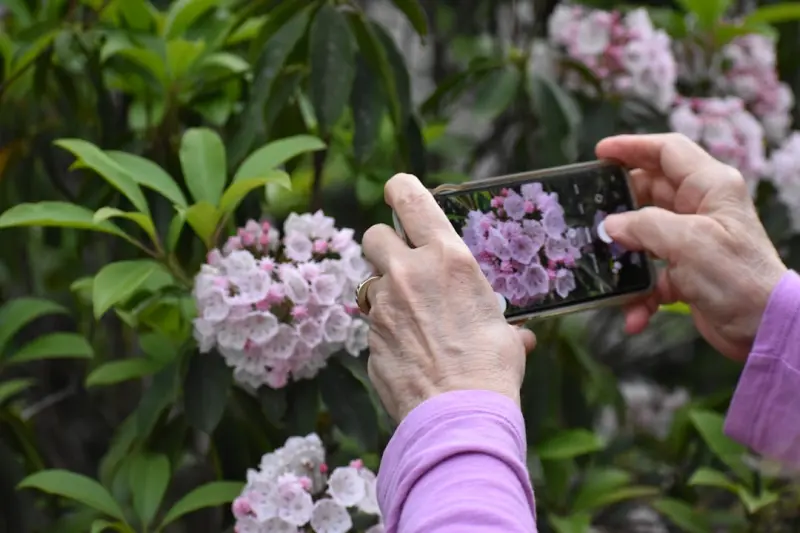
When I first heard the phrase “digital memory garden,” I imagined a sterile spreadsheet or a cloud folder that felt more like a filing cabinet than a garden. Yet, over the past few months, I’ve watched a wave of seniors—my neighbors, my grandparents, and even strangers I meet online—turn that metaphor into a living, breathing project that blends technology with the timeless desire to nurture and share family stories.
Why a Memory Garden?
For many of us, the act of gardening is a ritual of patience, observation, and reward. You plant a seed, tend to it, and eventually, it bears fruit or blossoms. Seniors, who have cultivated literal gardens for decades, are now applying that same mindset to their digital lives. The goal is simple: create a space where photos, anecdotes, voice recordings, and even old recipes can grow, intertwine, and be visited by family members across generations.
What makes this trend “trending” isn’t just the technology itself—it’s the social ripple effect. As more older adults share their curated collections, younger relatives discover a richer, more nuanced family narrative, and the conversation shifts from “What happened?” to “Here’s why it mattered.” This depth of context fuels stronger bonds and a sense of belonging that many modern families crave.
The Building Blocks of a Digital Memory Garden
Below are the essential components that most seniors are using to construct their gardens. You don’t need to be a tech wizard; many of the tools are designed for simplicity and accessibility.
- Photo Digitization: Scanners or smartphone apps that convert printed photos into high‑resolution digital files. Many seniors choose to scan in batches, labeling each image with the names and dates they remember.
- Audio Storytelling: Voice assistants (like Alexa or Google Assistant) can record short narratives, allowing elders to recount a childhood memory or explain the origin of a family heirloom. The audio files can be automatically saved to a cloud folder, creating an oral history archive.
- Interactive Timelines: Simple web‑based tools let users place events on a visual timeline. Each entry can include a photo, a short description, and a link to an audio clip, turning a static date into an immersive experience.
- Virtual Travel Rooms: Using modest VR headsets or even 360° video tours, seniors can “visit” the hometowns of their ancestors or the places where they once lived. This adds a spatial dimension to the garden, allowing family members to explore the past as if they were there.
- Community Sharing Platforms: Private groups on platforms like Facebook or specialized family‑tree apps enable controlled sharing. Seniors can grant access to specific relatives, ensuring privacy while fostering collaboration.
Step‑by‑Step: From Physical Photo Album to Digital Oasis
Below is a practical roadmap that any senior (or their helper) can follow. The steps are intentionally broken down into short, manageable actions.
- Gather the Materials: Pull out old photo albums, recipe cards, letters, and any memorabilia you wish to preserve. Place them on a clean surface with a good light source.
- Choose a Scanning Method: If you own a scanner, great. If not, download a reputable scanning app on your smartphone. Look for apps that offer automatic edge detection and batch processing.
- Scan and Name: As you scan each item, give the file a clear name—e.g., “Grandma_1948_Birthday.jpg.” Consistent naming helps later organization.
- Record Your Voice: Using a voice assistant, say something like “Hey, record my memory of the 1965 fair.” The device will save the audio file, which you can rename later to match the event.
- Upload to a Central Hub: Choose a cloud service that offers shared folders (Google Drive, OneDrive, or Dropbox). Create a main folder titled “Family Memory Garden” and sub‑folders for “Photos,” “Audio,” “Stories,” and “Travel.”
- Build an Interactive Timeline: Websites such as timeline builders often have drag‑and‑drop interfaces that require no coding. Populate the timeline with your scanned photos and linked audio files.
- Invite Family Members: Share the main folder link with trusted relatives. Encourage them to add their own memories, photos, or comments. The garden becomes a collaborative space.
- Explore Virtual Tours: For those who want to go a step further, download a free 360° video viewer on a tablet. Upload short clips of local landmarks and embed them into your timeline entries.
Technology Tips for Seniors Who Want to Keep It Simple
While the steps above are straightforward, a few technical nuances can make the experience smoother.
- Optimize Device Performance: Older computers or tablets can sometimes lag when handling large image files. Optimizing devices for video calls also applies to photo editing—close unnecessary programs and consider increasing virtual memory if your system allows.
- Use Voice Commands Wisely: Instead of navigating menus, seniors can say “Open Photos,” “Create New Folder,” or “Upload File” to reduce clicks.
- Guard Against Audio Impersonation: When sharing voice recordings, it’s wise to verify that the file remains untampered. Protecting audio authenticity tools can flag any unexpected alterations.
- Maintain a Backup Routine: Set a monthly reminder to copy the entire “Memory Garden” folder to an external hard drive. This protects against accidental cloud deletions.
Intergenerational Benefits: Why Younger Family Members Care
It’s easy to assume that a digital archive is only valuable to the person who creates it, but the ripple effects are profound.
1. Contextual Learning—When a grandchild sees a photo of a family home, they can click a linked audio clip to hear the story behind the porch swing. This contextual layer transforms a flat image into a narrative experience.
2. Cultural Preservation—Family recipes, dialects, and regional sayings are captured in their authentic form, preventing loss over time.
3. Emotional Connection—In an era where families are geographically dispersed, the garden offers a shared virtual space that feels intimate and personal.
Community Platforms: Finding the Right Fit
While many seniors gravitate toward mainstream social networks, there are niche platforms designed specifically for family collaboration. Look for services that prioritize:
- Privacy Controls: Ability to set viewership per folder or album.
- Ease of Use: Simple icons, large fonts, and voice navigation.
- Cross‑Device Compatibility: Seamless access from tablets, smartphones, and desktop computers.
Choosing a platform that aligns with these criteria reduces the learning curve and encourages consistent participation.
Stories from the Frontline: Real‑World Examples
Here are three anecdotes that illustrate the transformative power of digital memory gardens.
- Margaret’s Recipe Archive—At 78, Margaret decided to digitize her handwritten recipe cards. She paired each scanned recipe with a short voice note describing the dish’s origin. Her grandchildren now host a “Family Feast” every holiday, using her digital cookbook as the menu source.
- Leon’s Virtual Hometown Tour—Leon, 81, never left his hometown but always talked about the old train station. With a modest 360° camera, he filmed the current site and added historical photos from his youth. His great‑grandson now uses the footage to teach local history in a school project.
- Ruth’s Oral History Project—Ruth, 85, recorded a series of stories about her experience during the civil rights movement. She uploaded the files to a shared folder, inviting researchers to listen. The project earned a small grant for a community museum exhibit.
Overcoming Common Hurdles
Even with a clear roadmap, seniors may encounter obstacles. Below are solutions that have proven effective.
- Fear of Complexity—Offer a “buddy system” where a younger relative sits with the senior for a short session, handling the technical steps while the senior narrates the story.
- Physical Limitations—Use adaptive keyboards, stylus pens, or voice‑to‑text tools to reduce the need for fine motor skills.
- Data Overload—Start small. Focus on one event or album at a time. The garden will expand organically as confidence grows.
The Future of Digital Memory Gardens
While the current wave relies on basic scanning and voice recording, emerging technologies promise to deepen the experience.
- AI‑Generated Summaries—Future tools could automatically generate short written summaries from audio recordings, making it easier to skim lengthy stories.
- Interactive 3‑D Models—Imagine walking through a virtual replica of a family’s ancestral farmhouse, with hotspots that play recorded anecdotes.
- Secure Identity Verification—Advanced authentication methods will ensure that only authorized family members can edit the garden, preserving its integrity.
These innovations will continue to blur the line between physical heritage and digital preservation, ensuring that the stories we cherish never fade.
Getting Started Today
If you feel inspired, set aside a half‑hour this week to gather a single photo album and try scanning a few images. Pair each scan with a brief voice note, and upload them to a shared folder. Invite one family member to view and comment. The satisfaction of seeing a loved one’s reaction will likely fuel your momentum.
Remember, the garden doesn’t need to be perfect; it needs to be alive. Each addition—whether a grainy photograph, a whispered memory, or a recorded recipe—adds texture and depth. Over time, those modest contributions will blossom into a rich tapestry that connects past, present, and future generations.
So, roll up your sleeves, power on that tablet, and begin planting the seeds of your digital memory garden. The harvest will be a legacy that your family can taste, hear, and see for years to come.

Jody Henderson is a passionate freelance writer, driven by a love for storytelling and a keen eye for detail. With a versatile skillset, she crafts compelling content across a variety of niches, from engaging blog posts to informative articles and persuasive marketing copy.
Related Posts
How Seniors Are Redefining Digital Social Connection
Seniors are breaking the “tech‑shy” stereotype by using VR, podcasts, online health tools, and... Read More
Preserving Senior Stories: A Practical Guide to Building a Digital Legacy
A step‑by‑step guide for seniors on creating a secure, engaging digital legacy—covering platfo... Read More
The Silver Surge: How Seniors Are Redefining AI‑Powered Everyday Life
Seniors are driving a quiet tech revolution, embracing AI companions, biophilic home setups, and lif... Read More
Top Posts

Integrated Observability Platforms: The Underrated Tools Powering SaaS Success
Integrated observability platforms combine metrics, logs, and traces into a single pane of glass, slashing MTTR, reducing alert fatigue, and delivering a compet...Read More

Finding the Sweet Spot: How Seniors Can Embrace Technology Without Losing the Human Touch
A guide for seniors on purpose‑driven, seamless, and human‑centric tech adoption, featuring practical steps, real‑world examples, and tools that respect p...Read More

Experiential Gifts Are Winning the Modern Workplace
A deep dive into why experiences now outshine physical presents in corporate settings, highlighting data trends, tech tools, sustainability benefits, and a step...Read More

The 7 Overlooked Home Zones You Can Revamp Today
Explore seven often‑ignored areas of your home—from stairwell voids to bathroom over‑door spaces—and learn practical, low‑cost upgrades that boost org...Read More
0 Comments
Post Comment
You will need to Login or Register to comment on this post!