

Why Microinteractions Matter
When a user clicks a button and sees a subtle pulse or a brief shake, the experience feels alive, and that fleeting moment can be the difference between staying or bouncing. Microinteractions are the tiny feedback loops that guide attention, confirm actions, and inject personality without overwhelming the layout, acting as the silent conductors of an interface’s emotional tone. In an era where attention spans shrink, designers who master these nuanced cues turn ordinary navigation into memorable journeys that keep visitors engaged and eager to explore further.
Designing Microinteractions from Concept to Code
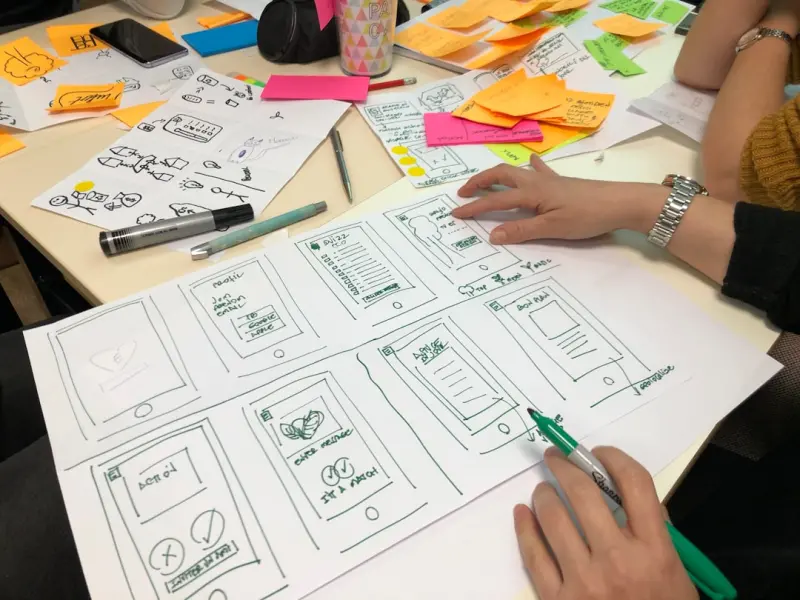
The journey starts with a clear intention: what user need does the interaction address, and how can it be communicated in the briefest possible time? Sketching out the trigger, the response, and the loop—whether it’s a loading spinner, a form validation tick, or a hover animation—creates a roadmap that developers can translate into CSS, JavaScript, or even native web components. By establishing a consistent style guide for timing, easing, and visual language, teams ensure every micro‑gesture feels cohesive, reinforcing brand identity while reducing cognitive friction across the site.
Psychology Behind Tiny Motions
Human perception is wired to notice movement; a well‑timed bounce or fade taps into the brain’s reward circuitry, delivering a subtle dopamine hit that reinforces positive behavior. Research shows that delays longer than 100 milliseconds can feel sluggish, while overly rapid animations risk being missed entirely, so the sweet spot often lies between 200 and 400 milliseconds for most interactions. Pairing motion with auditory cues or haptic feedback on mobile devices deepens the sensory connection, making the interface feel more responsive and trustworthy.
Balancing Performance and Delight
While it’s tempting to sprinkle every element with animation, excessive motion can cripple load times and drain battery life, especially on slower connections. Leveraging modern CSS properties like transform and opacity ensures animations run on the compositor thread, minimizing re‑paints and keeping frame rates smooth. Lazy‑loading non‑essential scripts and using the prefers-reduced-motion media query respects users who have motion sensitivities, delivering an inclusive experience without sacrificing the delight for those who enjoy the polish.
Integrating Microinteractions into Design Systems
Design systems thrive on repeatable patterns, and microinteractions are no exception; they become reusable tokens that can be applied across products, maintaining visual harmony at scale. By documenting animation durations, easing curves, and trigger conditions in a shared library—whether in Figma, Storybook, or a CSS‑in‑JS framework—teams eliminate guesswork and accelerate handoff. This systematic approach also simplifies A/B testing, allowing product managers to iterate on subtle variations without re‑building the underlying code.
Case Study: Turning Friction into Flow
Consider an e‑commerce checkout that previously relied on static confirmation messages; users reported uncertainty about whether their payment succeeded. By introducing a brief, green‑tinted checkmark animation that fades in and expands slightly, confidence surged, and cart abandonment dropped noticeably. The key was aligning the animation’s timing with the server response, ensuring the visual cue arrived precisely when the transaction was verified, turning a moment of doubt into a reassuring handshake.
Tools and Techniques for Rapid Prototyping
Designers can experiment with micro‑animations directly in the browser using tools like LottieFiles, which convert After Effects animations into lightweight JSON that renders via SVG. For code‑first teams, libraries such as Framer Motion or GSAP provide declarative APIs that simplify complex sequencing without deep animation expertise. Pairing these tools with component‑driven development pipelines ensures that prototypes evolve seamlessly into production‑ready interactions.
Measuring Impact and Iterating
Quantifying the ROI of microinteractions goes beyond vanity metrics; it involves tracking task completion rates, error frequencies, and user satisfaction scores before and after implementation. Heatmaps can reveal whether users linger around animated elements, while session recordings highlight any confusion caused by overly aggressive motions. By establishing a feedback loop that blends quantitative data with qualitative insights, designers can refine the timing, intensity, and even the necessity of each micro‑gesture.
Future‑Proofing Your Interaction Strategy
As web standards evolve, new APIs like the Web Animations API and CSS Motion Path open doors to richer, more performant experiences without relying on heavy JavaScript frameworks. Embracing progressive enhancement ensures that core functionality remains accessible, while advanced browsers reap the benefits of fluid, immersive microinteractions. By staying curious, testing emerging patterns, and anchoring every motion to a clear user goal, designers future‑proof their sites, turning every click, tap, or swipe into a moment of purposeful delight.
Connecting the Dots Across Your Digital Presence
Microinteractions don’t exist in isolation; they echo across email newsletters, mobile apps, and even offline brand touchpoints, creating a cohesive narrative that users recognize instantly. Aligning the visual language of your web micro‑animations with the subtle motion cues in your app’s onboarding flow reinforces brand consistency, making every interaction feel like part of a larger, thoughtfully curated experience. For deeper insight into harmonizing design across platforms, explore designing for purpose and how holistic strategies amplify user trust.
Balancing SEO with Delightful Interactions
While search engines prioritize speed and accessibility, they also reward sites that engage users and reduce bounce rates. Thoughtful microinteractions can improve dwell time and signal to search algorithms that your content is valuable, as long as they’re implemented with performance in mind. Learn more about marrying optimization with user experience in the guide on balancing SEO with user experience, and discover how subtle motion can coexist with clean, crawl‑friendly code.

Jessica Gills is a freelance writer carving a niche for herself by empowering others through her words. With a focus on careers, self-development, and business, she helps readers navigate the complexities of the modern professional landscape.
Related Posts

Micro‑Interactions: The Secret Sauce Behind Delightful Web Experiences
Explore why tiny, purposeful animations—micro‑interactions—are essential for modern web design... Read More

Design Systems as Living Organisms: Keeping Your UI Kit Agile and Sustainable
A design system shouldn’t be a museum piece. Learn practical ways to keep your UI kit evolving, pe... Read More
Designing the Future Web: Narrative Micro‑Interactions, AI Artistry, and Voice‑First Experiences
Discover a fresh web design approach that blends storytelling micro‑interactions, AI‑generated a... Read More
Top Posts

Branding the Human Side of SaaS: Crafting Authentic Voice in a Data-Driven World
A deep dive into creating genuine SaaS branding by aligning culture, voice, and customer experience, turning data‑driven insights into human connections....Read More

How Micro‑Credentials Are Redefining Professional Learning
Micro‑credentials are reshaping career growth by offering focused, stackable badges that prove specific skills, accelerate hiring, and create a dynamic, learn...Read More

Raising the Next Generation of Sustainability Leaders: A Parent's Guide
Raising eco-conscious kids is crucial for the future of our planet. Learn how to instill sustainable values and practices in your children and empower them to b...Read More

From Static Checklists to Living Process Orchestrators
A deep dive into why traditional static checklists are holding teams back and how adaptive, living process orchestration tools can transform productivity, colla...Read More
0 Comments
Post Comment
You will need to Login or Register to comment on this post!