
Why No‑Code Automation Is the New Power‑Tool for Freelancers
When I first stumbled upon a visual workflow builder that promised to move data between apps without a single line of code, I felt a mix of curiosity and skepticism, wondering if such a tool could truly replace the custom scripts I’d spent nights crafting; the truth is that today’s no‑code platforms have matured to the point where they can handle complex conditional logic, multi‑step approvals, and real‑time data syncing, all through intuitive drag‑and‑drop interfaces. What this means for creative freelancers is a dramatic reduction in the time spent on repetitive administrative tasks—billing, client onboarding, content scheduling—allowing more bandwidth for the work that fuels their passion. In practice, I’ve seen colleagues replace hours of manual spreadsheet updates with a single automated flow that triggers a personalized welcome email, logs the client in a CRM, and sets up a shared project folder, all in under five minutes.
Identifying the Pain Points Worth Automating
Before diving headfirst into any automation tool, I always start by mapping the daily bottlenecks that sap my energy, such as chasing clients for approvals, manually transferring files between cloud services, or juggling multiple invoicing platforms; a clear inventory of these friction points serves as a roadmap for where automation can deliver the biggest ROI. The key is to focus on tasks that are rule‑based, repeatable, and involve data moving from one system to another—think of anything that currently requires copying a link from an email into a project board, or extracting a payment confirmation and logging it in an accounting sheet. By quantifying the minutes saved per task and multiplying by frequency, you can build a compelling case for investing time in a no‑code solution, and often the numbers reveal hidden inefficiencies that were previously invisible.
Choosing the Right No‑Code Platform for Your Workflow
There’s a crowded marketplace of no‑code automation platforms, each with its own strengths: some excel at deep integrations with marketing stacks, while others prioritize visual simplicity for non‑technical users; my personal shortlist includes tools that offer a generous free tier, robust community templates, and transparent pricing that scales with usage. I recommend evaluating platforms based on three criteria: the breadth of native connectors (does it speak to the apps you already love?), the flexibility of its conditional logic engine (can you set up “if‑then” rules without workarounds?), and the quality of its support resources—tutorials, forums, and responsive help desks can be a lifesaver during the learning curve. Once you’ve narrowed down the options, I suggest building a quick prototype—like an automated social media posting flow—to test the platform’s reliability before committing to mission‑critical processes.
Building Your First Automated Flow: A Step‑by‑Step Walkthrough
My go‑to starter project is an end‑to‑end client intake system that begins with a custom form, routes the information to a project management board, generates a draft contract, and finally sends a personalized thank‑you email; this sequence not only showcases the power of a single workflow but also eliminates the manual hand‑offs that often cause delays. First, I create a form using a no‑code form builder and link its submission trigger to the automation platform; next, I map the form fields to corresponding columns in my project board, ensuring that every detail—budget, deadline, deliverables—lands in the right place. Finally, I add an action that pulls a contract template from cloud storage, populates it with the client’s data, and emails it as a PDF attachment, all while tagging me in Slack for immediate visibility. The entire pipeline, once saved, runs autonomously, freeing up my inbox for creative brainstorming instead of administrative follow‑ups.
Integrating Automation With Existing Tool Stacks
One of the biggest fears freelancers have is that introducing a new automation layer will create a Frankenstein of disconnected apps, but modern platforms are designed to act as glue, speaking the same API languages that your current tools already use; for example, I’ve seamlessly synced a design feedback system with a time‑tracking app, ensuring that every client comment automatically logs billable minutes. When integrating, it’s crucial to maintain a single source of truth—usually your CRM or project board—so that data duplication doesn’t creep in, and to set up clear naming conventions for fields and tags across all connected services. In my experience, a well‑orchestrated integration not only streamlines workflows but also provides richer analytics, as you can generate reports that combine metrics from marketing, sales, and delivery without manual data stitching.
Scaling Automation: From One‑Off Flows to an Ecosystem
As your freelance business grows, the number of automated processes you rely on will inevitably expand, and at that point it’s wise to adopt a modular approach—think of each workflow as a reusable component that can be triggered by multiple events, rather than a monolithic script that tries to do everything at once. I’ve found success by creating a library of “building blocks” such as a “client welcome packet generator,” a “payment receipt logger,” and a “project status updater,” each stored as a template within the automation platform; when a new project lands, I simply assemble the needed blocks, much like a carpenter pulls pre‑cut lumber from a toolbox. This methodology not only speeds up onboarding for new clients but also makes it easier to audit and refine individual pieces without disrupting the entire system.
Common Pitfalls and How to Avoid Them
Even the most well‑intentioned automation can backfire if you overlook error handling, data validation, or change management; I’ve seen flows that silently fail because a renamed spreadsheet column caused a lookup to return null, leading to missed invoices and frustrated clients. To safeguard against these issues, always embed conditional checks that pause the workflow and alert you when something goes awry—most platforms let you send an email or Slack message when a step fails, giving you a chance to intervene before the problem escalates. Additionally, maintain version control by duplicating a flow before making major edits; this way you can revert to a known‑good state if your new changes introduce bugs, and you’ll have a clear audit trail of what was altered and why.
Future‑Proofing Your Automation Strategy
The no‑code landscape is evolving rapidly, with AI‑enhanced connectors that can predict data mappings, natural‑language triggers that let you start a workflow by simply typing “Create a new client” into a chat, and marketplace extensions that add niche functionalities for industries ranging from legal to health; staying ahead means periodically revisiting your existing automations to see if newer features can simplify or improve them. I make it a habit to allocate a quarterly “automation audit” where I compare my current flows against the latest platform releases, assess performance metrics, and prune any redundant steps; this practice not only keeps my toolkit lean but also ensures I’m leveraging the most efficient methods available. As more freelancers adopt these tools, the collective knowledge base expands, making it easier to find ready‑made templates that you can adapt, further accelerating your workflow optimization.
Leveraging Community Resources and Templates
One of the hidden gems of the no‑code world is the vibrant community of creators who share their custom workflows, much like an open‑source library of productivity hacks; I regularly browse forums and marketplaces for templates that address niche scenarios, such as automatically generating SEO briefs from keyword research tools, which I then tweak to fit my own process. By tapping into these shared resources, you can cut development time dramatically and benefit from peer‑tested best practices; for instance, the perfect tool kit for makers article inspired me to bundle my automation assets into a single “freelance starter pack” that new clients receive on day one. Similarly, the eco‑cleaning tools community highlighted how to set up recurring reminders for sustainable practices, which I integrated into my client communication cadence.
Final Thoughts: Turning Automation Into a Competitive Edge
In the end, the real power of no‑code automation lies not just in the minutes saved, but in the confidence it gives you to take on larger projects, charge premium rates, and deliver a consistently professional experience—clients notice when onboarding feels seamless and updates arrive without delay, and that perception can become a key differentiator in a crowded freelance market. By thoughtfully selecting a platform, mapping out high‑impact workflows, and committing to ongoing refinement, you transform a simple toolbox into a strategic asset that scales with your ambitions. So, if you’re still handling repetitive tasks manually, consider this your invitation to explore the no‑code frontier; the sooner you automate, the faster you’ll reclaim the creative freedom that brought you into freelancing in the first place.

Lauren Miller is a true outdoors enthusiast who has found her passion in the trades. When she's not working hard on the job, you can find her writing, camping, fishing, and exploring all that nature has to offer. A dedicated partner to her wife Beth, Lauren loves nothing more than spending quality time together and experiencing the great outdoors side by side.
Related Posts
Context‑Aware AI Assistants: A Toolbox for Knowledge Workers
Context‑aware AI assistants weave into everyday apps, offering real‑time, relevant insights that... Read More

The Rise of Sustainable Tools: Revolutionizing the Way We Live and Work
The rise of sustainable tools is revolutionizing the way we live and work. Learn about the benefits ... Read More
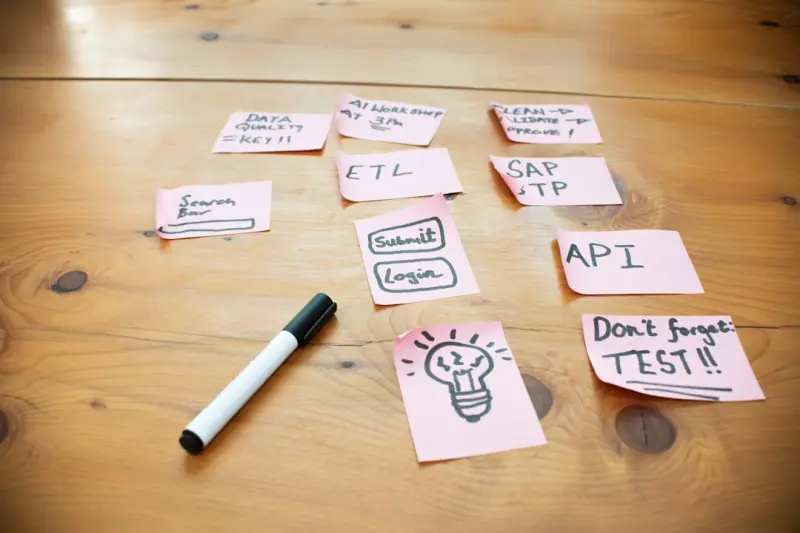
Turning Your SaaS Toolbox into an Agile Experiment Lab
A step‑by‑step guide to re‑imagining your SaaS stack as a living lab, with practical tactics f... Read More
Top Posts

The Smartphone Revolution: A Personal Journey Toward Sustainable Tech
A first‑person look at how choosing repairable, eco‑friendly phones and accessories can transform daily tech use into a powerful act of environmental stewar...Read More

Embracing Sustainable Living as a Senior: A Journey to a Greener Tomorrow
As a senior, it's never too late to make a positive impact on the planet. Learn how to live sustainably, reduce your environmental footprint, and promote your h...Read More

Beyond Ownership: The Subscription Revolution Reshaping How We Drive
A deep dive into the rise of vehicle subscriptions, examining how data, AI, and sustainability converge to give drivers flexible, all‑inclusive mobility witho...Read More

Reimagining Credentialing: How Decentralized Networks Are Empowering Lifelong Learners
A deep dive into decentralized credentialing, showing how emerging SaaS platforms and blockchain technology give learners ownership of their achievements and fo...Read More
0 Comments
Post Comment
You will need to Login or Register to comment on this post!