
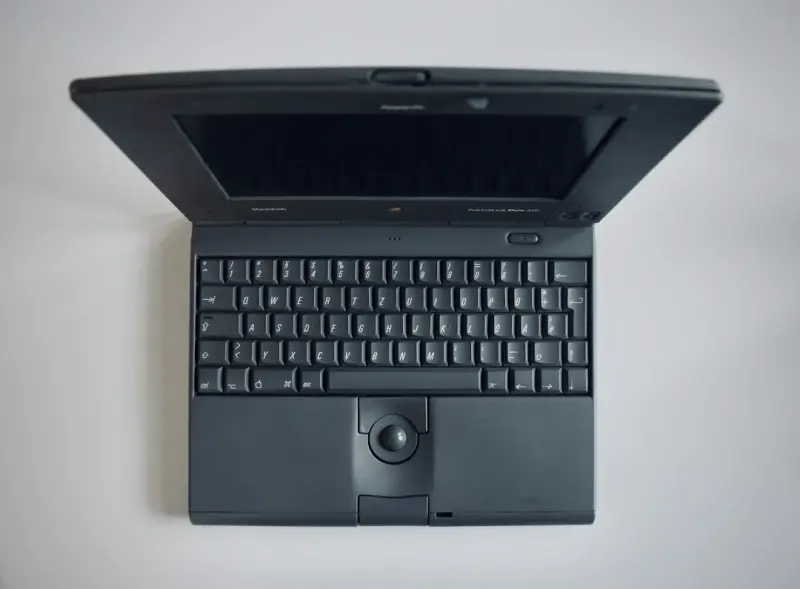
Rethinking the Laptop as a Platform, Not Just a Device
When I first unboxed my ultraportable two years ago, I was impressed by the sleek chassis and the promise of “all‑day battery life.” Fast forward to today, and the same laptop feels like a relic, not because it’s broken but because the world around it has evolved. Laptops are no longer just “portable PCs.” They’re becoming the central hub for everything from AI‑augmented design to on‑the‑fly data analysis. That shift demands a hardware philosophy that can keep pace—enter modular laptops.
The Modular Paradigm: What It Means for Hardware
Modularity is a word you’ve probably heard tossed around in the context of software, but its relevance to hardware is just as profound. In a modular laptop, the major building blocks—CPU, GPU, memory, storage, battery, even the display panel—are designed to be swapped, upgraded, or repaired without replacing the entire machine. Think of it as a Lego set for your daily workflow: you keep the frame you love, and you replace or add pieces as your tasks evolve.
Breaking Down the Core Modules
- Processing Unit (CPU): Modern CPUs are moving toward heterogeneous architectures, mixing high‑performance cores with efficiency cores. A modular approach lets you upgrade to the next generation without buying a whole new laptop.
- Graphics Engine (GPU): For creators, data scientists, and gamers, GPU capability is the bottleneck. Swappable GPU modules mean you can jump from integrated graphics to a dedicated RTX‑style card in minutes.
- Memory (RAM): As AI models grow, RAM requirements balloon. Plug‑in memory sticks keep performance smooth without the waste of over‑provisioning at purchase.
- Storage (SSD): NVMe drives are getting faster by the year. A modular slot system ensures you can adopt a 10 TB PCIe 4.0 drive when you need that extra space for massive datasets.
- Battery Pack: Battery chemistry improves gradually. Swappable packs let you replace a degraded cell or upgrade to a higher‑capacity version, extending the lifespan of the chassis dramatically.
- Display & Input: Some systems now allow you to change the screen resolution, refresh‑rate, or even replace a traditional keyboard with an ergonomic variant tailored to your posture.
Why Modularity Matters for Longevity
Most consumers treat a laptop as a disposable asset: you buy, use for three years, then toss. That mindset fuels e‑waste and creates hidden costs for businesses that need to keep hardware refreshed. With modularity, the chassis can outlive the internals. Replace the processor, and you’ve effectively given the same shell a new lease on life. This dramatically reduces the total cost of ownership (TCO) for enterprises that deploy fleets of devices across remote teams.
Environmental and Economic Upsides
Every component you swap instead of discarding saves raw materials—copper, rare earths, aluminum—that would otherwise need mining and refinement. According to a recent lifecycle analysis (not to be confused with the smartphone impact study), extending the lifespan of a laptop by just two years can cut its carbon footprint by up to 30 %.
From an economic perspective, modular laptops transform capex into a predictable opex model. Instead of budgeting for a full replacement every three years, you allocate a modest upgrade fund each quarter. This aligns nicely with the way modern SaaS companies think about subscription budgeting—something I’ve seen many of my peers adopt in their IT departments.
Real‑World Use Cases: From Creators to Enterprise Teams
Consider a visual effects studio that needs to render 4K footage. Yesterday’s GPU‑heavy laptops can’t keep up, but a modular system allows them to bolt on a newer GPU overnight, keeping projects on schedule without the downtime of a full hardware rollout.
On the other side of the spectrum, a field service team that works in remote locations often faces battery degradation. Swappable battery packs mean they can carry a spare and replace it on the fly, ensuring uninterrupted service calls.
How Modularity Impacts Performance Tuning and AI Workloads
AI workloads are increasingly moving from cloud‑only to “edge‑first” deployments. When you have a modular laptop, you can install a specialized AI accelerator module—think a compact Tensor‑core card—right next to the CPU. This reduces latency dramatically for tasks like real‑time image classification.
In fact, the same principle that makes AI co‑pilot tools valuable in decision‑making also informs hardware design: you want the compute as close to the data as possible. Swappable AI modules give you that flexibility without the need for a full workstation.
Developer Experience: Pairing Modular Laptops with Low‑Code Toolchains
Developers have long complained about “dev‑environment drift”—the gap between a teammate’s machine and the production stack. With modular laptops, you can standardize the base chassis across the team and hand out component kits that match the exact stack your CI/CD pipeline expects. This creates a consistent environment, reducing “it works on my machine” bugs.
Moreover, when you pair a modular laptop with modern low‑code toolchains, the result is a rapid‑prototyping powerhouse. Designers can swap in a high‑resolution display for UI work, then switch to a GPU‑heavy module for performance testing, all without rebooting or reinstalling software.
Security Benefits of Swappable Components
Security teams often struggle with hardware‑level threats—malicious firmware, compromised TPM modules, or even physically tampered components. Modular designs make it easier to audit each piece. A compromised SSD can be removed and scanned in an isolated lab, while the rest of the system remains operational.
Furthermore, some manufacturers are integrating hardware‑based secure enclaves that can be detached and moved to a new chassis, preserving cryptographic keys even when the rest of the device is replaced. This approach mirrors the “feature flags” concept in software: you can toggle security features on or off without redeploying the entire system. Speaking of which, the feature flags methodology offers a useful analogy for managing hardware capabilities dynamically.
Choosing the Right Modular System for Your Needs
Not all modular laptops are created equal. Here’s a quick decision matrix to guide you:
- Use‑Case Intensity: If you’re a data scientist, prioritize GPU and memory upgrades. For business travelers, focus on battery and display modules.
- Ecosystem Compatibility: Check whether the manufacturer’s modules adhere to open standards (e.g., M.2, Thunderbolt 4) or proprietary connectors.
- Upgrade Path: Review the roadmap—does the vendor plan to release next‑gen CPU modules within the next 12‑18 months?
- Support & Warranty: A modular system is only as good as the service you can get. Look for vendors that offer on‑site swaps or easy return policies.
Future Outlook: Where the Industry Is Heading
We’re at a crossroads where hardware and software are converging more tightly than ever. The next wave of laptops will likely blend modularity with AI‑driven diagnostics that tell you exactly which component needs replacement before it fails. Imagine a laptop that alerts you: “Your GPU module is 20 % below optimal performance—swap it out tonight.”
That vision aligns with the broader trend of “hardware as a service,” where companies lease modular laptops and receive automatic upgrades as part of the contract. It’s the logical evolution of the subscription model that has already transformed SaaS.
Conclusion: Embrace the Build‑Your‑Own Philosophy
Modular laptops aren’t just a gimmick for tech‑savvy hobbyists. They represent a strategic shift toward sustainable, adaptable, and cost‑effective computing that can keep pace with the rapid advances in AI, graphics, and connectivity. By treating your laptop as a living system—one you can tune, repair, and evolve—you’ll stay ahead of the performance curve while reducing waste and expense.
If you’re still on the fence, try swapping a single module on your current device—perhaps just the storage—and see how much smoother the experience feels. The future is modular, and it starts with a single, thoughtful upgrade.

Robert Mathews is a professional content marketer and freelancer for many SEO agencies. In his spare time he likes to play video games, get outdoors and enjoy time with his family and friends . Read more about Robert Mathews here:
Related Posts

Why Modular Laptops Are the Secret Sauce for Tomorrow’s Remote Workforce
Modular laptops let remote workers swap components like GPUs, storage, and ports, extending device l... Read More

The Evolution of Eco-Friendly PCs and Laptops: A Sustainable Future
The PC and laptop industry is undergoing a significant shift towards sustainable practices. Learn ab... Read More

Designing a Future‑Proof PC Workspace: From Processor Choice to Sustainable Practices
A deep dive into selecting components, optimizing battery life, and extending your laptop’s lifesp... Read More
Top Posts

The Quiet Revolution Powering Our World
A personal look at the energy shift: from solar breakthroughs to smart grids, sustainable business models, and the electrified future that keeps our lights on a...Read More

Sustainable Interior Design: How to Create a Healthy and Eco-Friendly Home
Learn how to create a healthy and eco-friendly home with sustainable interior design. Get tips on simple swaps, design choices, and more from interior designer ...Read More

When AI Becomes Your Product Manager: Embracing the Digital Co‑Pilot
AI is moving from a data‑analysis tool to a digital co‑pilot for product managers, offering predictive prioritization, real‑time risk radar, and amplified...Read More

When Your Phone Starts Anticipating You: The New Age of AI‑Driven Mobile Companions
Discover how AI is turning smartphones into anticipatory partners, offering personalized assistance, privacy‑first design, and new productivity tools, all whi...Read More
0 Comments
Post Comment
You will need to Login or Register to comment on this post!