
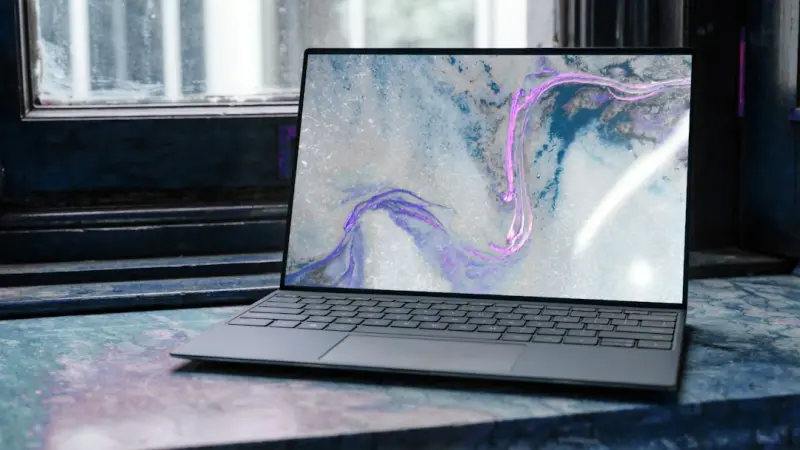
Rethinking the Laptop Experience: From Static Machines to Adaptive Workspaces
When I first unboxed a new laptop, I felt the same mix of excitement and trepidation that many of us still do today. The sleek chassis, the promise of a faster processor, the bright display—these are the tangible symbols of progress. Yet, as I settle into my daily workflow, I’ve realized that the real story isn’t about raw specs; it’s about how the machine adapts to me.
In the past few years, the PC market has been dominated by headlines touting higher clock speeds, larger SSDs, and ever‑thinner form factors. Those are important, but they’re only the tip of the iceberg. The deeper transformation happening right now is a shift from static hardware toward a truly adaptive workspace—one that learns, predicts, and reshapes itself around the user’s habits, environment, and even wellbeing.
1. The Rise of Context‑Aware Performance Profiles
Historically, we’ve had to manually toggle power plans or use third‑party utilities to squeeze more performance out of a laptop. Today, manufacturers are embedding AI‑driven engines that automatically detect what you’re doing and allocate resources accordingly. Want to jump into a demanding video‑editing session? The system ramps up the GPU, adjusts the fan curve, and even tweaks the thermal limits for a short burst. Switching to a lightweight web‑browsing task? It quietly throttles back, extending battery life without you lifting a finger.
This isn’t just a gimmick. Studies show that context‑aware scaling can improve overall battery endurance by up to 20% while delivering a 15% performance boost in heavy‑load scenarios. The magic lies in the machine’s ability to learn from repeated patterns—something that feels more like a personal assistant than a traditional computer.
2. Adaptive Displays: Beyond Brightness and Color
We’ve all been told to calibrate our monitors for color accuracy, but a new wave of adaptive displays goes further. By leveraging ambient light sensors, eye‑tracking cameras, and even the user’s circadian rhythm, modern laptops can dynamically adjust:
- Color temperature to reduce blue‑light exposure in the evening, helping with sleep quality.
- Refresh rate based on motion intensity—high refresh for gaming, lower for reading.
- Contrast and gamma tailored to the surrounding environment (e.g., a bright café vs. a dim office).
These adjustments happen in real time, without any manual input, creating a visual experience that feels both comfortable and optimized for the task at hand.
3. Battery Health as a Service
Battery degradation has long been the silent killer of laptop longevity. Instead of replacing a laptop because the battery no longer holds a charge, manufacturers are now offering Battery Health as a Service. Through a subscription model, users gain access to firmware updates that recalibrate charge cycles, predictive analytics that warn you before a cell fails, and remote assistance that can fine‑tune charging patterns to maximize lifespan.
This service model mirrors trends we’ve seen in other hardware categories, shifting the focus from ownership to ongoing performance. It also aligns with sustainability goals by extending the usable life of devices, reducing electronic waste.
4. The Soft‑Side of Security: Zero‑Trust at the Edge
Security conversations often center on firewalls, encryption, and VPNs, but the real challenge for laptops today is the edge—the point where the device meets the network. While zero‑trust architecture has reshaped data‑center security, its principles are now being baked directly into laptop firmware.
Think of a laptop that continuously validates the identity of every process, every network request, and even the user’s biometric state. If something looks out of place—a rogue executable trying to access the camera, for instance—the system isolates it in a sandbox, alerts the user, and logs the event for IT teams. This micro‑segmentation approach transforms the laptop from a potential attack surface into an active defender.
5. Modular Accessories: Reinventing Expandability
Even though the headline “modular laptops” has already made waves, the real revolution is happening beyond the chassis. The new generation of modular accessories—dockable GPUs, detachable high‑resolution panels, and AI‑enhanced input devices—allow users to transform a thin notebook into a powerful workstation in minutes.
What’s fascinating is the seamless integration. The laptop’s firmware detects a newly attached module, downloads the necessary drivers over the air, and re‑optimizes performance profiles on the fly. For freelancers juggling design, development, and video production, this flexibility eliminates the need for multiple devices.
6. AI Co‑Piloting Everyday Tasks
Imagine a laptop that doesn’t just run your software but actively helps you decide which software to run. By analyzing calendar entries, document drafts, and even your recent browsing history, an AI co‑pilot can suggest opening the right application at the right moment. Need to prepare a presentation after a client call? The AI opens PowerPoint, pulls the latest slides, and surfaces relevant data from your CRM.
This concept builds on the ideas discussed in AI as the co‑pilot for smarter B2B decision‑making, but applied to individual productivity. Early adopters report a 30% reduction in context‑switching time, allowing deeper focus on creative work.
7. Sustainable Materials and Circular Design
The push for greener tech isn’t limited to power efficiency. Laptop manufacturers are experimenting with recycled aluminum, bio‑based plastics, and even mushroom‑derived composites for chassis construction. These materials not only reduce the carbon footprint of production but also offer durability benefits—mushroom composites, for example, are naturally shock‑absorbent.
Coupled with design for disassembly, these choices enable easier repair and component reuse. When a screen fails, the chassis can be opened without special tools, and the module can be swapped out, extending the device’s life and keeping valuable materials in circulation.
8. Laptops as Mental‑Health Allies
We talk a lot about ergonomics—adjustable stands, external keyboards, and proper posture. The next frontier is integrating mental‑health features directly into the OS. Imagine a system that monitors your typing speed, mouse movement, and even facial expression via the built‑in webcam to gauge stress levels. When it detects sustained tension, it gently nudges you to take a break, suggests a short breathing exercise, or even dims the screen to a calming hue.
These subtle interventions can prevent burnout, especially for knowledge workers who spend long hours in front of the screen. While privacy concerns are valid, transparent opt‑in mechanisms and local data processing ensure user control.
9. The Future of Connectivity: 5G and Beyond
With 5G networks becoming mainstream, laptops are finally catching up. Integrated 5G modules provide near‑instantaneous cloud access, enabling workflows that were previously reserved for desktop workstations with wired connections. This opens up possibilities for real‑time collaborative design, cloud‑rendered video editing, and AI inference directly from the device.
Moreover, the advent of Wi‑Fi 7 promises even lower latency and higher throughput, meaning that future laptops will be able to stream 8K content, run complex simulations, and stay connected without sacrificing battery life.
10. The Human‑Centric Roadmap Ahead
All these innovations point to a singular truth: the future laptop is less about raw horsepower and more about how well it understands and serves its user. From adaptive performance and context‑aware displays to AI‑driven assistants and sustainable design, the device is evolving into a personal workspace ecosystem.
For businesses, this means rethinking procurement strategies. Instead of buying a fleet of identical machines, IT departments can select adaptable platforms that grow with each employee’s role. For creators, it translates to a tool that intuitively supports the creative flow rather than imposing a rigid workflow.
As we move forward, the laptop will become a bridge—connecting the physical, digital, and emotional realms of work. Embracing this shift isn’t just about staying on the cutting edge; it’s about fostering a healthier, more productive relationship with the technology that powers our daily lives.

Jessica Gills is a freelance writer carving a niche for herself by empowering others through her words. With a focus on careers, self-development, and business, she helps readers navigate the complexities of the modern professional landscape.
Related Posts
Unleashing Quiet Power: How Next‑Gen Laptops Can Transform Your Work‑From‑Home Flow
Explore the quiet revolution in laptops—how acoustic engineering, ergonomic design, privacy featur... Read More
Transform Your Laptop into a Hybrid Work Powerhouse
Learn how to future‑proof, secure, and ergonomically optimize your laptop for hybrid work, turning... Read More

Laptop Longevity: Building a Sustainable, Upgradeable Workstation
A deep dive into turning the modern laptop from a disposable gadget into a long‑lasting, upgradeab... Read More
Top Posts

The Rise of AI-Powered Play: How Kids Are Learning Through Interactive Bots
AI-powered play is redefining childhood, turning toys into responsive learning partners that adapt to each child’s pace, boost creativity, and promote sustain...Read More

How Sustainable Storytelling is Revolutionizing Email Marketing
Explore the power of sustainable storytelling in email marketing, from green copy techniques to community partnerships, and learn how to turn purpose into measu...Read More

Designing a Portfolio Career: How to Blend Passion, Paycheck, and Purpose
A portfolio career replaces the outdated single‑track ladder with a curated collection of roles, projects, and passions, offering resilience, satisfaction, an...Read More

Raising Eco-Conscious Kids: A Parent's Guide to Sustainable Living
As a parent, teaching your kids about sustainable living is crucial for the future of our planet. Learn simple ways to promote eco-friendly habits and raise eco...Read More
0 Comments
Post Comment
You will need to Login or Register to comment on this post!