
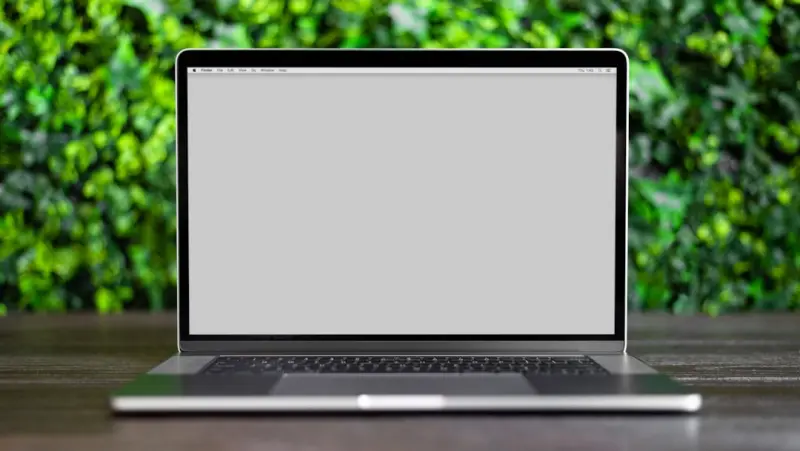
The Laptop Renaissance: Turning a Disposable Gadget into a Sustainable Powerhouse
When I first unboxed my trusty 13‑inch ultrabook back in the early days of remote work, I treated it like a single‑use commodity—upgrade the specs, swap the battery, and toss it when the hype train left the station. Fast forward to today, and the narrative has shifted dramatically. Laptops are no longer just a convenience; they’re the central nervous system of modern knowledge work, creative expression, and even personal well‑being. Yet, while the market dazzles us with thinner chassis and ever‑faster silicon, the deeper conversation about longevity, modularity, and true value is still missing from most product reviews.
Why Longevity Beats Speed (Almost) Every Time
Most buyers equate a laptop’s worth with the latest CPU clock speed or the flashiest GPU. In reality, the real ROI comes from how long that device can stay relevant without a full replacement cycle. A laptop that lasts five years with a simple RAM upgrade, a swapped‑out SSD, and a refreshed battery can out‑perform a brand‑new machine that becomes obsolete after 18 months.
Consider these three hidden costs that most spec sheets ignore:
- Battery degradation. Lithium‑ion cells lose ~20% capacity every 18 months under heavy cycles. Replacing a battery can add $100‑$150 to the total cost but extends usable life by years.
- Thermal throttling. Thin designs often sacrifice proper heat dissipation. Over time, sustained throttling reduces performance more than a nominal CPU downgrade would.
- Software bloat. Pre‑installed OEM utilities can consume RAM and storage, forcing premature upgrades.
Addressing these factors isn’t about buying the most expensive flagship; it’s about choosing a platform that embraces upgradability and repairability.
Modular Laptops: The New Frontier
Enter the era of modular laptops. Brands like Framework, Purism, and even a few emerging Chinese manufacturers are championing designs where the chassis is a plug‑and‑play ecosystem. Think of it as a PC‑style component model, but compressed into a 1‑kg form factor.
Key modules include:
- Memory sticks. Swap from 8 GB to 32 GB without opening the device.
- Storage bays. Drop‑in NVMe SSDs using standard M.2 sockets.
- IO cards. Add extra USB‑C ports, HDMI, or even a dedicated Ethernet NIC.
- Battery packs. Stackable battery modules that can be replaced in minutes.
Beyond convenience, this approach tackles e‑waste head‑on. The service platform mindset that’s reshaping home appliances can be directly applied to laptops: design for repair, not for landfill.
Security Implications of a Long‑Lived Laptop
When you commit to a laptop for five or more years, security becomes a moving target. Older firmware may miss critical patches, and outdated TPM (Trusted Platform Module) implementations can expose you to supply‑chain attacks. Here’s a practical checklist:
- Firmware updates. Set a monthly reminder to check the OEM’s BIOS release notes.
- Full‑disk encryption. Use BitLocker, FileVault, or LUKS with a strong passphrase.
- Zero‑trust networking. Even on a personal device, adopt a VPN or SSH bastion for remote access.
- Hardware root of trust. Verify that your device’s TPM is enabled and up to date.
By integrating these habits, the laptop evolves from a “fast‑track” tool into a trusted personal data vault. That mindset is especially valuable when you start treating your laptop as a central knowledge hub, much like a private intranet.
Turning Your Laptop into a Personal Knowledge Hub
Most professionals store documents across cloud drives, email attachments, and local folders. The result? A chaotic sprawl that hampers productivity. Instead, think of your laptop as the brain of your professional life. Here’s how to make that happen:
- Local-first note‑taking. Use apps like Obsidian or Logseq that keep data in plain text Markdown on your SSD. This ensures you own the data, independent of any SaaS vendor.
- Self‑hosted search. Deploy a lightweight ElasticSearch or MeiliSearch instance on your machine. It indexes your notes, PDFs, and code snippets for instant retrieval.
- Version‑controlled knowledge. Keep your personal wiki in a Git repository. Branches become “what‑if” scenarios; merges capture the evolution of your thinking.
When you treat your laptop as a knowledge hub, you’ll find that internal knowledge becomes a personal competitive advantage, not just a corporate asset.
The Rise of Secondary E‑Ink Displays
One trend that’s quietly reshaping the laptop workflow is the adoption of external E‑ink monitors. These ultra‑low‑power screens are perfect for:
- Reading PDFs and research papers without eye strain.
- Keeping a persistent “dashboard” of KPIs, calendars, or to‑do lists.
- Displaying code diffs in a distraction‑free environment.
Because they consume virtually no power, you can keep an E‑ink monitor running off a USB‑C power bank for days. Pair it with a modular laptop, and you have a mobile, battery‑friendly workstation that rivals a full‑blown desktop setup.
Performance Hacks That Outlast the Specs
Even the most modular laptop will eventually feel sluggish if software isn’t optimized. Below are three timeless performance practices:
- Trim background services. Disable telemetry, auto‑updates, and unnecessary startup apps via
msconfig(Windows) orlaunchctl(macOS). - Adopt a lean desktop environment. On Linux, consider Xfce or i3; on Windows, use “Focus Assist” to silence notifications.
- Regularly clean the thermal interface. Every 12 months, repaste the CPU and GPU with high‑quality thermal paste. It can reclaim 5‑10% sustained performance.
These tweaks are the “software‑level upgrades” that keep a laptop humming long after the hardware specs have been eclipsed by newer models.
Future‑Proofing: Anticipating the Next Wave
What should you keep an eye on as you plan your next laptop purchase?
- Unified Memory Architecture (UMA). Apple’s M‑series chips have proven that sharing memory between CPU and GPU can boost efficiency. Expect more Intel and AMD offerings to adopt similar designs.
- Thunderbolt 4 and USB4 ubiquity. These standards simplify docking, external GPU (eGPU) connections, and high‑speed storage expansion.
- AI‑on‑device accelerators. Edge AI chips will enable local inference for tasks like background noise cancellation, real‑time translation, and even on‑device security scanning.
When you align your buying decisions with these trends, you’re not just buying a laptop—you’re investing in a platform that can adapt to emerging workloads without a full replacement.
Conclusion: From Disposable to Durable
The laptop market’s hype cycle often celebrates the newest, thinnest, fastest machine. But the real story worth telling is the journey from disposable gadget to durable, upgradeable workstation. By focusing on modularity, security, knowledge‑centered workflows, and future‑proof standards, you turn a $1,200 purchase into a decade‑long ally.
So the next time you feel the urge to chase the latest spec sheet, pause and ask: “Will this device serve me for the next five years with a few simple upgrades?” If the answer is yes, you’ve just made a sustainable, financially savvy decision—one that aligns with both personal productivity and the broader goal of reducing electronic waste.

Jimmy Stewart is a content creator that gets inspired by many aspects of life, internet or whatever inspires him at that moment. When he's not online he's gaming and when he is not gaming he is online trolling discussion boards.
Related Posts
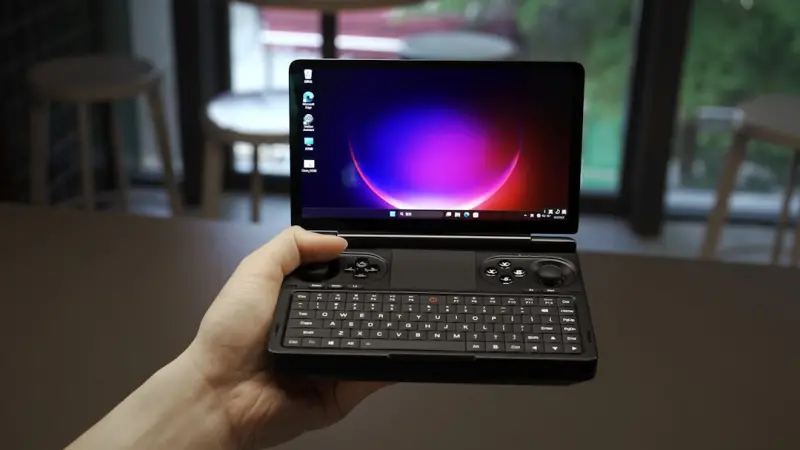
The Modular Laptop Revolution: How to Future‑Proof Your PC
Learn why treating your laptop as a modular system can cut waste, boost performance, and keep you ah... Read More
Modular Laptops: The Unsung Hero of Remote Work Efficiency
Modular laptops let remote teams customize performance, extend device lifespans, and lower total own... Read More

Why Sustainable PCs and Laptops Are the Hottest Trend in 2024
Explore the rise of sustainable PCs and laptops in 2024, with insights on green specs, gaming, and s... Read More
Top Posts

When AI Meets SEO: Real‑Time Strategies for Modern Search
AI is reshaping SEO by delivering real‑time keyword insights, dynamic content optimization, and continuous technical audits. This post explains how to blend A...Read More
How Nature‑Powered Data Centers Are Quietly Saving the Planet
Data centers are the hidden carbon hotspot of SaaS. This post reveals nature‑inspired cooling, circular hardware, and carbon‑aware KPIs that let tech leader...Read More

Uncovering Google Workspace’s Secret Weapons for SaaS Scale
Explore practical ways to leverage Google Workspace—from turning Gmail into a lightweight CRM to using Looker Studio for data storytelling—to accelerate Saa...Read More

The Evolution of Sustainable Email Marketing: A New Era of Digital Communication
Sustainable email marketing is not just a trend; it's a necessity. Learn how to adopt sustainable practices, reduce waste, and create engaging campaigns that dr...Read More
0 Comments
Post Comment
You will need to Login or Register to comment on this post!