

Why Modular Laptops Are the Secret Weapon for the Modern Knowledge Worker
When I first unpacked a laptop that looked more like a set of Lego bricks than a traditional clamshell, I felt a familiar mix of excitement and skepticism. As someone who spends the bulk of the day toggling between code editors, data dashboards, and video‑conferencing rooms, I’ve learned the hard way that the “one‑size‑fits‑all” laptop paradigm is a relic of a pre‑remote‑work era. Today, the most productive professionals are gravitating toward hardware that can evolve alongside their workflows, and modular laptops are leading that charge.
From Stagnant Specs to Adaptive Machines
Remember the time you bought a notebook with a 16GB RAM limit, an integrated GPU, and a 512GB SSD, only to find yourself buying a brand‑new machine a year later? That cycle is costing both time and money, and it’s also contributing to the growing e‑waste problem. The new wave of modular laptops flips the script by allowing you to upgrade memory, storage, graphics, and even the core processor without replacing the entire chassis.
What makes this shift possible is a combination of standardized interconnects, open‑source firmware, and a renewed focus on repairability from manufacturers. Companies are moving away from soldered‑on components toward “plug‑and‑play” modules that can be swapped with a screwdriver (or sometimes even a tool‑less latch). The result? A laptop that can grow from a lightweight travel companion into a powerhouse for heavy data‑science workloads.
How Modularity Solves Real‑World Pain Points
- Future‑Proofing Your Investment – Instead of budgeting for a brand‑new device every 18 months, you can allocate a modest yearly upgrade fund for specific modules.
- Tailored Performance Profiles – Need more GPU horsepower for a one‑off rendering project? Snap in a dedicated graphics module, then swap it out for a higher‑capacity battery when you’re on the road.
- Reduced Downtime – Faulty components can be replaced on the spot, which is a game‑changer for teams that can’t afford to be offline.
- Sustainability – Extending the lifespan of the base chassis reduces electronic waste and aligns with corporate ESG goals.
Designing a Modular Workflow: A Step‑by‑Step Guide
Transitioning to a modular laptop isn’t just a hardware decision; it reshapes how you think about your work environment. Below is a practical roadmap I followed when I made the switch.
- Assess Your Core Needs – Map out the software stack you use daily. If you spend 70% of your time in cloud‑based IDEs and 30% on local data processing, a high‑capacity SSD and a flexible CPU module should be your priority.
- Choose a Base Chassis with Strong Community Support – Look for models that have an active forum or open‑source firmware. Community‑driven drivers and BIOS updates are critical for long‑term stability.
- Start with a Balanced Baseline – A 16‑inch display, 32GB RAM, and a mid‑range integrated GPU give you enough headroom for most tasks while keeping the machine portable.
- Plan Incremental Upgrades – Schedule upgrades around project milestones. For example, add a discrete GPU module before a major machine‑learning model training sprint.
- Integrate With Your Home Office Ecosystem – Pair the modular laptop with a docking station that supports multiple monitors, a high‑quality microphone, and a ergonomic keyboard. The designing home offices that boost focus article offers a deep dive into creating a distraction‑free environment that complements your hardware.
The Role of Software in Unlocking Modularity
Hardware flexibility only shines when the software stack can recognize and leverage those changes. Modern operating systems now include dynamic driver loading, which means you can hot‑swap a storage module without rebooting. Moreover, container‑based development environments (think Docker) can be configured to automatically detect new GPU resources, scaling your compute power on demand.
In the B2B SaaS world, a mobile‑first, accessibility‑first mindset has already proven its worth for expanding market reach. The same principle applies to hardware: design your workflow to be device‑agnostic, so whether you’re on a slim tablet‑style module or a beefed‑up workstation, your productivity remains consistent.
Case Study: A Remote Analytics Team’s Journey
One of our partner analytics teams—spread across three continents—adopted a modular laptop strategy last quarter. Their baseline laptops were thin‑and‑light ultrabooks that struggled with large data sets. By swapping out the storage module for a 2TB NVMe drive and adding a dedicated AI accelerator card, they achieved a 45% reduction in model training time.
Beyond performance gains, the team reported a 30% drop in hardware‑related support tickets. The ability to replace a faulty memory module on‑site eliminated the need for shipping devices back to a central IT hub, which previously took an average of 4 days per incident.
Challenges and How to Overcome Them
No technology is without its hurdles. Here are the three most common obstacles I’ve seen, along with actionable solutions.
1. Compatibility Fragmentation
Because the modular ecosystem is still maturing, not every module works with every chassis. The key is to lock into a vendor that offers a clear roadmap and adheres to industry standards like M.2 for storage and PCIe‑based GPU modules.
2. Learning Curve
Technicians accustomed to “plug‑and‑play” consumer laptops may initially feel out of depth. Investing in a brief internal training session—covering module installation, firmware flashing, and diagnostic tools—pays off quickly.
3. Perceived Cost
The upfront price of a high‑quality modular chassis can be higher than a conventional notebook. However, when you factor in the extended lifespan and reduced need for full replacements, the total cost of ownership (TCO) often ends up lower. Run a simple TCO model: compare the amortized cost of a 3‑year upgrade cycle for a non‑modular laptop versus a modular system with annual module upgrades.
The Future: Converging Modularity with Emerging Tech
Imagine a laptop where the CPU module is powered by a low‑power ARM chip for everyday tasks, but can be swapped for a high‑end x86 processor when you need raw horsepower. Add to that a plug‑in quantum‑ready accelerator that, while still experimental, could eventually offload certain cryptographic workloads.
We’re also seeing early experiments in software‑defined hardware, where the operating system can reconfigure the hardware topology on the fly. In such a world, the line between “hardware upgrade” and “software update” blurs, creating truly elastic workstations.
Takeaway: Embrace the Modular Mindset
If you’re still using a static laptop that feels like a relic after a couple of years, you’re already behind the curve. The modular laptop isn’t just a cool gadget—it’s a strategic asset that aligns with the rapid pace of modern work, sustainability goals, and the need for resilient, adaptable tech stacks.
Start small: identify the most pressing bottleneck in your current setup and explore a module that addresses it. Over time, you’ll build a personalized hardware ecosystem that grows with you, rather than the other way around.
In a world where software evolves at breakneck speed, having a hardware foundation that can keep pace is no longer a luxury; it’s a competitive necessity.

Seth Samual is a name that's quickly becoming synonymous with compelling and insightful writing. As a freelance writer, Seth has carved a niche for himself by delivering high-quality content across a diverse range of subjects.
Related Posts

Designing a Future‑Proof PC Workspace: From Processor Choice to Sustainable Practices
A deep dive into selecting components, optimizing battery life, and extending your laptop’s lifesp... Read More

The Intersection of Technology and Sustainability: How Eco-Friendly PCs and Laptops are Revolutionizing the Industry
The tech industry is evolving rapidly, with eco-friendly PCs and laptops leading the way. Learn how ... Read More
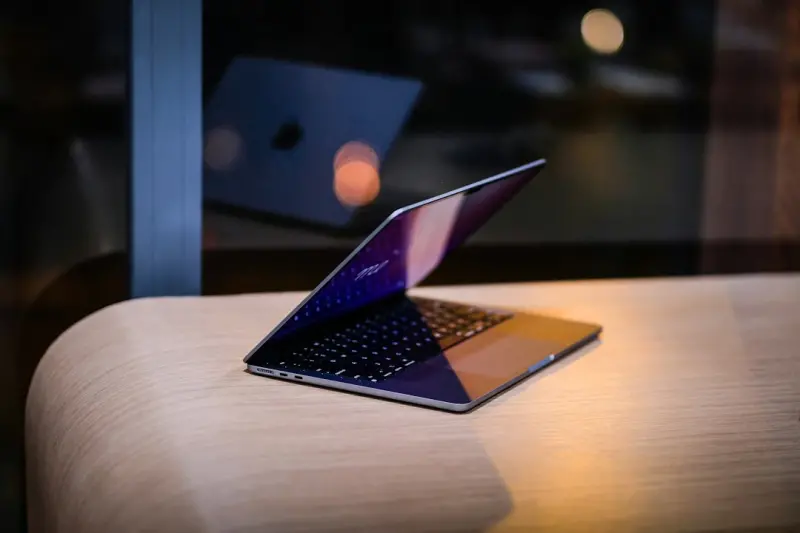
Modular Laptops: Reinventing PCs for a Sustainable Future
Modular laptops break the cycle of disposable tech by allowing users to upgrade components individua... Read More
Top Posts

The Art of Meaningful Corporate Gifting in a Remote World
A fresh take on corporate gifting reveals how personalized, eco‑friendly, and experience‑driven presents can humanize SaaS brands, foster deeper client bond...Read More

Why Car Subscription Services Could Be Your Next Smart Move
Explore the rise of car subscription services, their economic advantages, tech-driven convenience, and sustainability impact, guiding you to smarter, flexible m...Read More

Building Faster, Smarter Front‑Ends with Serverless and Component‑First Workflows
Explore a component‑first, serverless approach to front‑end development that boosts performance, accessibility, and SEO while empowering developers to itera...Read More

Listening to the Soil: A Conversational Approach to Thriving Gardens
A fresh perspective on gardening: learn to listen to soil cues, respond with tailored amendments, and design spaces that foster ongoing dialogue for healthier, ...Read More
0 Comments
Post Comment
You will need to Login or Register to comment on this post!