

Why WordPress Is Ready for the Next Wave of Enterprise Innovation
When most people hear “WordPress,” they picture a blog about recipes, a portfolio site for a photographer, or a small‑business storefront. That image is accurate, but it’s only half the story. Over the past decade WordPress has quietly morphed into a full‑stack content platform capable of powering everything from global e‑commerce experiences to AI‑driven personalization engines. As someone who’s spent years watching the SaaS landscape evolve, I’m convinced the next big opportunity for enterprises lies in treating WordPress not as a legacy CMS, but as a strategic data hub that can be woven into modern, API‑first architectures.
From “Blog Engine” to “Enterprise Backbone”
The transformation didn’t happen overnight. Early WordPress versions were built for simplicity—one‑click installs, themes that could be swapped without touching code, and a plugin ecosystem that let anyone add a contact form in seconds. Those strengths are still valuable, but they also laid the groundwork for a more ambitious vision:
- Modular architecture: The same plugin system that adds a contact form can now deliver headless APIs, micro‑frontend integrations, and even serverless functions.
- Open standards: WordPress embraces REST, GraphQL (via WPGraphQL), and the emerging flexible development workflow that lets developers pick the best tool for each piece of the puzzle.
- Scalable hosting: With managed WordPress services and container‑orchestrated deployments, you can run a single site on a shared host or a global, multi‑region fleet for a Fortune 500 brand.
What used to be a “blog engine” is now an enterprise backbone that can feed data to mobile apps, marketing automation platforms, and analytics pipelines—all while preserving the editorial experience that content teams love.
Headless WordPress: The API‑First Playbook
Going headless means decoupling the front‑end presentation layer from the back‑end content repository. WordPress shines here because its core already offers robust REST endpoints, and the WPGraphQL plugin adds a performant GraphQL layer. The result is a content store that can serve JSON to any consumer—React, Vue, native iOS, even IoT devices.
Here’s a quick playbook for enterprises considering a headless migration:
- Audit your content model. Identify the content types (posts, products, FAQs) that need to be exposed via API.
- Map relationships. Use custom post types and taxonomies to reflect real‑world hierarchies; GraphQL makes these relationships traversable with a single query.
- Secure the endpoints. Implement OAuth, JWT, or API keys, and lock down the REST/GraphQL routes with role‑based permissions.
- Choose a front‑end framework. Whether you pick Next.js for server‑side rendering or a static site generator like Gatsby, the API contract stays the same.
- Deploy incrementally. Start with a single marketing microsite, then expand to e‑commerce and internal portals as confidence grows.
Because WordPress already handles media, revisions, and multilingual support out of the box, you avoid the “content duplication” nightmare that plagues custom headless stacks.
AI‑Powered Personalization Directly Within WordPress
Artificial intelligence is no longer a futuristic add‑on; it’s a day‑to‑day expectation. Marketers want to serve personalized headlines, product recommendations, and dynamic copy that adapts to a visitor’s behavior in real time. WordPress can become the AI orchestration layer for these experiences.
There are three practical ways to embed AI without reinventing the wheel:
- Plugin‑based inference. Plugins like “WP AI Content” let you call OpenAI’s models to generate meta descriptions, product copy, or even A/B test variants on the fly.
- External model integration. Use the REST API to push content IDs to a model hosted on your cloud provider, then retrieve scoring data (e.g., “likelihood to convert”) and store it as post meta.
- Edge‑computed personalization. Deploy serverless functions that intercept requests at the CDN layer, query WordPress for user‑specific data, and inject personalized snippets before the page renders.
By keeping the AI logic proxied through WordPress, you maintain a single source of truth for content while still delivering the hyper‑relevant experiences your customers expect.
Multilingual Enterprise Sites Without the Hassle
Global brands often struggle with translation workflows. Traditional CMSs require separate instances per language or rely on costly third‑party translation management systems. WordPress, paired with plugins like WPML or Polylang, offers a single‑instance multilingual architecture. Every translation lives as a sibling post, sharing the same media library and SEO metadata.
Key benefits for enterprises:
- Unified editorial workflow: Editors can see all language versions side by side, reducing duplication and errors.
- SEO-friendly URLs: Automatic hreflang tags and language‑specific slugs improve search visibility across regions.
- Scalable translation pipelines: Connect the WordPress API to a translation management system (e.g., Lokalise) for automated, human‑in‑the‑loop workflows.
When you combine this with headless delivery, you can serve localized React components, native mobile screens, or voice‑assistant content—all sourced from the same WordPress backend.
Zero‑Trust Security: Treating WordPress Like Any Other Service
Security concerns are often the biggest barrier for enterprises to adopt WordPress. The platform’s popularity makes it a frequent target, but the same open‑source flexibility that fuels innovation also enables rigorous security hardening.
Adopt a zero‑trust mindset:
- Identity and access management. Use SSO (SAML or OpenID Connect) to enforce MFA for all admin users.
- Network segmentation. Deploy WordPress behind a firewall, expose only the API endpoints needed by front‑ends, and keep the admin UI on a private subnet.
- Immutable infrastructure. Build Docker images with the exact WordPress version and plugins you need, and redeploy automatically on any detected drift.
- Continuous monitoring. Integrate WordPress logs with SIEM tools, and set up alerts for suspicious activity (e.g., mass login failures, unexpected file changes).
When you treat WordPress like any other microservice—subject to version control, automated testing, and regular patch cycles—you dramatically reduce the attack surface while preserving its agility.
Leveraging WordPress for Internal B2B Tools
Enterprises often build custom portals for partners, resellers, or internal teams. Instead of starting from scratch, you can repurpose WordPress as a low‑code foundation for these tools. Think of it as a “content‑driven application platform.”
Here’s how you can turn a WordPress site into a functional B2B portal:
- Custom post types as data objects. A “Deal” post type can store opportunity details, attached files, and workflow status.
- Advanced Custom Fields (ACF) to create structured input forms for non‑technical users.
- Role‑based dashboards built with Gutenberg blocks that surface the right information to sales reps, managers, or finance teams.
- Integration with external CRMs via REST hooks, ensuring data sync without manual export/import.
This approach mirrors the philosophy behind modular toolkits that empower teams to build bespoke workflows without writing endless lines of code.
Performance at Scale: Caching, Edge Delivery, and Headless Optimizations
Enterprise sites must handle spikes of traffic without compromising speed. WordPress offers multiple layers of performance optimization:
- Object caching. Redis or Memcached can store query results, slashing database load for high‑traffic pages.
- Full‑page caching plugins like WP Rocket or Fastly integration provide instant HTML delivery to repeat visitors.
- Edge side includes (ESI). When using a headless front‑end, you can cache the bulk of the page at the CDN while pulling dynamic snippets (e.g., personalized greetings) from WordPress on each request.
- Static site generation. Tools like Next.js can pre‑render pages at build time, using WordPress as the source of truth for content updates.
Combine these tactics and you’ll achieve sub‑second page loads—even for global audiences.
Measuring Success: Metrics That Matter for WordPress‑Powered Enterprises
Adopting WordPress at scale isn’t just a technical decision; it’s a business one. Track these key performance indicators (KPIs) to demonstrate ROI:
- Content publishing velocity: Time from draft to live across languages and channels.
- API latency: Average response time for headless endpoints, measured end‑to‑end.
- Conversion uplift: Compare personalized vs. generic page versions using A/B testing frameworks.
- Security compliance score: Number of resolved vulnerabilities, time to patch, and audit findings.
- Operational cost per transaction: Hosting, CDN, and plugin expenses divided by total pageviews or API calls.
When these metrics show improvement, you have a compelling narrative to secure continued investment in the platform.
Future‑Proofing Your WordPress Strategy
The web is moving toward composable architectures, serverless functions, and AI‑enhanced experiences. WordPress is uniquely positioned to ride that wave because it already embraces:
- API‑first design (REST & GraphQL).
- Extensible plugin ecosystem that can evolve with emerging technologies.
- Community‑driven standards, ensuring long‑term support and security patches.
By treating WordPress as a platform of platforms, you can continuously layer new capabilities—whether it’s a new AI model, a multilingual expansion, or a headless micro‑frontend—without rebuilding from scratch. The result is a resilient, adaptable digital experience hub that can keep pace with the rapid innovation cycles of modern enterprises.
Getting Started: A Pragmatic First‑Step Checklist
If you’re ready to explore WordPress as an enterprise engine, here’s a concise checklist to guide your first phase:
- Define business goals: Is the priority faster time‑to‑market, personalized experiences, or global reach?
- Audit current assets: Catalog existing sites, plugins, and content models.
- Choose a hosting model: Managed WordPress (e.g., WP Engine), Kubernetes, or serverless containers.
- Set up a sandbox: Spin up a staging environment with the same plugins and API configurations you plan to use.
- Implement a pilot: Build a single marketing microsite or internal portal using headless delivery.
- Measure and iterate: Collect the KPIs above, refine the architecture, and gradually expand scope.
Remember, the journey isn’t about replacing your existing ecosystem overnight; it’s about incrementally unlocking new value while preserving the editorial familiarity your teams already trust.
Conclusion: WordPress As the Quiet Engine Behind Enterprise Growth
WordPress has earned its reputation as the world’s most popular CMS, but its true potential lies in how enterprises can re‑imagine the platform as a strategic data hub. By embracing headless architectures, AI‑driven personalization, multilingual scalability, and zero‑trust security, you transform a familiar tool into a future‑ready engine for growth.
Take the first step, experiment with a low‑risk pilot, and let the open‑source community’s relentless innovation guide you. When you do, you’ll discover that the platform you once thought was limited to blogs can become the backbone of a sophisticated, global digital experience ecosystem.

Shawn DesRochers is a certified Microsoft technician and Programmer with 30+ year's experience. He has written many reviews on computer related products, software, and SEO related topics. When he's not writing reviews he can be found at one of the Oldest Directories Online Web Domain Authority which he is the CEO of.
Related Posts
Unlocking WordPress Potential: A Fresh Look at Headless Architecture
Explore the advantages of headless WordPress—from lightning‑fast load times and tighter security... Read More
The Intersection of WordPress and Sustainability: How Eco-Friendly Practices Are Revolutionizing the Web
Learn how to create a sustainable WordPress site that reduces its carbon footprint and promotes eco-... Read More
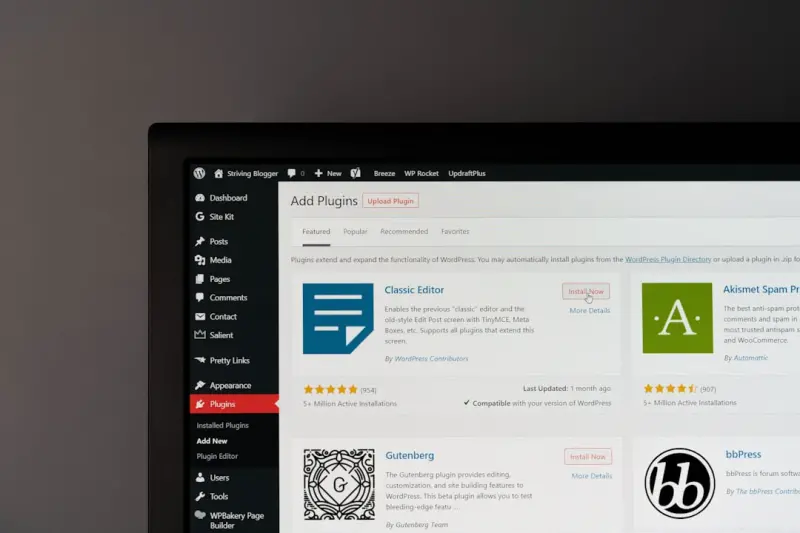
Unlocking WordPress as a Scalable Knowledge Hub for B2B Teams
Learn how to repurpose WordPress beyond blogging, creating a living, searchable knowledge hub that b... Read More
Top Posts

Beyond Blog Posts: Building a Living Content Ecosystem for SaaS Growth
Learn why treating content as a modular, data‑driven ecosystem—rather than isolated blog posts—creates continuous engagement, higher conversions, and sust...Read More

When the Road Takes the Wheel: Rethinking Liability in the Age of Autonomous Vehicles
The rise of autonomous vehicles forces a rethink of traditional liability frameworks. This article examines the gaps in current law, emerging doctrines, and act...Read More

Green Clean, Lean Operations: A Pragmatic Guide to Eco‑Cleaning in Modern Workspaces
A practical, data‑focused guide shows how plant‑based cleaners, measurable metrics, and sensory branding can transform office hygiene into a strategic susta...Read More

Game Changers: How Sustainability is Redefining Modern Sports
Sports are embracing sustainability—from green gear and plant‑based diets to eco‑friendly stadiums—creating a new playbook where performance and planet ...Read More
0 Comments
Post Comment
You will need to Login or Register to comment on this post!