
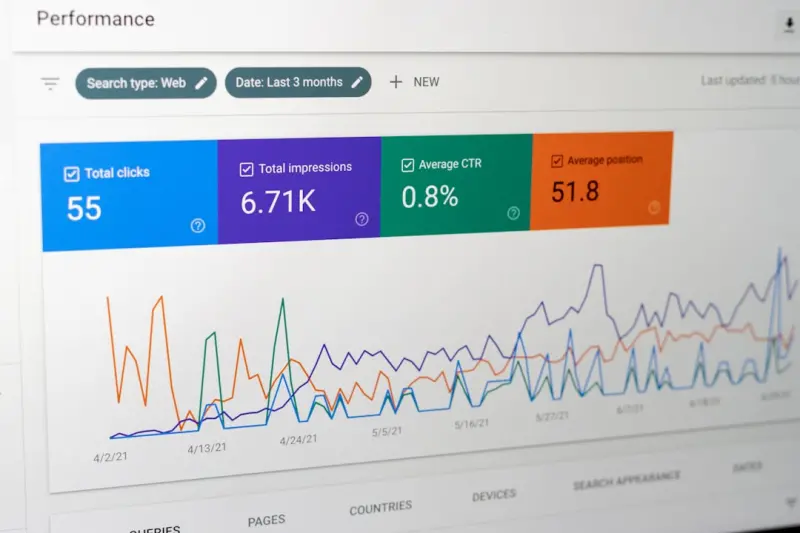
Why Zero‑Click Search Is the New Frontier for SaaS Marketers
When I first started writing copy for B2B SaaS, the mantra was simple: “Get the click.” We built landing pages, crafted compelling CTAs, and prayed to the Google gods that our headlines would outrun the competition. Fast forward a few releases, and the SERP has morphed into a self‑serving information hub where users often find what they need without ever leaving the search results page. This phenomenon—zero‑click search—has turned the traditional click‑centric playbook on its head.
In this post, I’ll walk you through the mechanics of zero‑click search, why it matters more than ever for SaaS businesses, and how to structure your content so it thrives in a click‑free environment. I’ll also sprinkle in a few practical tactics you can start deploying today, backed by real‑world examples from our own product launches.
The Anatomy of a Zero‑Click SERP
Google’s algorithm has evolved from a pure index of pages to a rich, contextual answer engine. Today’s SERP can include:
- Featured snippets that pull a paragraph, list, or table directly from a page.
- People also ask (PAA) boxes that surface related questions and concise answers.
- Knowledge panels that aggregate data about brands, people, or products.
- Local packs, reviews, and maps that resolve intent with a single glance.
- Rich results such as how‑to steps, FAQs, and product specifications.
Each of these elements reduces the friction between search intent and the answer, effectively “answer‑first” rather than “click‑first.” For SaaS marketers, that shift is a double‑edged sword: you gain brand visibility even when users don’t click, but you also lose the direct traffic funnel you’ve been optimizing for years.
Why Zero‑Click Isn’t a Threat—It’s an Opportunity
Think of zero‑click impressions as brand exposure on steroids. Even if a user never lands on your site, seeing your name, product tagline, or key metrics in a snippet builds trust and top‑of‑mind awareness. Over time, that invisible footprint translates into higher organic authority, easier inbound outreach, and a stronger pipeline when the user finally decides to engage.
Moreover, the data tells us this is not a fringe trend. Studies show that over 60% of queries result in a zero‑click interaction, and that share is growing. Ignoring this shift means surrendering a massive share of your potential audience to competitors who are already optimizing for snippets and rich results.
Mapping Zero‑Click to the Buyer’s Journey
Zero‑click content can serve every stage of the SaaS buyer’s journey, but the format and focus differ:
- Awareness: Featured snippets that answer foundational questions—“What is churn rate?” or “How does AI‑driven analytics work?”
- Consideration: PAA boxes that address comparative queries—“SaaS vs. on‑prem CRM pricing” or “Best workflow automation tools for remote teams.”
- Decision: Knowledge panels and product schema that showcase pricing tiers, integration lists, and security certifications—all without a click.
By aligning your content assets with these stages, you ensure that the brand narrative remains consistent, whether the user stays on the SERP or proceeds to your site.
Blueprint for Crafting Zero‑Click Content
Below is my step‑by‑step framework for turning ordinary pages into SERP‑friendly assets.
1. Conduct Intent‑First Keyword Research
Traditional SEO tools still work, but you need to filter for “question” and “how‑to” formats. Look for queries that Google is likely to surface as snippets or PAAs. Tools like AnswerThePublic, SEMrush’s question database, or even the People Also Ask widget in the SERP itself are gold mines.
2. Structure Content for Extraction
Google loves clear, hierarchical markup. Use:
- H2/H3 tags for each sub‑question.
- Ordered and unordered lists for steps, features, or comparisons.
- Tables for pricing matrices, feature checklists, or benchmark data.
When you present information in these formats, you increase the probability that Google’s algorithm will lift it into a featured snippet.
3. Answer Concisely—But Provide Depth
A snippet typically displays 40–50 words. Your paragraph should deliver the answer within that limit, then follow with a deeper dive that encourages the curious user to click for more context. For example:
Snippet answer: “A churn rate of 5% means that each month, 5% of your paying users cancel their subscription.”
Expanded content: A full section on churn calculation methods, industry benchmarks, and strategies to reduce churn—complete with case studies and downloadable templates.
4. Leverage Structured Data
Implement schema.org markup for FAQPage, HowTo, Product, and Organization. This not only helps Google understand your content but also increases the chances of rich results that appear above the fold.
5. Optimize for Brand Signals
Even if the SERP provides the answer, users still scan for brand credibility. Include:
- Trusted logos (e.g., SOC 2, ISO 27001) via
Organizationschema. - Customer count or “used by X+ enterprises” in the snippet if it fits naturally.
- Clear, concise meta titles that echo the query phrase.
6. Promote Internal Linking to Authority Pages
When you create a snippet‑optimized page, link to cornerstone resources—product tours, case studies, or a pricing calculator. This signals to Google that the page is part of a broader, authoritative topic cluster.
Real‑World Example: Turning a Blog Post Into a Featured Snippet
We recently had a client in the project‑management SaaS space who struggled to rank for “how to measure project ROI.” Their original blog post was a 2,500‑word deep dive with a vague introductory paragraph.
We re‑engineered the piece using the framework above:
- Created an
FAQPageschema with the exact question. - Wrote a 45‑word answer at the top, formatted as a paragraph under an
h2. - Added a bulleted list of the three most common ROI formulas.
- Followed the answer with a detailed case study, downloadable worksheet, and a CTA to request a demo.
Within two weeks, Google displayed the answer as a featured snippet, generating a 35% lift in organic impressions and a 12% increase in demo requests—despite the click‑through rate (CTR) on that particular SERP dropping slightly because users got their answer instantly.
Zero‑Click and the SaaS Funnel: Balancing Visibility with Conversion
It’s tempting to think that zero‑click means “no traffic, no leads.” That’s a myth. Instead, treat zero‑click exposure as the top of the funnel—brand awareness at scale. Then, funnel the interested users toward deeper content that requires a click, such as whitepapers, webinars, or a free trial sign‑up.
One tactic I love is embedding a “Learn more in our guide” link at the end of the expanded section. The link appears after the user has consumed the concise answer, priming them for the next step. Even if the click rate is modest, the cumulative brand equity built through repeated SERP appearances compounds over time.
Tools and Tactics to Track Zero‑Click Performance
Most SEO dashboards focus on clicks and impressions. To measure zero‑click impact, add these dimensions:
- Impression share on featured snippets (Google Search Console > Performance > Search appearance > Featured snippet).
- Average position for question‑type queries.
- Brand lift surveys that ask prospects how they first heard about your product.
- Referral traffic from SERP rich results (e.g., FAQ expansions that include a “Read more” link).
Monitoring these metrics helps you quantify the indirect ROI of zero‑click optimization.
Integrating Zero‑Click with Other SEO Strategies
Zero‑click isn’t a silo; it works hand‑in‑hand with:
- Topic clusters: Your core pillar pages can host snippet‑optimized sections, while supporting articles dive deeper.
- Link‑building: Earn backlinks to your authoritative snippet pages to boost their authority further.
- Content repurposing: Turn a high‑performing snippet into a short video for YouTube Shorts, which Google may surface alongside the text answer.
Speaking of content repurposing, I recently explored how Google’s Generative AI Toolkit can help craft concise, snippet‑ready answers at scale. By feeding the AI a well‑structured outline, we can generate multiple variations of the same answer, test them for readability, and select the best performer—all while maintaining brand voice.
Guarding Your Brand in a Zero‑Click World
When your brand appears directly in the SERP, any misinformation or outdated data can spread like wildfire. That’s why I always cross‑check snippet content against the digital reputation playbook. A stale pricing table or an incorrect feature list can erode trust before a user ever lands on your site.
Set up alerts for your brand name, regularly audit schema markup, and schedule quarterly reviews of all snippet‑targeted pages. Treat the SERP as a living brand asset that needs the same stewardship as your website.
Future‑Proofing Your SEO Strategy
Looking ahead, we can expect even richer SERP experiences—AI‑generated answer panels, voice‑only results, and integrated shopping experiences for SaaS add‑ons. The core principle remains the same: give users the answer they need in the format they expect, and then invite them to explore further.
Here’s a quick checklist to keep you on track:
- Identify high‑intent, question‑based keywords.
- Structure content with clear headings, lists, and tables.
- Implement relevant schema markup.
- Craft concise, accurate answers up front.
- Link to deeper resources for interested readers.
- Monitor snippet impressions and brand health regularly.
Zero‑click search isn’t the end of the click—it’s a new gateway. By mastering this space, SaaS marketers can amplify brand visibility, nurture trust, and ultimately guide prospects down the funnel with more authority than ever before.

Miranda Murphy: Experienced freelance writer with a decade of storytelling expertise. Let's create something amazing together!
Related Posts
Semantic SEO: Turning Structured Data into a B2B Growth Engine
A deep dive into using schema.org markup to make SaaS products more discoverable, with actionable st... Read More

How to Future‑Proof Your SEO Strategy for the Voice‑First Era
Learn how to adapt your SEO for voice assistants with conversational content, schema markup, and loc... Read More
The Rise of Entity‑First SEO: Why Search Engines Want Facts, Not Fluff
Entity‑first SEO shifts focus from keyword density to the underlying concepts that power search en... Read More
Top Posts
Why Embedded Insurance Is the Next Growth Engine for SaaS Companies
Embedding insurance directly into SaaS products transforms risk management into a seamless, revenue‑generating service, aligning data, security, and customer ...Read More
Why Modular Phones Might Save Your Wallet and the Planet
Modular smartphones let users upgrade components like cameras and batteries instead of replacing the whole device, reducing e‑waste, saving money, and opening...Read More
Why Subscription Boxes Are the New Loyalty Engine for Modern Shoppers
Subscription boxes have moved beyond novelty gifts to become a powerful growth lever, offering personalized experiences, community building, and sustainability ...Read More

Edge‑First Architecture: Why the Real Power Shift Is Moving to the Edge
Edge computing is rapidly becoming the backbone of modern SaaS, delivering faster response times, tighter data privacy, and new AI capabilities at the device le...Read More
0 Comments
Post Comment
You will need to Login or Register to comment on this post!