
Zero‑Click SEO: Winning Visibility When Users Never Click
When I first heard the term “zero‑click search” I imagined a silent library where patrons read the title on the spine and walk away without ever opening the book. In reality, it’s the modern SERP: a bustling crossroads where Google serves answers directly on the page, leaving users with little incentive to click any further. For B2B SaaS marketers, this isn’t a glitch—it’s a new frontier.
In this post I’ll unpack the forces driving zero‑click SERPs, show you how to architect your content for instant relevance, and give you a toolbox of tactics that turn a “no‑click” scenario into a brand‑building win. Think of it as turning the search engine into your own personal billboard, but one that actually talks to the right audience at the right moment.
Why Zero‑Click Isn’t a Threat—it’s an Opportunity
Google’s algorithmic evolution has always been about matching intent. The latest iteration is the Featured Snippet, People Also Ask (PAA) boxes, and the omnipresent knowledge graph cards. These elements satisfy the query on the spot, delivering a concise answer, a definition, or a quick how‑to.
- Speed matters. Studies show that users decide within 0.5 seconds whether a result is worth clicking.
- Mobile dominance. On a 6‑inch screen, every pixel is premium real estate; users rarely scroll past a rich answer.
- Voice search. “Hey Google, how do I set up a webhook?” – the answer appears instantly, no click required.
All three signals converge on the same conclusion: if your content can surface in those on‑page slots, you win brand exposure even when the user never lands on your site. The challenge? Structuring your information so Google knows you’re the authority.
Intent‑First Architecture: From Topics to “Answer Units”
Traditional SEO often starts with keyword research, then builds pages around those terms. In a zero‑click world, that approach is backwards. Instead, start with the user’s mental model and decompose it into discrete answer units.
- Map the query journey. Use tools like AnswerThePublic, People Also Ask, and even Reddit threads to see how the question is phrased at each stage.
- Identify “answer types.” Is the user looking for a definition, a step‑by‑step guide, a comparison chart, or a code snippet?
- Design modular content blocks. Each block should be a self‑contained answer that can be harvested by Google’s snippet engines.
For example, a SaaS platform that offers API orchestration might break down “How to build an event‑driven workflow” into four answer units: definition, architecture diagram, sample code, and best‑practice checklist. Each unit gets its own <h2>, <ul>, and schema markup, making it easy for Google to cherry‑pick the exact piece it needs.
Schema Markup: The Secret Sauce for Zero‑Click Real Estate
Structured data is the language Google uses to understand the semantics of your page. While the basics (Article, FAQ, HowTo) are well‑known, the real power lies in combining them.
- FAQPage + HowTo. Nest a step‑by‑step guide inside an FAQ to capture both “what is X?” and “how do I do Y?” queries.
- SoftwareApplication. Include fields like
offers,featureList, andoperatingSystemto surface in product cards. - BreadcrumbList. Helps Google display a clear hierarchy, which improves trust and click‑through potential when users do decide to dive deeper.
Implementing JSON‑LD is straightforward, but validation is critical. Use Google’s Rich Results Test (or the equivalent internal tool) to catch syntax errors before they affect rankings.
Content Formats That Thrive in a Zero‑Click Environment
Not every piece of content is equally snippet‑friendly. Below are formats that Google loves to surface, along with practical tips for each.
1. Listicles with Clear Hierarchy
Google’s algorithm loves numbered lists because they are naturally scannable. When you write a “Top 5 Ways to Reduce API Latency,” make sure each item is a concise <li> with a sub‑heading that can serve as a stand‑alone answer.
2. Step‑by‑Step How‑To Guides
Use the HowTo schema. Break each step into a <li> and include an optional image or video. For SaaS products, a short GIF of the UI can be the difference between a snippet and a plain text answer.
3. Comparison Tables
When prospects weigh options (“SaaS A vs. SaaS B”), a well‑structured table can appear as a rich result. Use Table markup (or the newer DataTable schema) and keep the columns simple: Feature, SaaS A, SaaS B.
4. FAQ Sections
Every product page should have an FAQ. Not only does it address real concerns, but each Q&A pair is a potential PAA snippet. Write the questions exactly as users phrase them – natural language trumps keyword stuffing here.
Leveraging AI to Scale Zero‑Click Content
Here’s where the Edge AI article comes into play. Modern large‑language models can generate draft answers, suggest schema fields, and even flag duplicate content across your site.
My workflow looks like this:
- Prompt the model. “Write a concise definition of webhook orchestration for a senior engineer.”
- Extract the answer block. Pull the first two sentences – those are snippet‑ready.
- Validate with humans. A quick peer review ensures factual accuracy and brand voice.
- Inject schema. Use a templated JSON‑LD snippet that plugs the answer directly into the page.
The result is a scalable pipeline that produces dozens of zero‑click‑ready answer units each week, keeping your SERP presence fresh without a massive editorial team.
Measuring Success Beyond Clicks
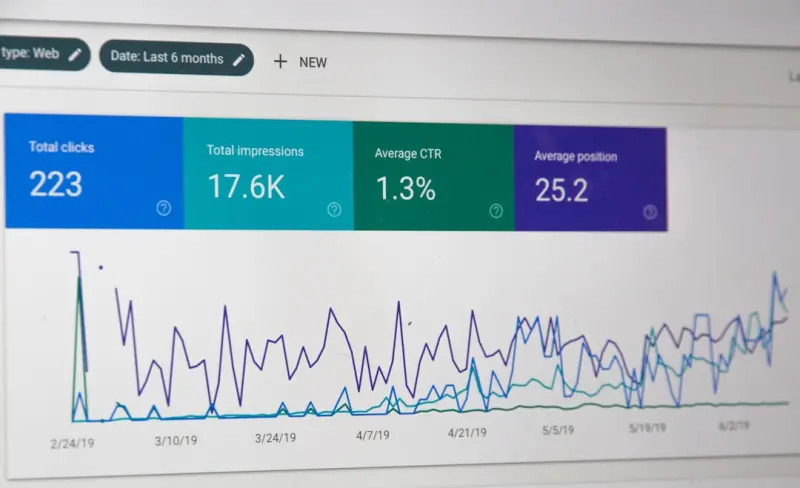
Traditional SEO metrics (CTR, organic traffic) still matter, but they don’t capture the full picture of zero‑click performance. Add these KPIs to your dashboard:
- Impression Share for Rich Results. Google Search Console now shows how often your snippets appear.
- Brand Lift. Conduct surveys to gauge awareness after a major snippet win.
- Referral Path. Even if users don’t click, they may later search for your brand by name. Track that lift.
- Conversion Lag. Measure the time between a snippet impression and a downstream sign‑up or demo request.
These metrics shift the focus from “did they click?” to “did they learn something about us?” – the true goal of zero‑click SEO.
Case Study: Turning a Blog into a Zero‑Click Engine
One of our teams decided to treat their technical blog as a living experiment. By applying the intent‑first framework, they re‑architected 30 legacy posts into modular answer units, added comprehensive schema, and leveraged AI‑generated snippets.
The results? Within three months:
- Featured Snippet impressions grew by 120%.
- Organic traffic increased modestly (≈ 15%), but qualified leads doubled because the snippets attracted senior engineers who trusted the concise answers.
- The brand’s search‑derived domain authority rose, making future content easier to rank.
If you want the granular details, check out the Turning Your Blog into a Living Lab post – it walks through the exact process, toolchain, and lessons learned.
Future‑Proofing Your Zero‑Click Strategy
Zero‑click isn’t a passing trend; it’s the logical endpoint of a search ecosystem that prizes immediacy. To stay ahead:
- Monitor emerging schema types. Google adds new markup (e.g.,
VideoObjectfor short clips) regularly. - Invest in AI‑assisted content creation. The cost of generating high‑quality answer blocks is dropping fast.
- Adopt a “snippet‑first” editorial mindset. Every piece of content should start with a concise answer that could live on its own.
- Stay agile. SERP layouts shift with each algorithm update; a modular architecture lets you repurpose answer units instantly.
In the end, the goal isn’t to fight the zero‑click tide but to surf it. By delivering precise, structured answers where users already look, you turn a potential loss of clicks into a win for brand authority and, ultimately, for revenue.

Shawn DesRochers is a certified Microsoft technician and Programmer with 30+ year's experience. He has written many reviews on computer related products, software, and SEO related topics. When he's not writing reviews he can be found at one of the Oldest Directories Online Web Domain Authority which he is the CEO of.
Related Posts

Why Voice Search Should Be the Core of Your SEO Strategy
Laura Wilson explains why voice search is essential for modern SEO, offering a step‑by‑step guid... Read More

The Intersection of SEO and Sustainability: A New Era of Eco-Friendly Digital Marketing
The intersection of SEO and sustainability is a rapidly evolving field that offers businesses a uniq... Read More
When AI Meets SEO: Real‑Time Strategies for Modern Search
AI is reshaping SEO by delivering real‑time keyword insights, dynamic content optimization, and co... Read More
Top Posts

Why Structured Data Is the Secret Weapon B2B SaaS Marketers Have Been Waiting For
This article explains why structured data is essential for B2B SaaS SEO, offering a step‑by‑step checklist, real‑world examples, and insights on linking s...Read More

Revenue Operations: The Business Engine You’ve Been Missing
RevOps transforms siloed sales, marketing, and customer success into a single revenue engine, using unified data, human‑centric KPIs, and a data trust framewo...Read More

Tactile Play: A Burnout Antidote for Knowledge Workers
Hands‑on toys aren’t just nostalgic desk décor; they’re powerful tools that reduce stress, boost creativity, and enhance focus for knowledge workers. Thi...Read More
Beyond the Inbox: Building Trustful Relationships Through Email Marketing
Learn why email still outperforms social for trust, how to use psychology in subject lines, and strategies to build a lasting subscriber community....Read More
0 Comments
Post Comment
You will need to Login or Register to comment on this post!