
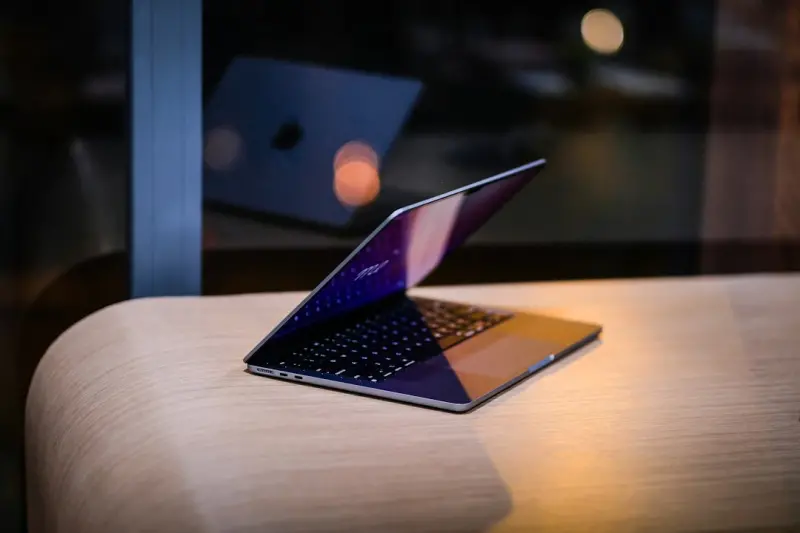
Why Modular Laptops Are the Next Big Wave for Professionals
When I first unboxed my flagship ultrabook three years ago, the sleek metal chassis felt like a promise: a device that would keep up with my ever‑shifting workload, from data‑heavy webinars to late‑night content brainstorming. Fast forward to today, and that promise feels a little shaky. The market is flooded with thin‑and‑light designs that look great on a coffee‑shop table but often crumble under the weight of real‑world demands—upgrade cycles, repair costs, and an ever‑growing appetite for performance.
Enter modular laptops. Imagine a laptop that you can swap out a GPU, add extra storage, or even replace a battery in under ten minutes—without needing a screwdriver or a PhD in electronics. It’s not just a hardware gimmick; it’s a fundamental shift in how we think about our primary work tool.
The Pain Points That Sparked the Movement
Working in a B2B SaaS environment means my day is a mix of high‑stakes client calls, data crunching, and the occasional deep‑dive into a new feature rollout. Over the past couple of years, three frustrations have become almost textbook:
- Obsolescence – I’m forced to replace a laptop every two to three years because the integrated GPU can’t keep up with the latest visualizations.
- Repair headaches – A cracked hinge or a failing SSD often means sending the whole machine to a service center, leading to days of downtime.
- Environmental guilt – The e‑waste generated by discarding perfectly functional chassis feels at odds with the sustainability goals we champion in our product teams.
Modular designs aim to solve all three. By separating the core (CPU, motherboard, chassis) from the peripherals (GPU, storage, battery), you get a device that can evolve alongside your career—not the other way around.
How Modularity Works: A Peek Under the Hood
Most modern modular laptops follow a “core‑plus” architecture:
- Core Module – This houses the processor, RAM (often soldered for stability), and the primary I/O ports. Think of it as the brain and nervous system.
- Expansion Slots – Similar to desktop PCIe lanes, these slots accept interchangeable cards for graphics, extra storage, or specialized accelerators.
- Power Module – Swappable battery packs and fast‑charging boards that can be upgraded as battery technology improves.
What’s brilliant is the use of standardized, tool‑free connectors that lock into place with a gentle click. No more wrestling with proprietary screws or fearing you’ll void the warranty.
Performance Without Compromise
Critics often argue that modularity equals bulk. In practice, the latest designs are shedding that myth. Companies are leveraging Thunderbolt 4 and PCIe 5.0 to deliver bandwidth that rivals desktop workstations. For instance, a modular GPU card can slot into the laptop and instantly provide the horsepower needed for 4K video editing or AI model inference—tasks that would otherwise stall on an integrated chip.
Because the GPU sits on a separate board, heat is also managed more effectively. Dedicated cooling modules can be attached or swapped, meaning you can opt for a silent fanless setup for everyday tasks and a high‑performance, liquid‑cooled module for intensive sessions.
Security Benefits You Might Not Have Considered
In a world where data breaches make headlines daily, having a laptop you can physically control at the component level adds a layer of security that software alone can’t provide. With a modular approach, you can:
- Replace a compromised storage module without wiping the entire system.
- Detach the network interface module when traveling, ensuring no rogue Wi‑Fi can connect.
- Swap in a hardware‑rooted TPM (Trusted Platform Module) for enhanced encryption, aligning with a zero‑trust, AI‑first mindset across the organization.
These physical safeguards complement software policies, creating a defense‑in‑depth strategy that’s both tangible and reassuring.
The Environmental Upside: Toward a Circular Laptop Economy
Every year, millions of laptops end up in landfills, contributing to a growing e‑waste crisis. Modular designs make it easier to recycle or repurpose components. When a battery degrades, you replace just that part. When a newer, more efficient processor becomes available, you upgrade the core module without discarding the chassis.
This approach aligns with the broader push for a circular economy in tech—a concept I’ve championed in many sustainability discussions. It reduces raw material extraction, lowers transportation emissions (you ship a small module, not an entire laptop), and extends the product lifecycle dramatically.
Real‑World Use Cases: Who’s Already Riding the Wave?
Several early adopters are showcasing the power of modular laptops:
- Remote Designers – Freelance graphic artists who need occasional GPU boosts for rendering can carry a lightweight base unit and attach a graphics module only when a project demands it.
- Field Engineers – Professionals who work in harsh environments benefit from ruggedized power modules and swappable cooling units, ensuring reliability without a bulky backpack.
- Data Scientists – By swapping in an AI accelerator card, they can run model training locally, reducing reliance on costly cloud credits and keeping sensitive data in-house.
These scenarios highlight a broader trend: the line between “laptop” and “desktop workstation” is blurring, and modularity is the bridge.
Challenges Still Ahead
No revolution is without its growing pains. Some hurdles include:
- Standardization – The industry needs a universal slot spec, much like the USB‑C revolution, to ensure cross‑brand compatibility.
- Cost – Initial purchase prices can be higher than traditional laptops, though the long‑term savings on upgrades and repairs often offset this.
- Design Aesthetics – Balancing a sleek, professional look with modular ports remains a design challenge.
Manufacturers are already responding. Collaborative consortia are forming to define a Modular Laptop Specification (MLS), promising a future where you could buy a GPU card from one vendor and a battery pack from another, all fitting seamlessly into the same chassis.
How to Future‑Proof Your Laptop Today
If you’re not ready to commit to a fully modular system, there are still steps you can take to extend the life of your current device:
- External GPUs (eGPUs) – Leverage Thunderbolt 4 to connect a desktop‑class GPU when you need a performance boost.
- Upgradeable Storage – Choose laptops with M.2 slots that let you swap SSDs without opening the entire chassis.
- Battery Health Management – Use software tools to monitor and maintain battery cycles, delaying the need for a replacement.
- Protective Accessories – Invest in high‑quality cases and keyboard covers that reduce wear and tear.
These tactics won’t replace the full potential of a modular machine, but they help you stay ahead of the curve while the industry matures.
What I’m Watching: The Next 12‑Month Outlook
My crystal ball (and a few insider conversations) suggest three key developments:
- AI‑Optimized Modules – Expect to see AI inference accelerators that plug into the expansion slot, delivering on‑device AI without draining the main CPU.
- Eco‑Certification Programs – Similar to Energy Star, new standards will certify the recyclability and carbon footprint of modular components.
- Enterprise Adoption – Companies will start offering modular laptops as part of their employee equipment program, citing reduced total cost of ownership (TCO) and enhanced security.
When those trends coalesce, we’ll likely see a shift where the “laptop” becomes a dynamic platform—one that can be as light as a tablet one day and as powerful as a workstation the next.
Final Thoughts: Embrace the Change, Don’t Fear It
Technology, at its core, is about solving problems—whether it’s faster page loads, better collaboration, or a more sustainable planet. Modular laptops embody that ethos: they give us the flexibility to adapt, the security to protect, and the sustainability to respect our environment.
For me, the excitement lies not just in the hardware, but in the mindset shift. It asks us to think of our devices as living systems, capable of growth and renewal, rather than disposable commodities.
If you’re curious about how this modular future could integrate with your existing workflow, I recommend exploring the broader conversation around feature flags and seamless releases. The same principles of incremental, low‑risk change apply whether you’re deploying code or swapping a GPU module.
So, the next time you sit down at your desk, ask yourself: Is my laptop built to grow with me, or am I building a future where I keep buying new machines? The answer could shape not just your productivity, but the footprint you leave on the tech ecosystem.

In the world of freelance writing, where creativity and adaptability are paramount, Michelle Fisher stands out as a dedicated and versatile professional. With a passion for crafting compelling narratives and a keen eye for detail, Michelle has established herself as a trusted voice.
Related Posts
Laptop Longevity: Building a Sustainable, Upgradeable Workstation
A deep dive into turning the modern laptop from a disposable gadget into a long‑lasting, upgradeab... Read More

Why the Next Laptop Must Be Sustainable: A Deep Dive from Dale Peterson
Dale Peterson breaks down the environmental impact of laptops, offers a practical green‑buying che... Read More

Unlocking Your Laptop’s True Potential: Performance Tweaks, Battery Mastery, and Future‑Proof Upgrades
Discover how to transform a sluggish laptop into a high‑performing, long‑lasting machine with ea... Read More
Top Posts
The Future of Automotive: How Electric Vehicles are Revolutionizing Sustainable Transportation
The future of automotive is electric, and it's happening faster than we think. Learn how electric vehicles are revolutionizing sustainable transportation and sh...Read More

Navigating the Legal Frontier of Remote Work: Contracts, Compliance, and Culture
Remote work is redefining employment law. This article breaks down essential contract clauses, cross‑jurisdictional compliance, risk mitigation, and cultural ...Read More

Modular Play: Building Problem‑Solving Skills One Brick at a Time
Modular play systems offer endless creativity, educational benefits, and sustainable design, turning simple building blocks into powerful tools for lifelong pro...Read More

The Role of Education in Sustainable Development
Education plays a critical role in sustainable development, empowering individuals to make informed decisions about their lives and the world around them. Learn...Read More
0 Comments
Post Comment
You will need to Login or Register to comment on this post!