
Why WordPress Is the Unlikely Hero of Modern B2B Experience Platforms
When people hear “WordPress,” the first images that pop up are usually a blog about cooking, a portfolio for a photographer, or the occasional small‑business storefront. That perception is comfortable, but it’s also dangerously limiting. As someone who’s spent the last decade toggling between SaaS product roadmaps and content‑strategy sessions, I’ve learned that WordPress, when stripped of its legacy baggage and paired with the right headless tooling, can become the backbone of a truly scalable, data‑driven experience platform for B2B organizations.
From “Just a Blog” to “Enterprise‑Ready Experience Hub”
WordPress started life as a publishing system, and that DNA is still its greatest strength. The platform excels at:
- Content modeling – custom post types, taxonomies, and meta fields let you design data structures that mirror your product’s entities.
- Editorial workflows – granular roles and revision histories keep marketing, legal, and product teams in lockstep.
- Extensibility – a thriving ecosystem of plugins and a robust REST API mean you can attach almost any service you need.
What most enterprises miss is that these capabilities can be decoupled from the traditional “theme + PHP” stack. By running WordPress as a headless CMS, you let it do what it does best—manage content—while your front‑end lives in a framework optimized for speed, interactivity, and security.
The Architectural Sweet Spot: Headless + Edge
Think of WordPress as the content engine, and the edge network (CDNs, serverless functions, edge workers) as the distribution system. Here’s a quick walkthrough of the flow:
- Author creates or updates a piece of content. Whether it’s a product guide, a case study, or a developer tutorial, the data lands in WordPress.
- Webhook fires. A lightweight listener (often a serverless function) receives the payload and pushes the fresh content to a static site generator or a JAMstack framework like Next.js or Astro.
- Edge caches the result. The compiled HTML, CSS, and JSON are instantly cached at the edge, delivering sub‑second page loads worldwide.
- Client app consumes the data. If you have a React‑based dashboard or a mobile web app, it can query the same REST or GraphQL endpoints for real‑time content, ensuring consistency across all touchpoints.
This pattern solves three critical enterprise pain points:
- Performance – static assets at the edge shave off latency that traditional LAMP stacks can’t match.
- Scalability – you can serve millions of concurrent requests without over‑provisioning WordPress servers.
- Security – the public‑facing surface is a static bundle; the WordPress admin lives behind a VPN or zero‑trust gateway.
Practical Use Cases That Resonate With B2B Teams
Below are five scenarios where a headless WordPress approach has moved the needle for companies in the SaaS, fintech, and professional services spaces.
1. Dynamic Product Documentation
Technical writers love WordPress’s block editor because it feels like a familiar word processor. By adding custom fields for version numbers, API references, and code snippets, the documentation becomes a living dataset. When a new API version rolls out, a single content update propagates to the developer portal, the in‑app help widget, and the PDF export—all without a separate publishing step.
2. Personalization Engine for Account‑Based Marketing
Imagine a landing page that morphs its headline, case studies, and CTAs based on the visitor’s company size, industry, or product tier. WordPress stores the raw content variations; a lightweight personalization microservice queries the headless API, merges the appropriate pieces, and serves a tailored page from the edge. The result is a page that feels custom‑built for each prospect while the backend remains a single source of truth.
3. Knowledge Base Integrated with Support Ticketing
Support teams spend a lot of time hunting for the right article to paste into a ticket. By exposing WordPress content via GraphQL, a ticketing platform can surface relevant articles in real time based on the issue’s keyword fingerprint. This not only reduces resolution time but also feeds usage metrics back into WordPress, allowing content teams to prioritize high‑impact updates.
4. Multi‑Channel Thought Leadership Hub
Modern B2B marketing demands content be repurposed for newsletters, podcasts, webinars, and social snippets. With WordPress as the central hub, each piece of content can be tagged with “distribution channels,” and automation tools can pull the appropriate assets for each platform, ensuring brand consistency without manual copy‑pasting.
5. Internal Intranet Powered by the Same Stack
Why maintain a separate intranet when you already have a robust content engine? By segmenting content via taxonomy (e.g., “internal‑news,” “HR‑policies”), you can spin up a secure, single‑sign‑on‑protected portal that uses the same API surface as your public site. Employees get the speed of a modern web app, and IT gets the simplicity of one system to patch and monitor.
Choosing the Right Plugins—And When to Skip Them
WordPress’s plugin ecosystem is both a blessing and a curse. Here are my three guiding principles for B2B teams:
- Security First. Only install plugins that are actively maintained and have a transparent changelog. For headless setups, many traditional “frontend” plugins (sliders, page builders) are irrelevant and should be avoided.
- Performance Matters. Opt for plugins that expose data via REST or GraphQL without heavy server‑side rendering. For instance, The Next‑Gen Toolkit showcases modular approaches that align well with headless data pipelines.
- Future‑Proofing. Choose plugins that offer extensible hooks or webhook capabilities. This lets you plug into your CI/CD pipeline for automated content deployment.
If a plugin’s primary value lies in its visual presentation, consider recreating that piece in your front‑end framework instead. This keeps the WordPress core lightweight and reduces attack surface.
Automation: Turning Content Into Code
One of the biggest productivity gains comes from treating content updates as code commits. Here’s a simple workflow that many of my clients have adopted:
- Author writes or updates an article in WordPress.
- A webhook triggers a GitHub Action that pulls the latest content via the WP REST API.
- The action runs a static site generator (e.g., Hugo, Eleventy) to produce a new build.
- The build is deployed to a CDN, instantly refreshing the edge cache.
This pipeline not only enforces version control for content but also integrates seamlessly with existing DevOps monitoring and rollback strategies. If you’re already using mobile apps to reach customers, the same API endpoints can power in‑app help sections, ensuring consistency across web and native experiences.
Measuring Success: Metrics That Matter
Switching to a headless WordPress stack isn’t just a tech upgrade; it’s a business decision that should be quantified. Focus on these KPIs:
- Time‑to‑Publish. Track the interval from content creation to live edge delivery. A well‑orchestrated pipeline can shrink this from days to minutes.
- Page Load Speed. Use Core Web Vitals (LCP, FID, CLS) as a baseline. Edge‑served static pages typically hit under 1 second LCP.
- Engagement Lift. Compare bounce rates and time‑on‑page before and after personalization features go live.
- Support Ticket Deflection. Measure how often knowledge‑base articles resolve tickets without human intervention.
When you see measurable improvements across these dimensions, the ROI argument becomes undeniable.
Common Pitfalls and How to Dodge Them
Even the most seasoned teams stumble when transitioning to a headless architecture. Here are the traps I see most often and quick fixes:
- Over‑Customizing the API. Adding too many bespoke endpoints can make future upgrades painful. Stick to the core REST or GraphQL schema whenever possible.
- Neglecting Content Governance. With multiple teams pulling data, a clear taxonomy and naming convention are essential. A shared spreadsheet or a dedicated taxonomy plugin can save countless hours.
- Forgetting SEO Foundations. Static pages are fast, but if you don’t generate proper meta tags, schema markup, and sitemap files during the build, you’ll lose organic visibility. Integrate SEO plugins that work in headless mode or generate markup during the build step.
- Under‑estimating Cache Invalidation. Content updates must purge the correct edge caches; otherwise, users see stale data. Automate cache busting as part of your webhook pipeline.
Getting Started: A 30‑Day Playbook
If you’re convinced but unsure where to begin, follow this sprint‑style plan:
- Week 1 – Audit Current Content. Map existing pages, assets, and workflows. Identify which pieces are candidates for headless migration.
- Week 2 – Set Up a Decoupled Stack. Spin up a fresh WordPress install on a managed host, enable the REST API, and provision a JAMstack framework (Next.js, Nuxt, etc.).
- Week 3 – Build the Pipeline. Connect a webhook to a CI/CD system (GitHub Actions, GitLab CI). Generate a simple static page from a single post to validate the flow.
- Week 4 – Expand and Optimize. Add custom post types for product docs, implement edge caching, and roll out personalization rules for a pilot landing page.
At the end of the month you should have a live proof‑of‑concept that demonstrates faster load times, streamlined publishing, and a foundation for future enhancements.
Conclusion: Embrace the Unconventional
WordPress has earned a reputation for being “just a blog.” That’s a legacy label that no longer fits the platform’s capabilities, especially when you pair it with modern headless techniques and edge delivery. For B2B organizations craving a unified content hub that can power everything from public marketing sites to internal knowledge bases, WordPress offers a surprisingly robust, cost‑effective, and future‑ready solution.
Take the risk, experiment with a small pilot, and you might find that the platform you once dismissed is now the secret weapon behind your next wave of customer‑centric growth.

Dale Peterson is a freelance writer with a passion for technology, travel, law and personal finance. With 10 years of experience crafting compelling and informative content, he's dedicated to delivering high-quality writing for Blogging Fusion that engages audiences and achieves specific goals.
Related Posts

Reimagining WordPress: The Headless Future for Modern SaaS Teams
WordPress is evolving from a traditional blog platform to a headless content hub for SaaS, offering ... Read More
Why WordPress Themes Need a Sustainable Makeover
Explore practical steps to make WordPress themes sustainable—trim bloat, choose green hosts, optim... Read More
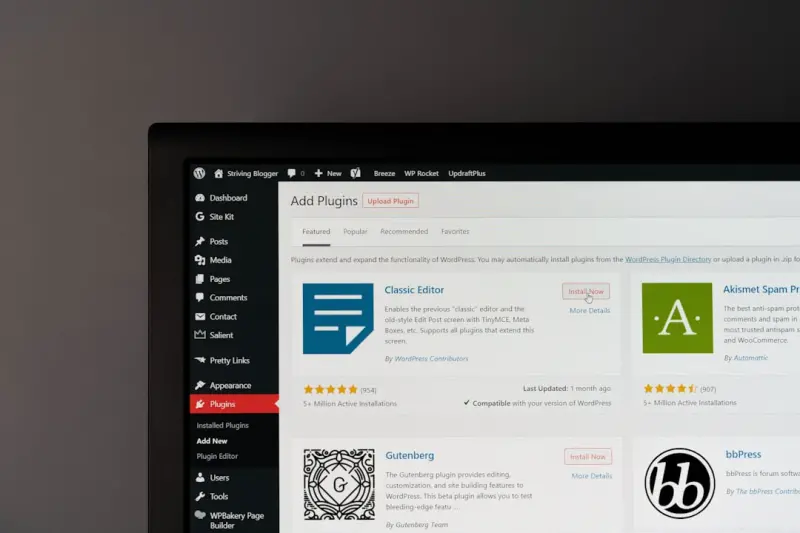
Unlocking WordPress as a Scalable Knowledge Hub for B2B Teams
Learn how to repurpose WordPress beyond blogging, creating a living, searchable knowledge hub that b... Read More
Top Posts

Why Mobile Apps Are the New Front Door for Enterprise SaaS
Mobile apps are evolving from a convenience into a strategic front door for enterprise SaaS, offering context‑aware features, native security, and instant dat...Read More

Running the Green Race: How Sustainable Practices Are Shaping Modern Sports
Jessica Gills reveals how sustainability is redefining sports—from eco gear and green stadiums to athlete activism—offering fans practical ways to make a po...Read More

Designing for the Senses: A Multi‑Sensory Approach to Interior Spaces
A deep dive into multi‑sensory interior design, showing how strategic use of sound, scent, texture, lighting, and nature can transform homes and offices into ...Read More

Why Renting High-End Appliances Is the Smartest Move for Modern Offices
Exploring the shift from owning to renting premium office appliances, this post reveals financial, operational, and cultural advantages of the appliance‑as‑...Read More
0 Comments
Post Comment
You will need to Login or Register to comment on this post!