

Rethinking Your Laptop Life: A Blueprint for Power, Portability, and Purpose
When I first unpacked a sleek, feather‑light ultrabook after a long‑haul flight, I felt the familiar thrill of new hardware. Yet, as the days turned into weeks, the excitement gave way to a subtle realization: the device that once felt like a perfect blend of power and portability was slowly revealing its blind spots. Battery life dipped under heavy workloads, the chassis struggled with heat during intensive AI‑driven tasks, and the upgrade path felt locked behind a proprietary wall. That experience sparked a deeper inquiry—how can we design a laptop ecosystem that not only meets today’s performance demands but also stays resilient, sustainable, and adaptable for the years ahead?
In this article, I’ll walk you through a fresh framework for evaluating and future‑proofing your next PC or laptop purchase. We’ll explore three pillars—Scalable Performance, Adaptive Form Factor, and Conscious Longevity—and I’ll share practical strategies that blend technical insight with a mindful, user‑first mindset. Whether you’re a remote creative, a data‑heavy analyst, or a tech‑savvy entrepreneur, the ideas here aim to help you build a laptop environment that grows with you, rather than forcing you to replace it every few years.
1. Scalable Performance: Beyond Raw Specs
Most buying guides start with a laundry list of CPUs, GPUs, and RAM amounts. While those numbers matter, they rarely capture the nuanced ways modern workloads evolve. Think about the shift from traditional desktop applications to AI‑enhanced tools—image generators, large‑language‑model assistants, and real‑time analytics platforms. These services lean heavily on parallel processing and on‑device inference, which can dramatically tax a laptop’s thermal and power subsystems.
- Hybrid Architectures: Look for laptops that pair a high‑performance core with energy‑efficient cores. This setup, popularized by recent ARM‑based designs, allows the system to allocate intensive tasks to the powerful cores while handling background processes on low‑power ones, extending battery life without sacrificing speed.
- Unified Memory: Devices that share memory between CPU and GPU (often called unified or shared memory) reduce latency for AI workloads that shuffle data between processing units. This architecture is especially valuable for developers experimenting with on‑device model fine‑tuning.
- Thermal Engineering: A robust cooling solution isn’t just about keeping the fan audible. Advanced heat‑pipe designs, vapor chambers, and even liquid‑metal interfaces can sustain higher sustained performance. When researching, pay attention to thermal design power (TDP) and real‑world reviews that report throttling under load.
To truly future‑proof, choose a model that lets you scale performance through software. Many manufacturers now offer firmware that unlocks additional cores or enables AI acceleration via driver updates. Staying on top of those updates can extend the practical lifespan of your machine by years.
2. Adaptive Form Factor: Flexibility Meets Ergonomics
Portability is often equated with thinness, but true adaptability balances size, ergonomics, and expandability. Here’s how to think beyond the “ultrabook” label:
- Modular Ports: Devices with a modular port system (think detachable I/O hubs) let you customize connectivity without compromising the slim chassis. If you regularly switch between external monitors, Ethernet, and high‑speed storage, a modular dock can keep your main laptop clean while providing the necessary bandwidth.
- Detachable Screens: 2‑in‑1 convertibles and detachable tablets blur the line between laptop and tablet. For professionals who sketch, annotate, or present on the go, the ability to flip or detach the screen can replace a separate device, reducing overall tech clutter.
- Ergonomic Stands and Accessories: A lightweight laptop paired with an ergonomic stand, external keyboard, and mouse can transform a cramped coffee‑shop setup into a workstation that respects posture. Look for stands that support cable management and adjustable height to keep your screen at eye level, mitigating neck strain over long sessions.
Beyond physical form, consider software adaptability. A laptop that runs a versatile OS—whether Windows, macOS, or a Linux distribution—gives you the freedom to pivot between development environments, creative suites, or secure corporate ecosystems without buying a new device.
3. Conscious Longevity: Sustainability and Value
Tech sustainability is no longer a niche concern; it’s a competitive differentiator. When you invest in a laptop, you’re also investing in a product lifecycle that impacts the planet and your wallet. Here are three concrete steps to ensure your purchase aligns with long‑term value and environmental stewardship:
- Repairability Scores: Brands like iFixit provide repairability ratings that assess how easy it is to replace batteries, SSDs, or keyboards. A higher score means you can extend the device’s life with simple part swaps rather than a full replacement.
- Upgradable Components: While many ultrabooks solder RAM and storage onto the motherboard, a growing segment of laptops now offers user‑replaceable SSDs and even RAM slots. Prioritizing upgradability lets you boost performance down the line without discarding the entire chassis.
- Energy‑Efficient Certifications: Look for ENERGY STAR or EPEAT certifications, which indicate lower power consumption and greener manufacturing practices. Over the lifespan of a laptop, even modest energy savings translate into reduced carbon footprints.
Beyond hardware, think about the software ecosystem. A device that receives regular security patches, firmware updates, and driver improvements stays secure longer—critical for businesses handling sensitive data. Companies that adopt an outcome‑based pricing mindset often extend software support to match hardware longevity, ensuring your tools remain productive without hidden costs.
4. The Security Layer You Can’t Overlook
Modern laptops are gateways to corporate networks, personal finances, and creative intellectual property. As performance and portability increase, so does the attack surface. Integrating security at the hardware level—like TPM 2.0 chips, hardware‑based encryption, and biometric authentication—creates a robust first line of defense. Pair this with a disciplined software practice: regular OS updates, endpoint protection suites, and a zero‑trust network approach.
For professionals who travel frequently, a VPN that automatically activates when connecting to public Wi‑Fi can prevent data interception. Additionally, consider devices that support secure boot and remote wipe capabilities—features that become invaluable if the hardware is lost or stolen.
5. Harnessing AI for a Smarter Laptop Experience
AI isn’t just a cloud service; it’s increasingly embedded in the laptop itself. From voice assistants that manage calendar invites to on‑device AI that enhances photo editing or accelerates code compilation, these capabilities can streamline daily workflows.
- Contextual Assistants: Modern laptops ship with AI assistants that learn your habits—suggesting when to switch to power‑saving mode, auto‑organizing files based on project relevance, or pre‑fetching frequently used applications.
- On‑Device Inference: Running AI models locally reduces latency and protects privacy. Look for laptops that support frameworks like TensorFlow Lite or ONNX Runtime natively, allowing you to experiment with custom models without relying on constant internet access.
- Predictive Maintenance: Some manufacturers now embed sensors that monitor battery health, fan speed, and thermal performance. The system can alert you to potential issues before they cause downtime, effectively extending the machine’s usable life.
By leveraging these built‑in AI features, you can offload routine tasks and focus on higher‑value work, turning your laptop from a passive tool into an active collaborator.
6. Building Your Personal Laptop Strategy
To translate these concepts into actionable steps, follow this simple checklist when evaluating your next laptop:
- Define Core Workloads: List the applications you use daily and identify any emerging AI‑centric tools. Match these against the device’s CPU/GPU capabilities and memory architecture.
- Assess Portability Needs: Estimate your average travel distance per week. If you’re on the move >30 miles, prioritize battery endurance, weight, and a sturdy chassis.
- Check Upgrade Paths: Verify if the RAM and storage are user‑replaceable. Confirm the availability of official spare parts and warranty coverage for self‑service.
- Evaluate Sustainability Metrics: Review repairability scores, energy certifications, and the manufacturer’s recycling program.
- Secure the Base Layer: Ensure the presence of TPM, biometric login, and encrypted storage. Plan for a reputable VPN and endpoint protection suite.
- Plan for AI Integration: Identify AI features you’ll leverage (voice, inference, predictive maintenance) and confirm OS support for those tools.
By methodically scoring each criterion, you create a personalized matrix that highlights the laptop that best aligns with both immediate needs and long‑term aspirations.
Conclusion: A Laptop That Grows With You
The modern laptop is more than a portable computer—it’s a dynamic platform that can adapt to evolving workloads, support sustainable practices, and integrate intelligent assistants that make work feel lighter. By focusing on scalable performance, adaptive form factor, and conscious longevity, you can choose a device that remains a reliable partner for years, not just months.
Remember, the goal isn’t to chase the flashiest specs on the shelf but to build a balanced ecosystem where hardware, software, and personal workflow harmonize. When you align these elements thoughtfully, your laptop becomes a catalyst for creativity, productivity, and responsible tech stewardship.

Mei Chen is a dynamic professional who brings a unique blend of skills to Blogging Fusion. As a key contributor to the Blogging Fusion platform, she leverages her writing expertise to create engaging content that resonates with our audience.
Related Posts

Modular Laptops: The Unsung Hero of Remote Work Efficiency
Modular laptops let remote teams customize performance, extend device lifespans, and lower total own... Read More

Why Sustainable PCs and Laptops Are the Hottest Trend in 2024
Explore the rise of sustainable PCs and laptops in 2024, with insights on green specs, gaming, and s... Read More
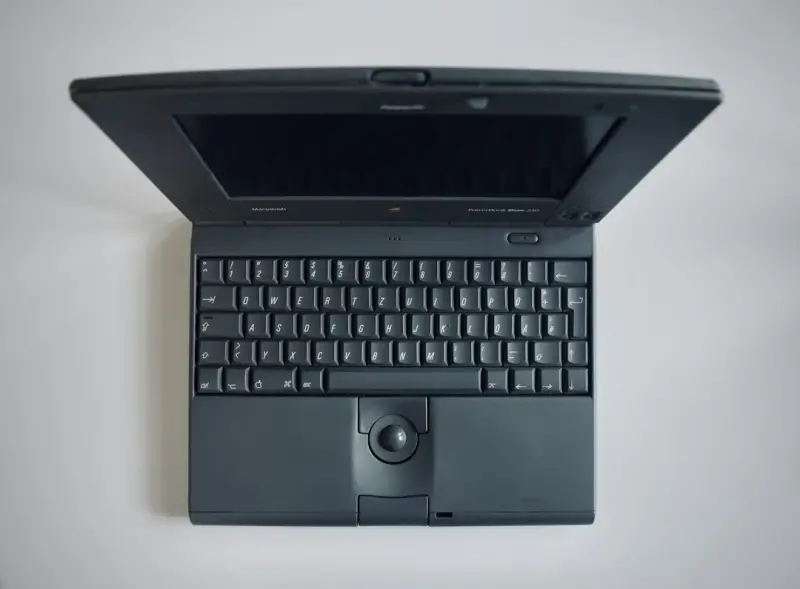
Why Modular Laptops Are the Secret Weapon for Modern Knowledge Workers
Modular laptops let you upgrade memory, storage, and GPU on the fly, extending device lifespan and c... Read More
Top Posts

Transform Your Space with Storytelling Gallery Walls
Learn to create a gallery wall that reflects your unique story, using layout planning, mixed media, and strategic lighting for a lasting home makeover....Read More
Building Edge‑Ready Web Apps: A Developer’s Playbook
A practical guide for developers who want to create fast, resilient, and maintainable web applications by embracing edge computing, micro‑frontends, AI‑enha...Read More

AI‑Powered Color Palettes and Modular Furniture: Redefining Interior Design
Explore how AI-generated color schemes and flexible modular furniture combine with biophilic and acoustic strategies to create adaptable, sustainable interiors ...Read More

The Secret Symphony of the Soil: How Soundscapes Are Revolutionizing Home Gardens
Discover the emerging practice of garden soundscapes—using low‑frequency tones, classical melodies, and AI‑curated playlists to stimulate plant growth, en...Read More
0 Comments
Post Comment
You will need to Login or Register to comment on this post!